COMMAND WORKSTATION 14
TO CONFIGURE THE CONNECTION FOR COMMAND WORKSTATION
1 Start Command WorkStation:
Windows:
Programs > Fiery > Fiery Command WorkStation 5
Mac OS: Applications: Fiery: Command WorkStation 5: Command WorkStation
2 Type the DNS name or IP address and click Add to add the server to the Disconnected Servers
list.
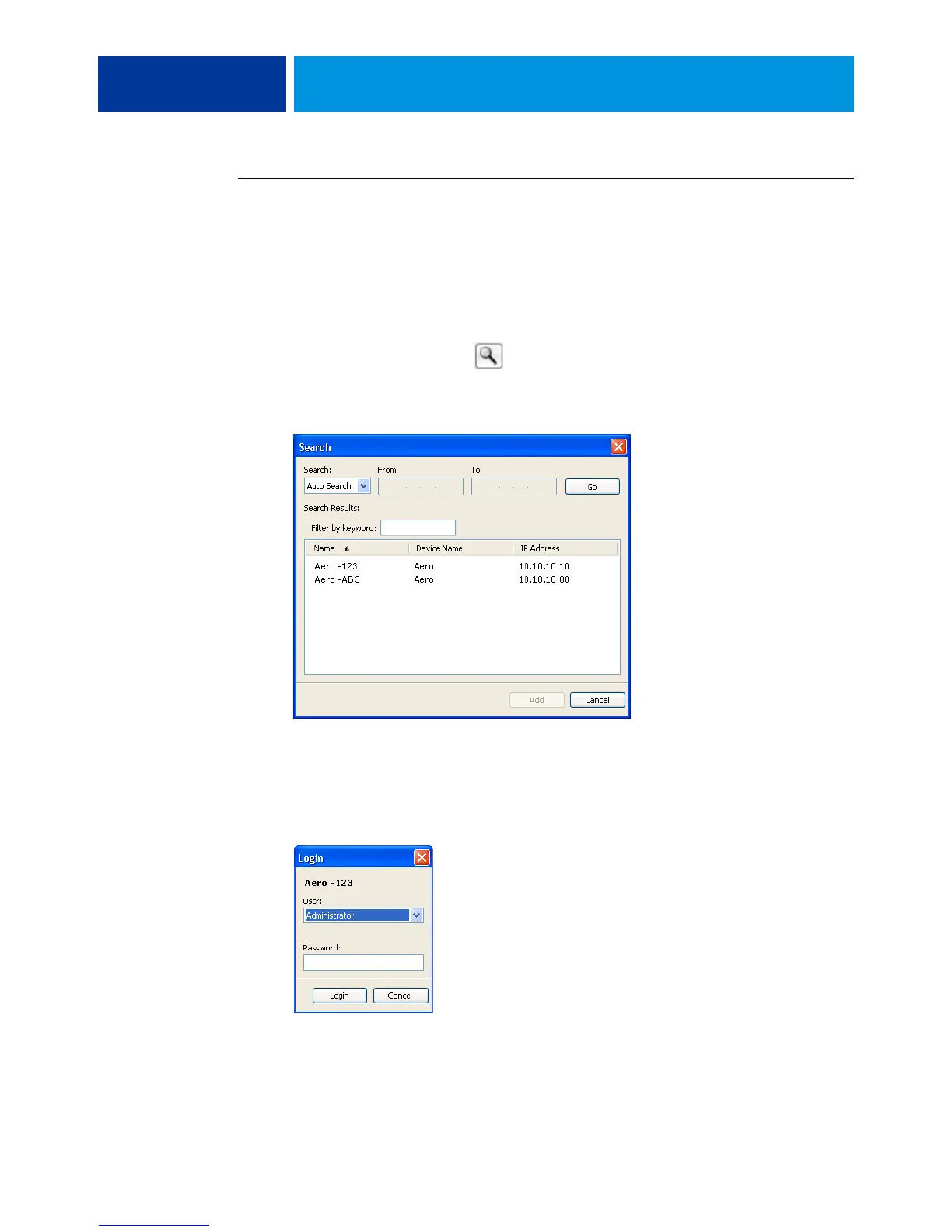
If no E100 is found, click the icon, search by a range of IP addresses or by the IP
address and subnet mask, and then click Go. Or, select Auto Search.
All available servers appear in the Search dialog box.
To search for a particular server in the list, type the server name in the Filter by keyword
field.
Select the E100 that you want to use, click Add, and then click Connect.
The Login dialog box appears.


 To Next Page