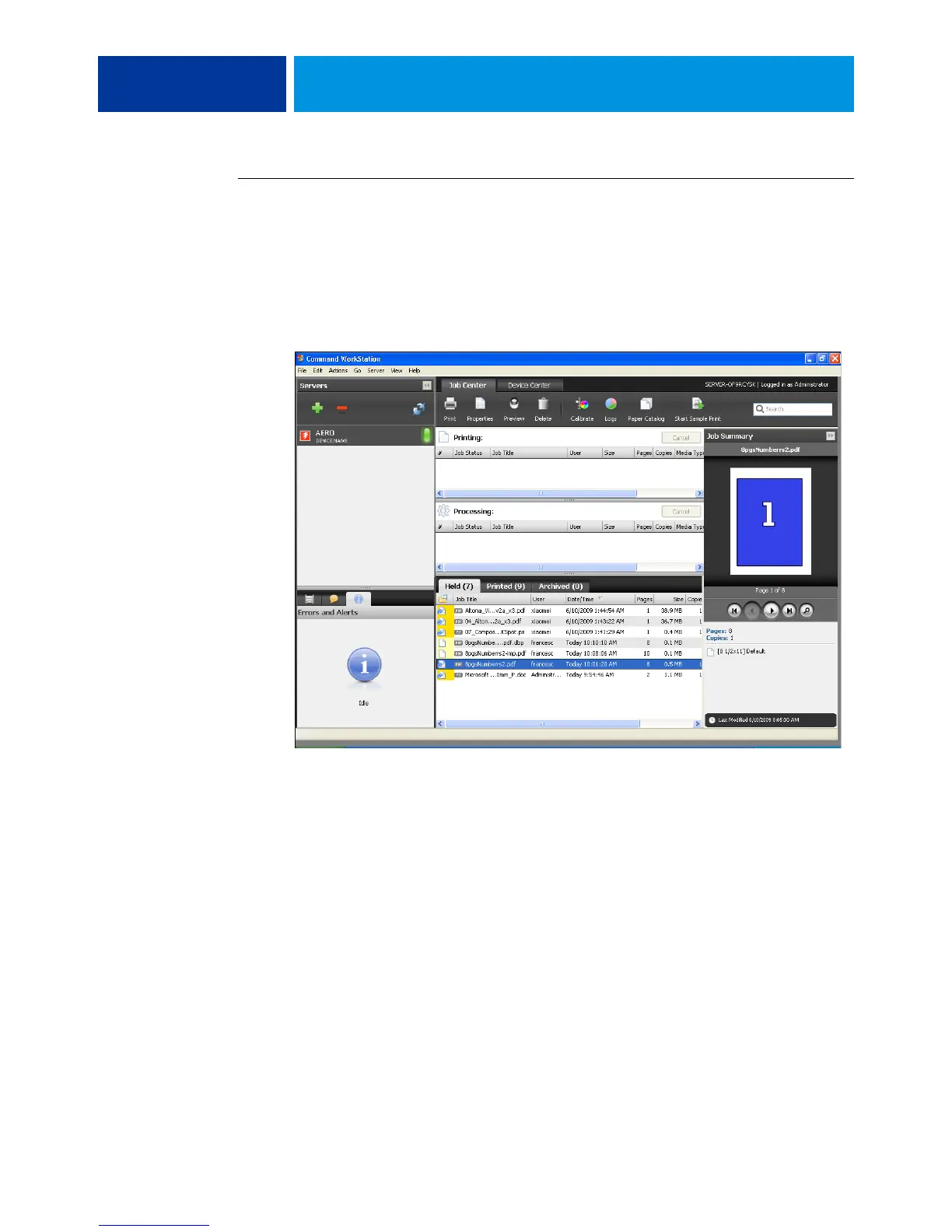
COMMAND WORKSTATION 16
TO ACCESS COMMAND WORKSTATION HELP
1 Start Command WorkStation.
Select the E100 from the list of servers displayed in the Search dialog box and log on to the
server.
For information about setting passwords and the default Administrator password for the
E100, see Configuration and Setup.
2 Choose Help, How To, or What’s New from the Help menu.


 To Next Page