LED Screen( when frequency changed,
the screen is only blinking and remain
CH001)
2
Slide on-off button
Battery Compartment
Channel Button(Every short press the
channel button brings 1MHz frequency
variation.)
4
Signal Indicator(The indicator is
green when pairing with transmitter.It
turns RED when paired successfully)
On-off Button
Antenna (Pull it out to extend the range
of signal transmission and get better
connection with transmitter.)
Quarter Inch Jack-plug(6.35mm)
Battery Compartment
QUICK START
1. Insert batteries confirming to “+” and “-”.
Incorrect installation will result in not
working or damaging the microphone set.
2. Make sure to turn down the volume of
your speaker before you plugging the
receiver into the 1/4’’ (6.35mm) mic input
of it.
1. The transmitter and receiver need to be in
direct line of 'sight' for them to work.
Wireless mic easily gets interference and
blocked by object like a person walking in
front of it antenna, make sure to put its
receiver as high as possible and keep
away from any large piece metal object.
4. When use the mic outdoors, we suggest to
keep out from the rain and keep it dry.
3. Do not point the mic at the speakers,
otherwise it will cause feedback noise.
2. Turn down the volume and treble of the
speaker before connecting the receiver to it
could avoid feedback noise.
5. Not compatible with phones, computers,
cameras, tablets, Apple products and all
the line in /aux in jacks.
K025
Blinking
IMPORTANT NOTICE
4. Pickupmicrophone againand then
oneclickonit’schannelbuttontoconfirm.
(The Led screen stops flashing after you
one click the channel button).
Theindicatorofreceiverturnsredwhen
successfullypaired.
1. Turn OFF the mic and the receiver
before the process.
blinking
Microphone
Type: Dynamic
Model number: K025
Standard impedance: 600±30%
Sensitivity: -50.60±1db (At 1KHz)
Frequency response: 50~18KHz
Direction: Uni-direction
Operating temperature range: -29~43
Construction: Suspension type
Power Supply: 2*AA Batteries
Response curve: (shown below)
2. Turnthemicrophone on,unscrew the
microphone battery cover,long press
channel button for three seconds to
enter resetmode.
3. TheLed screen is blinking ifyoudoit
right.(Note:The figures on Led display
will not change)
2.Receiver
1.Microphone
MULTIPLE MICROPHONES USED
SIMULTANEOUSLY
Before enter reset mode,please make
sure you've done all the below steps:
Please follow the below steps to reset the
mic set exactly:
3. If you have multiple K025 and some of
microphone set don’t work.
1. You have changed with new fresh
batteries and you still suffer from
interference and disconnection.
PROBLEM
INDICATOR STATUS
SOLUTION
2. You have tried other available channels
by pressing the channel button of the
microphone, and they don’t pair with
each other successfully.
3. Turn the receiver on while the screen is
flashing. The receiver indicator will flash
green and red alternately and then turn
green again.
1 x Receiver 1 x Microphone
1 x User manual
WARRANTY
Easily get a 2-year extended warranty with
online registration within 90 days of
purchase.
Get Social:
Facebook page : http://bit.ly/FifinePage
Company Website:
https://fifinemicrophone.com/
Operation video:
http://bit.ly/k025problemsolving
CONTACT US
Contact Info:
E-mail : web@fifine.cc
More product FAQs can be found on the
website.
Please take a few minutes to watch the
video before you start using the
microphone.
CONTENTS
1. Input the link:
https://fifinemicrophone.com/
2. Please roll down to the bottom of the page,
fill in E-mail address and submit it.
3. Check your inbox or spam to confirm
subscription email.
PS : If you cannot update your
preferences, just re-do the subscription
process.
4. After you click the button “Subscribe me to
the list”and next “manage your
preferences” to finish registration, tell us
the model you are interested, we will send
you the promo info/discount code and 2-
year warranty code as well.
Install the 2AA batteries to microphone.
3. Turn the microphone and receiver on.
When the light on receiver turn from
green to , they successfully paired. RED
The light stay on when it is RED
functioning.
INPUT
BASS
MIDDLE TREBLE VOLUME
Speaker
Version:20-I
3.Operation time is limited relative to battery
life; To save power, please turn off mic
and receiver after use and take the
batteries out in time. Not used for a long
time will cause battery leaked acid,
destroyed microphone equipment.
4.Sometimes a battery gets poor contact
with the connector inside microphone/
receiver and results in the same
symptoms just like if it was drained.
5.Dying batteries will often register a lower
voltage. Some batteries will show nearly
full voltage until just before they die.
Please replace the new fresh battery in
time when low voltage or the mic cut in
and out some time.
6.Higher coverage will likely result in
quicker battery draining. Please prepare
a replacement battery in case
microphone set that runs out of charge.
Receiver
Frequency: 565.000-584.000MHz
Sensitivity: -95db
4.Slowly adjust the mic volume of the speaker
from zero to the desired loudness to avoid
feedback noise (howling). The best distance
between microphone and speaker should
be at least 10’. Now your voice would be
heard through the speaker when you talk to
the microphone. Extend the antenna of
receiver to increase the transmission
distance if you need.
Note :
We do not recommend to use with
portable bluetooth speakers lower than
15 watt, such as JBL charge, Doss
touch.
2. Unscrew the mic’s battery cover, One
click on its channel button and the led
screen flash once, but the figures on led
display will not be changed.
1. Both mic and receiver are on.
You will need 2 transmitters and 2 receivers
if you want to use 2 mic sets.
When using multiple microphones
simultaneously and there is interference (the
mic/s cutting in and out or the range is
short), please try other available channels by
the below procedure:
3. The light on the receiver flash from
green to RED at the same time.
4. The indicator light stay on red when
paired successfully.
1. Please change microphone battery when
the led screen flashes.
2. The battery of receiver need to be
changed when the indicator blink green.
Screen flashing
WARNING OF LOW BATTERY POWER
0 10'
50'
switch on
flashing red
and green
turns green
6 7
9
10 14 15
8
11
QUICK START
WARNING OF LOW BATTERY POWER
MULITIPLE MICROPHONES UESD
RESTORE TO FACTORY SETTINGS
TROUBLESHOOTING
IMPORTANT NOTICE
...................................
4-6
6-7
8-9
9-11
12-15
.....
...........
.........
..........................
..........................
16
RESTORE TO FACTORY SETTINGS
The are 20 frequency of k025 for your
choice ,you can one click channel button to
change. But the alteration would not
display on the led screen.
565.000 566.000 567.000 5 68.000
569.000 570.000 571.000 572.000
573.000 574.000 575.000 576.000
577.000 578.000 579.000 580.000
581.000 582.000 583.000 584.000
WIRELESS FREQUENCY AND CHANNEL GUIDE
Note: The receiver must remain OFF
at this moment.
6. If you found the microphone suddenly
doesn’t work when multiple sets used
together, pls change the frequency to have
a try. Reference the page 8 for quick set.
S/N Ratio: More than 58dB
Frequency Response: 50~18KHz
Power Supply: 2*AAA Batteries
Microphone Anti-rolling Protection Ring
1 x Microphone Anti-rolling Protection Ring
Connected
PROBLEM INDICATOR STATUS SOLUTION
Distortion level
increases
gradually
Bursts of noise or
other audibleradio
signals present.
Momentary loss of
sound as transmitter
is moved around
performing area.
Receiver light is red, but mic
screen is flashing
Receiver light is red
Receiver light is green
when the sound cuts out.
Replace transmitter battery
Identify potential sources of
interference and turn off, remove or
use a wireless system operating on a
different frequency.
Reposition receiver and perform walk-
through test again.If audio
dropoutspersist. mark”dead” spots and
avoid them during performance.
Note: If the above troubleshootings don’t help, please contact FIFINE customer service team
(web@fifine.cc) for further assistance.
16
17
No sound
No sound
No sound
No sound
The screen could not
turn on
Receiver light blinks
green
Receiver light is red
Mic is on, receiver light is
green
Make sure battery is inserted
properly. Observing battery(“+/-”).
If battery is inserted properly ,
replace with fresh battery.
Using the mic closer to receiver.
Reset the mic set.
Turn up the speaker volume. Turn
off the bluetooth function of speaker.
Provide the speaker info to FIFINE
cs for more suggestion.
Makesurebatteryisinsertedproperly
and the battery cover fully closed.
Observingbattery(“+/-”). If batteryis
inserted properly, replace with fresh
AAA battery.
12 13
No sound
Receiver light blinks
green
Unscrew the mic’s battery cover,one
click on it's channel button to change
frequency to avoid interference.
TROUBLESHOOTING
Insert 2 AAA batteries to the receiver.
Make sure the battery polarity is correct
installation and the door is closed
completely.

 Need help?
 General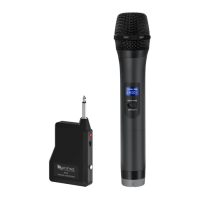

 To Next Page