EasyManua.ls Logo

Fifine K658 - User Manual

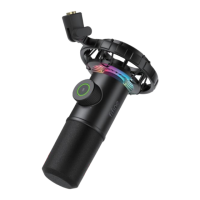
Fifine K658
83 pages
Print Icon
To Next Page IconTo Next Page
Loading...
Fifine-K658
User Manual • Uživatelský manuál •
Užívateľský manuál • Használati utasítás •
Benutzerhandbuch
Question and Answer IconNeed help?

Do you have a question about the Fifine K658 and is the answer not in the manual?

Summary

Guidance for Use

Connecting to Computer

Operating Features

Mute Button and LED Indicator

Tap button to mute/unmute. Green LED means mic is on, red means muted. Ensure green for use.

RGB Lighting Control

Headphone Output

Monitoring and Playback

Plug headphone into 3.5mm jack for real-time monitoring. Select mic as input device.

Computer Connection Setup

Apple macOS Input and Output

Configure sound input and output settings for macOS. Install driver automatically.

Windows Input Settings

Set 'FIFINE K658 Microphone' as default input device in Windows Sound control panel.

Recording Software Settings

Microphone Usage and Specifications

Warranty Conditions

Summary

Guidance for Use

Connecting to Computer

Operating Features

Mute Button and LED Indicator

Tap button to mute/unmute. Green LED means mic is on, red means muted. Ensure green for use.

RGB Lighting Control

Headphone Output

Monitoring and Playback

Plug headphone into 3.5mm jack for real-time monitoring. Select mic as input device.

Computer Connection Setup

Apple macOS Input and Output

Configure sound input and output settings for macOS. Install driver automatically.

Windows Input Settings

Set 'FIFINE K658 Microphone' as default input device in Windows Sound control panel.

Recording Software Settings

Microphone Usage and Specifications

Warranty Conditions

Fifine K658 Specifications

General IconGeneral
TypeCondenser
Polar PatternCardioid
ConnectivityUSB
Sample Rate48kHz
Bit Depth16-bit
Power SourceUSB powered
FeaturesRGB lighting
CompatibilityWindows
Cable Length2 m

Related product manuals