EasyManua.ls Logo

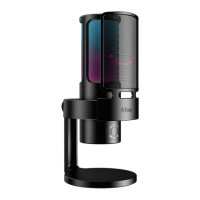
Fifine K669B - User Manual

Fifine K669B
52 pages
Print Icon
To Next Page IconTo Next Page
Loading...
K669B
User Manual • Uživatelský manuál • Užívateľský manuál •
Használati utasítás • Benutzerhandbuch

Other manuals for Fifine K669B

Question and Answer IconNeed help?

Do you have a question about the Fifine K669B and is the answer not in the manual?

Summary

Whats in the Box?

Specifications

Introduction

Volume Control

Explains how to adjust microphone volume and mute.

Stand Installation and Adjustment

MacOS Setup

Windows Setup

Troubleshooting

Recording Software Settings

Important Notice

Setting Your Software Levels

Guides on adjusting microphone input levels for optimal performance.

Selecting Software

Recommends recording software like Audacity and setup order.

Positioning Your Microphone

Explains the best placement for clear sound capture.

Protecting Your Microphone

Advises on avoiding extreme temperatures and humidity for device longevity.

Caring for Your Microphone

Warranty Conditions

EU Declaration of Conformity

WEEE

Summary

Whats in the Box?

Specifications

Introduction

Volume Control

Explains how to adjust microphone volume and mute.

Stand Installation and Adjustment

MacOS Setup

Windows Setup

Troubleshooting

Recording Software Settings

Important Notice

Setting Your Software Levels

Guides on adjusting microphone input levels for optimal performance.

Selecting Software

Recommends recording software like Audacity and setup order.

Positioning Your Microphone

Explains the best placement for clear sound capture.

Protecting Your Microphone

Advises on avoiding extreme temperatures and humidity for device longevity.

Caring for Your Microphone

Warranty Conditions

EU Declaration of Conformity

WEEE

Fifine K669B Specifications

General IconGeneral
Microphone TypeCondenser
Polar PatternCardioid
Frequency Response20Hz-20kHz
Sensitivity-34d±30% (at 1kHz)
S/N Ratio78dB
Max SPL130dB
Power SourceUSB
Power SupplyUSB
CompatibilityMac
Output ConnectionUSB

Related product manuals