10
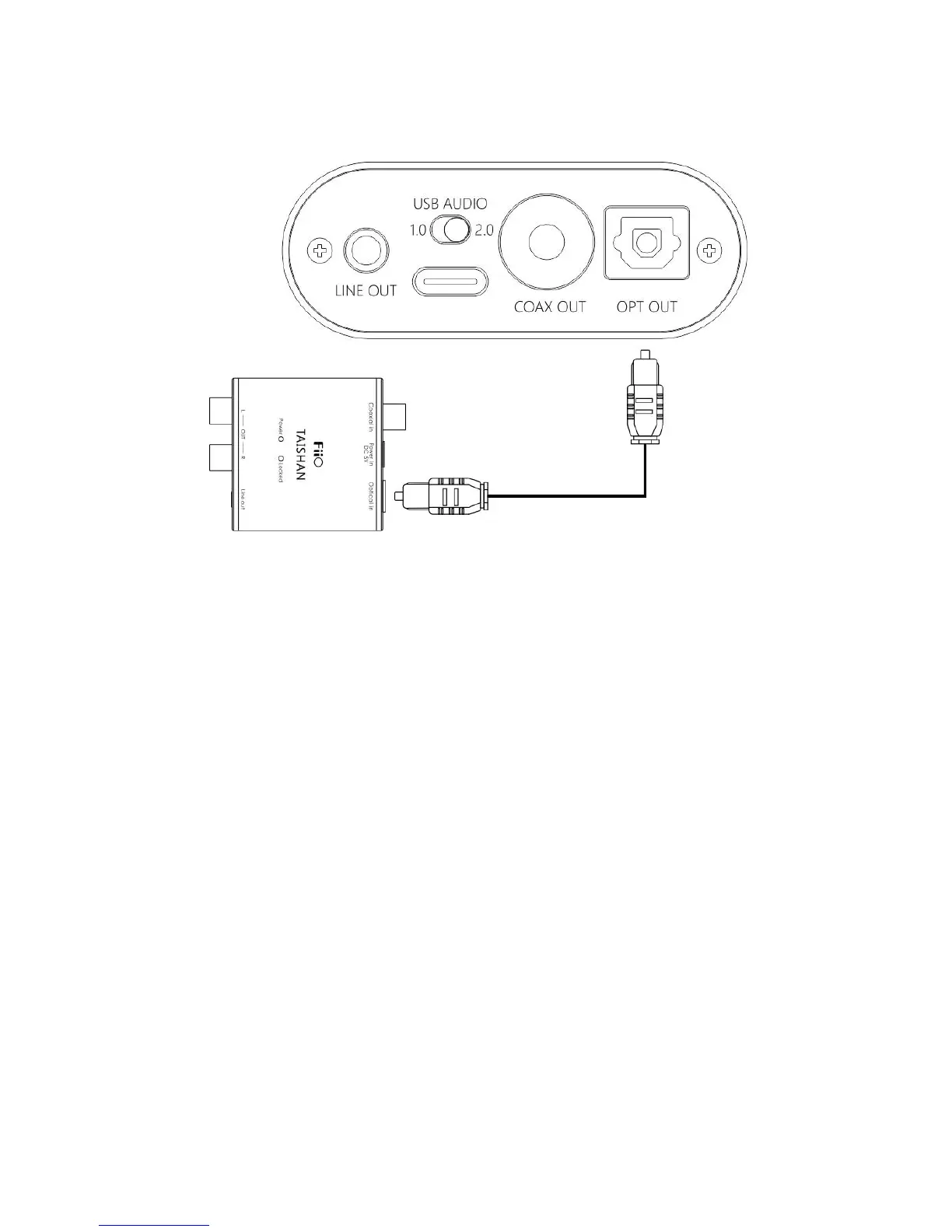
Scene 4: Connect to the device with optical input port
note:
The coaxial output supports up to 192k sampling rate and DOP
output of DSD64. If the device does not support, please adjust the
audio output settings of the PC player;
Power/volume knob adjustment is invalid to the optical output
volume.
Step 3, play the song on the computer using the music app
First select K3 as the output device in the playback settings of the
playback software. Take FB2000 as an example. Appendix document 2 is
for reference. Then play the music and adjust the power/volume knob to


 To Next Page