20
Appendix 2, FB2000 choose K3 operation tutorial
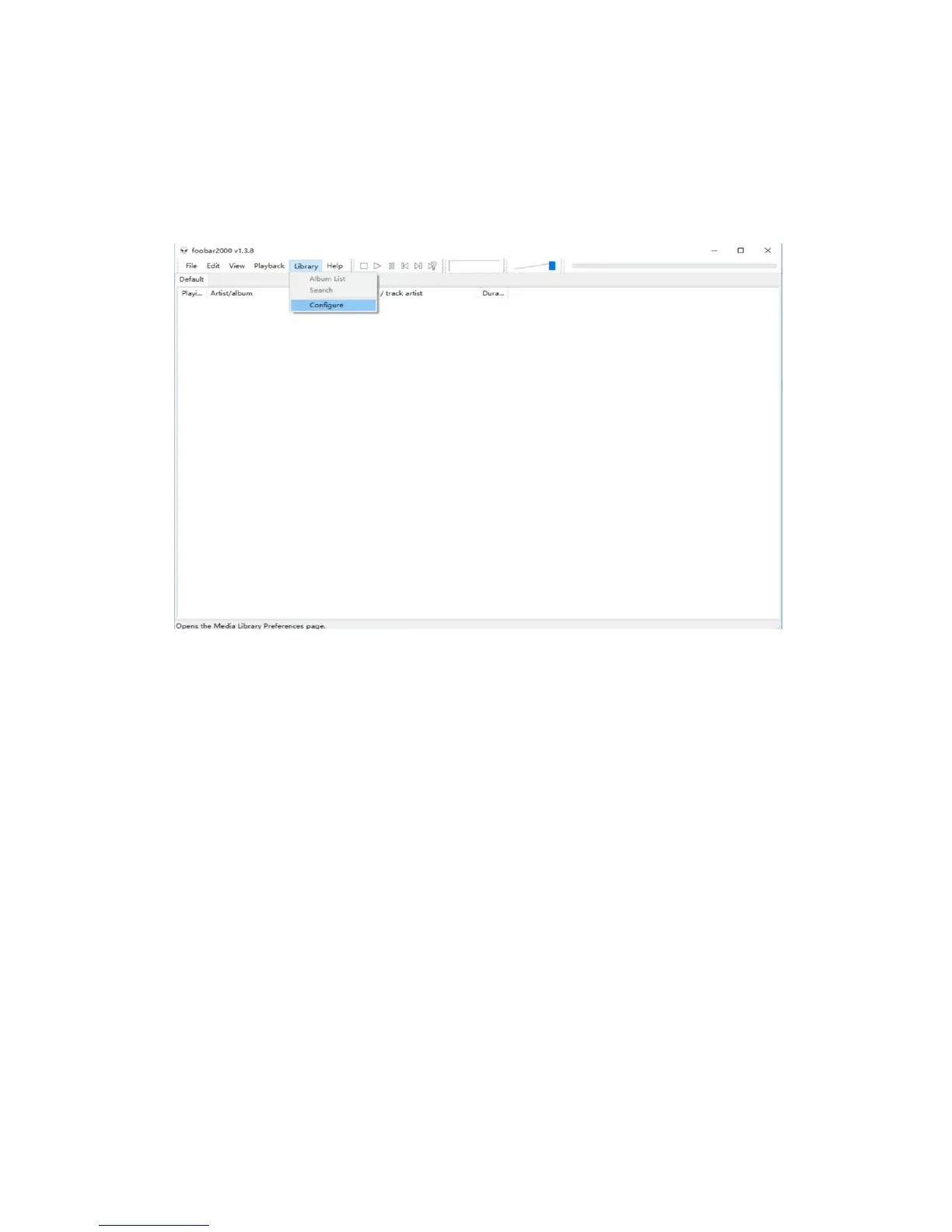
Open FB2000, select menu "Library - Configuration" to enter the
parameter option setting interface, as below:
The "Play" - "Output" device can be selected, for example, KS: K3, click
"Apply", and then click "Confirm", as shown below:


 To Next Page