3
2、Ports and indicators explained:
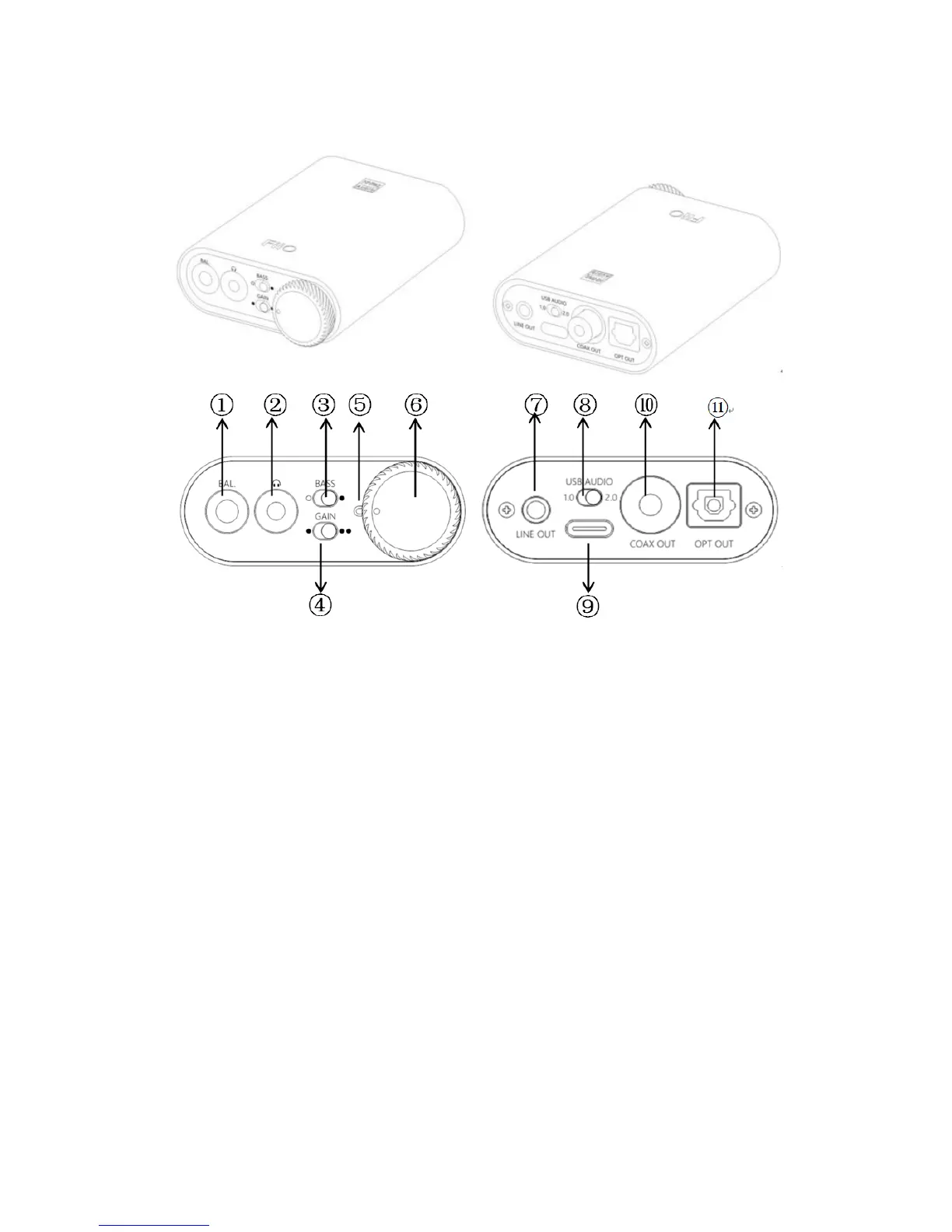
①2.5mm balanced headphone output interface:Connect a 2.5mm
earphone to this jack, balance the boost function will be started up
automatically, which can improve the output power by about 50%.
② 3.5mm single-ended headphone output interface : Connect a
3.5mm headset to this jack
③Bass boost switch:When the switch is turned to the left, bass boost is
OFF; and switch to the right, the bass boost is ON;
④Low/high gain switch: When the switch is turned to the left, it means
low gain, the switch to the right means high gain, and the high gain can
be adjusted based on different types of headphones;


 To Next Page