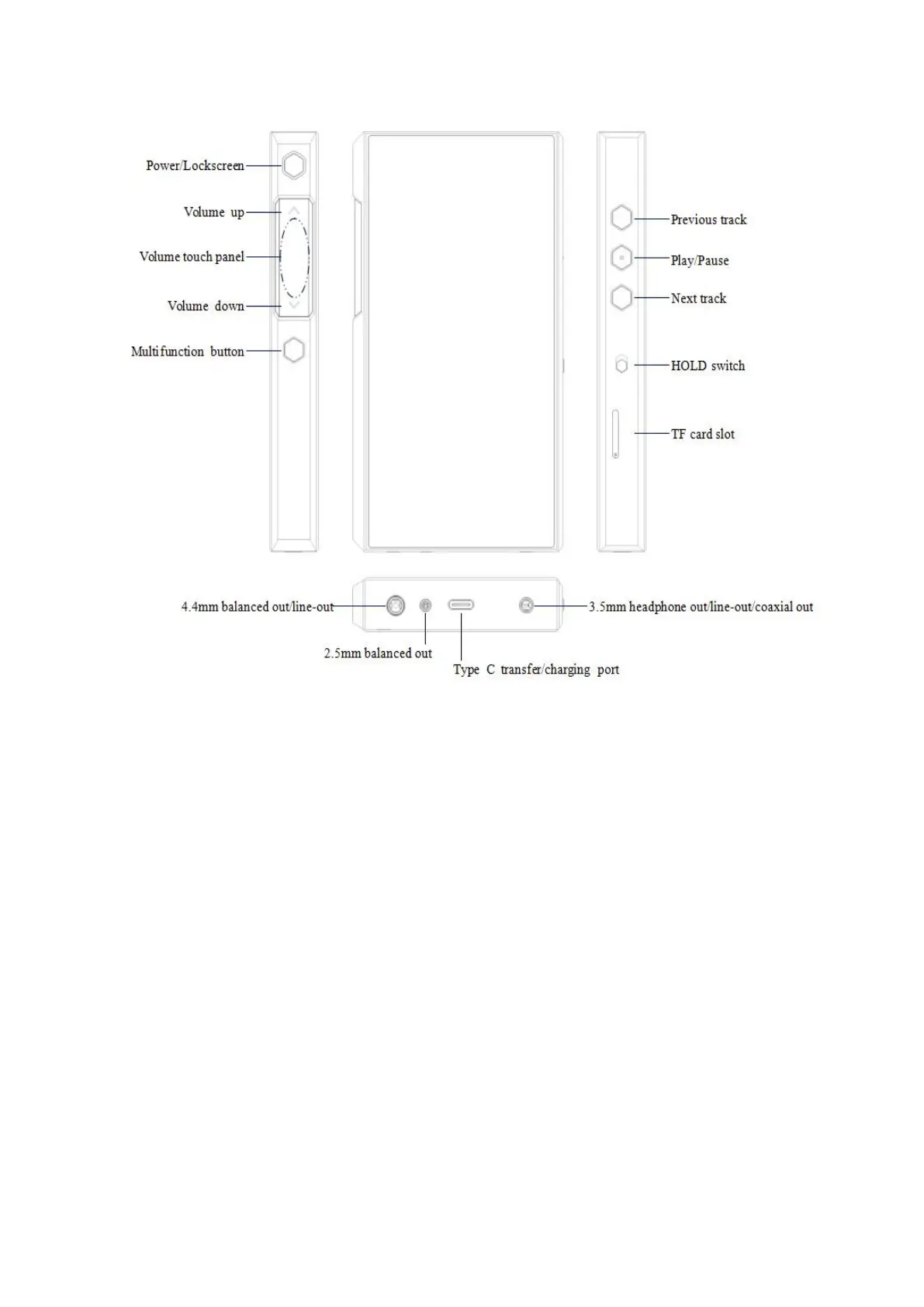
2. Instructions for buttons and ports
1) 5.5-inch IPS hi-res full-touch incell screen (1440*720): menu and other
information displayed, used with physical buttons to operate the device.
2) Power/Lockscreen: long press it for about 2 seconds when the device is off to
turn it on; long press it when the device is on to pop up the menu of
reboot/shutdown; short press it when the device is on to turn off/wake up the
screen; long press it for about 10 seconds to reset the device.



 To Next Page