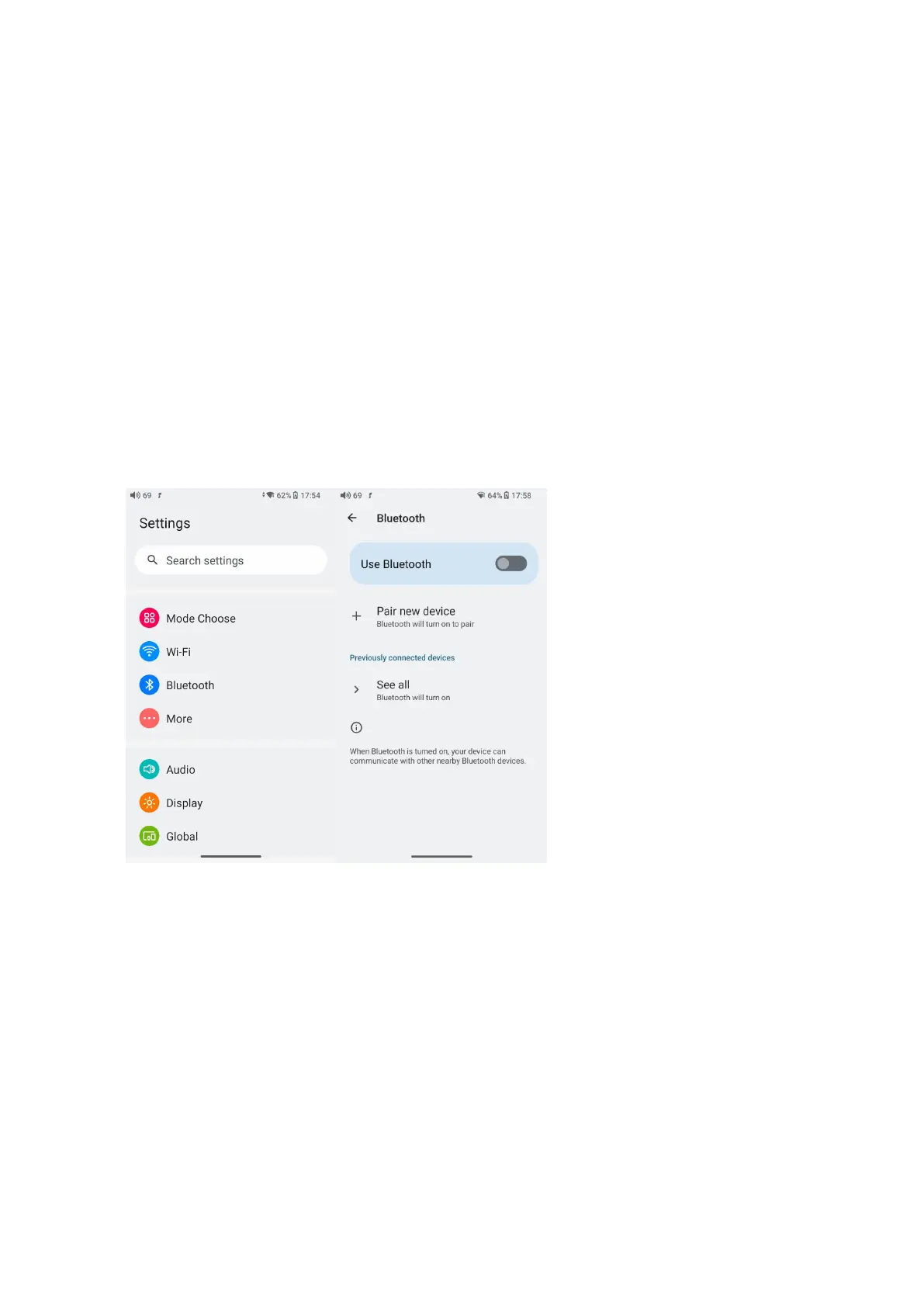
1. Go to the Settings->Bluetooth menu to turn on the Bluetooth function.
2.Make the Bluetooth receiving device, such as Bluetooth earphones, enter the
pairing state. (Please refer to the user manual of the Bluetooth receiving device
about how to enter pairing state.)
3.Go to the Bluetooth device list of the M21->Pair new device to complete the
connection.
What can be done if the M21 fails to connect to Bluetooth earphones?
If it fails to connect to Bluetooth earphones for the first time, please make sure
the earphones are in the pairing state (the connection will fail if the earphones
are in reconnecting state for the first-time connection). Go to the Bluetooth
menu of the M21 to start the connection.



 To Next Page