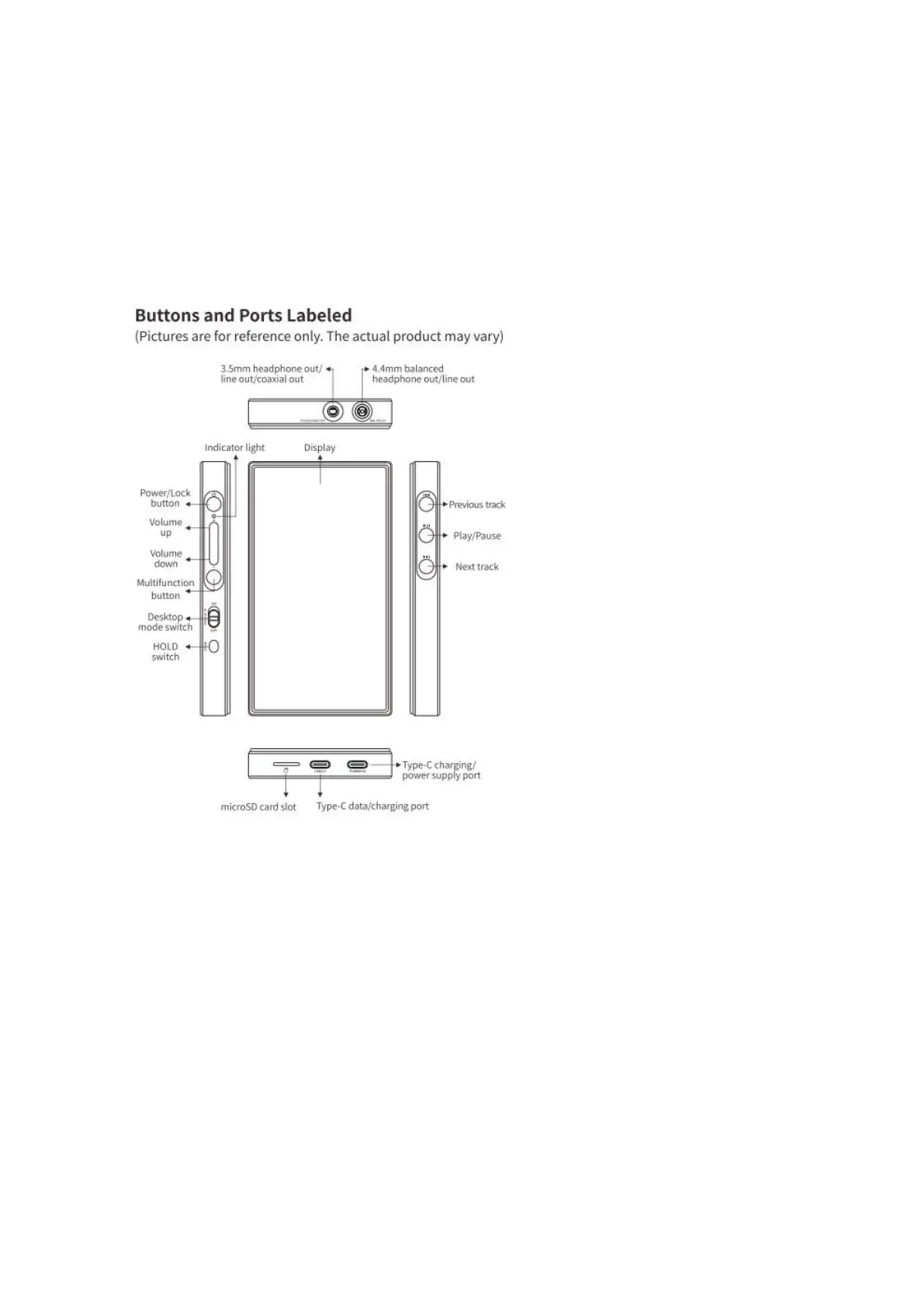
Buttons and ports
1. Pictorial guide to buttons and ports
2. Instructions for buttons and ports
1) 4.7-inch (750x1334) bezel-less screen: menu and other information
displayed, used with physical buttons to operate the device.
2) Power/Lock button: Hold the Power/Lock button to turn on the M21 while it
is off. On its first startup, tap the preferred language onscreen to enter the main



 To Next Page