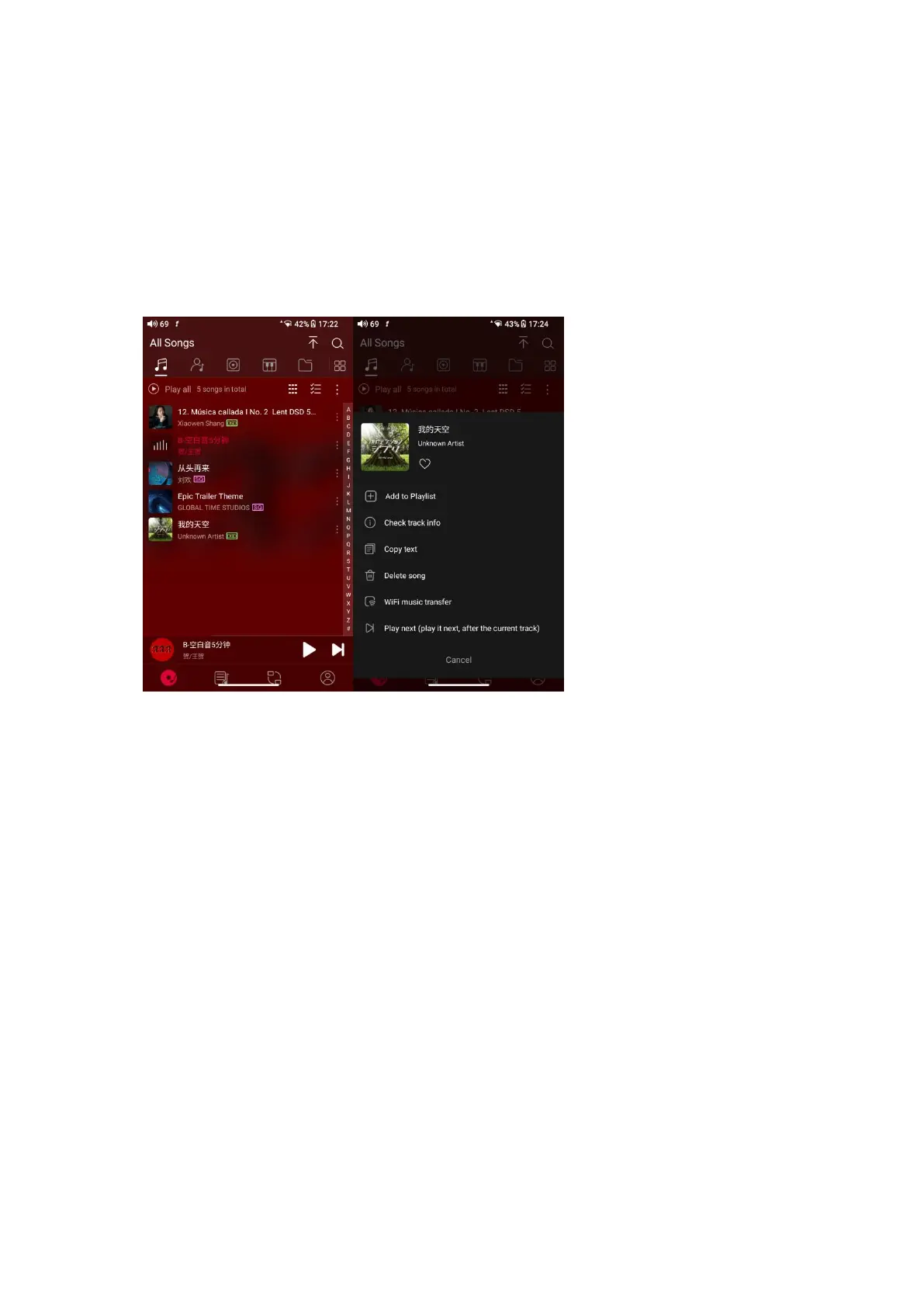
Hidden menu
Tap the ┇ icon at the right corner of each track to wake up the hidden menu.
Then tap the icon in the menu to perform corresponding operations.
Sort songs
Tapping the hidden menu on the upper right corner of the screen, you can
decide the way of songs sorted as Sort by date added, Sort by filename, Sort by
the first letter and Sort by year.



 To Next Page