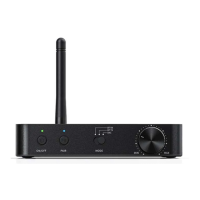
Audio Input/Output and their Priority
●Bluetooth receiving (RX):
Smart devices can be connected to the BTA30 Pro through Bluetooth and output
audio through its line-out, coaxial output and optical output port.
Output priority: line out, coaxial output and optical output can all work at the same
time.
●Bluetooth transmitting (TX):
Input priority: short press button C to switch the input source.
Transmitting: the BTA30 Pro can be connected to Bluetooth receiving devices such as
the FiiO BTR5 and BTR3K. Audio can be input to the BTA30 Pro through its USB input,
coaxial input and optical input port.
BYPASS mode: after inputting audio to the BTA30 Pro through the optical input port,
the audio signal can be transmitted to Bluetooth headphones. Meanwhile, it can also
be connected to a speaker through the optical/coaxial output port.
●DAC mode:
Input priority: short press button C to switch the input source.
Output priority: 1) USB DAC in: line out, coaxial output and optical output can all work
at the same time.
2) Coaxial in: line out will work.
3) Optical in (not BYPASS mode): line out will work
4) Optical in (BYPASS mode): line out, coaxial output and optical
output can all work at the same time.
Note: UAC 2.0 is supported. When connecting the BTA30 Pro to a Windows computer
for the first time, please go to our website to download the USB DAC driver and
follow the corresponding instruction to install it, so to enable the USB DAC function.
For MAC computers, it runs driver-free.
Download link: http://www.fiio.com/supports
Notes and Precautions
★It is recommended to charge the device with a standard 5V charger.


 To Next Page