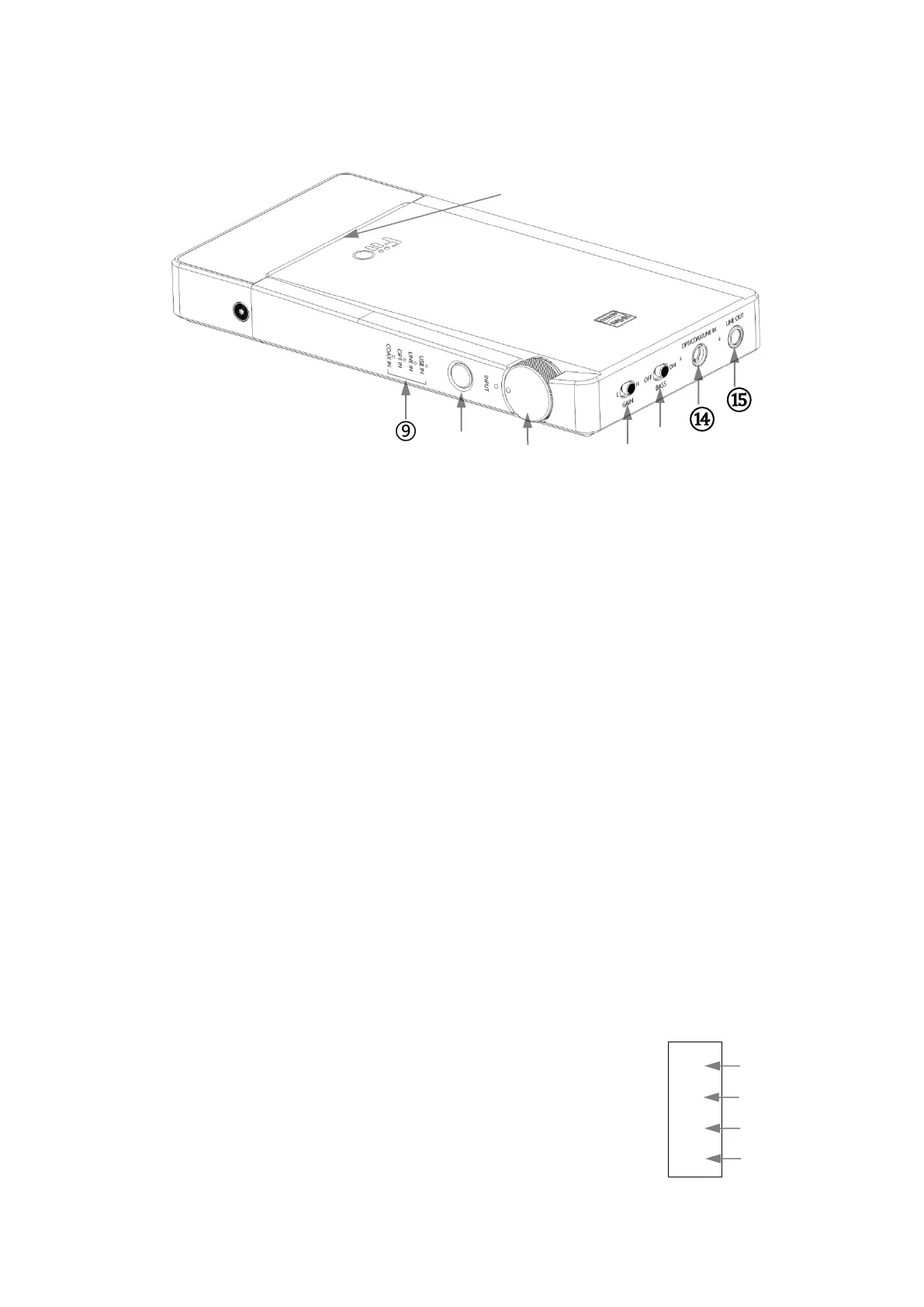
⑨ Side indicator (Battery/Working status)
⑩ Switch (USB/Line/Optical/Coaxial input)
⑪ Power/Volume knob
⑫ Gain
⑬ Bass
⑭ Line/Optical/Coaxial input
⑮ Line output
⑯ Front indicator
Operation and indicator explained
1. Power on/off and volume adjustment
Turn the "Power/Volume" knob until a click sound is heard to turn on the device, then
the indicator will light up; keep turning clockwise to increase volume; Turn
anticlockwise to decrease volume, turn anticlockwise until a click sound is heard to
turn off the device.
2. Input selection and indicator explained
a. Press the "Switch" button briefly to switch among
USB/Line/Optical/Coaxial inputs; the corresponding indicator on the side
will light up to display the current input mode, as shown on the right.
And the Q5s remembers the input mode you used last time before
turning the device off, and will automatically display it as the current input


 To Next Page