3. Bluetooth mode
a. While the unit is powered on, hold the "Bluetooth On/Off" button for about 2s, the
device will enter Bluetooth mode and then the Q5s will connect back to the
last-connected Bluetooth device automatically; if the connecting fails,the Q5s will
enter Bluetooth pairing mode.
b. While the unit is powered on, hold the "Bluetooth On/Off" button for about 5s, the
device will enter Bluetooth pairing mode directly.
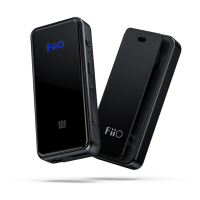
c. Bluetooth status display
Red
and
blue
light
flash
alterna
tively
Blue
light
stays
steadily
on
d. When Bluetooth is enabled, other input will become invalid; hold the "Bluetooth On/Off"
button for about 2s to exit Bluetooth mode.
e. When at Bluetooth mode, the Q5s will only remember the input mode prior to Bluetooth mode
before turning the device off, and will display it as the current input mode after you turn the
device on next time; if you want to enter Bluetooth mode, hold the "Bluetooth On/Off" button for
about 2s.
USB DAC
a. When using the device with a Windows computer at USB1.1 mode, it doesn't need
any drivers.


 To Next Page