RESET button The RESET button re-boots the 3M-50 processor. It does not effect the user programs
that have been stored in permanent memory.
Compressor Protection The 3M-50 has a minimum cycle time of 4 minutes to protect your
compressor in cool and in heat pump (if you have one). The Home screen will show a small clock and A/C
during this time and the compressor will not come on until the 4 minute delay is over.
Communicating Thermostat
The 3M-50 has 2 RTM-1 radio ports. These allow your thermostat to
communicate with other systems.
Using USNAP Radios The USNAP ports allow you to connect
your 3M-50 to your home WiFi network. This can give you access to
your home’s HVAC system even when you are away [with additional
web service]. It can also give you access to web based efcient
energy management sites that can help you save money and protect
the environment.You can connect your 3M-50 to a Home Automation
network for HA functionality with remote access to your HVAC system
and home conditions.
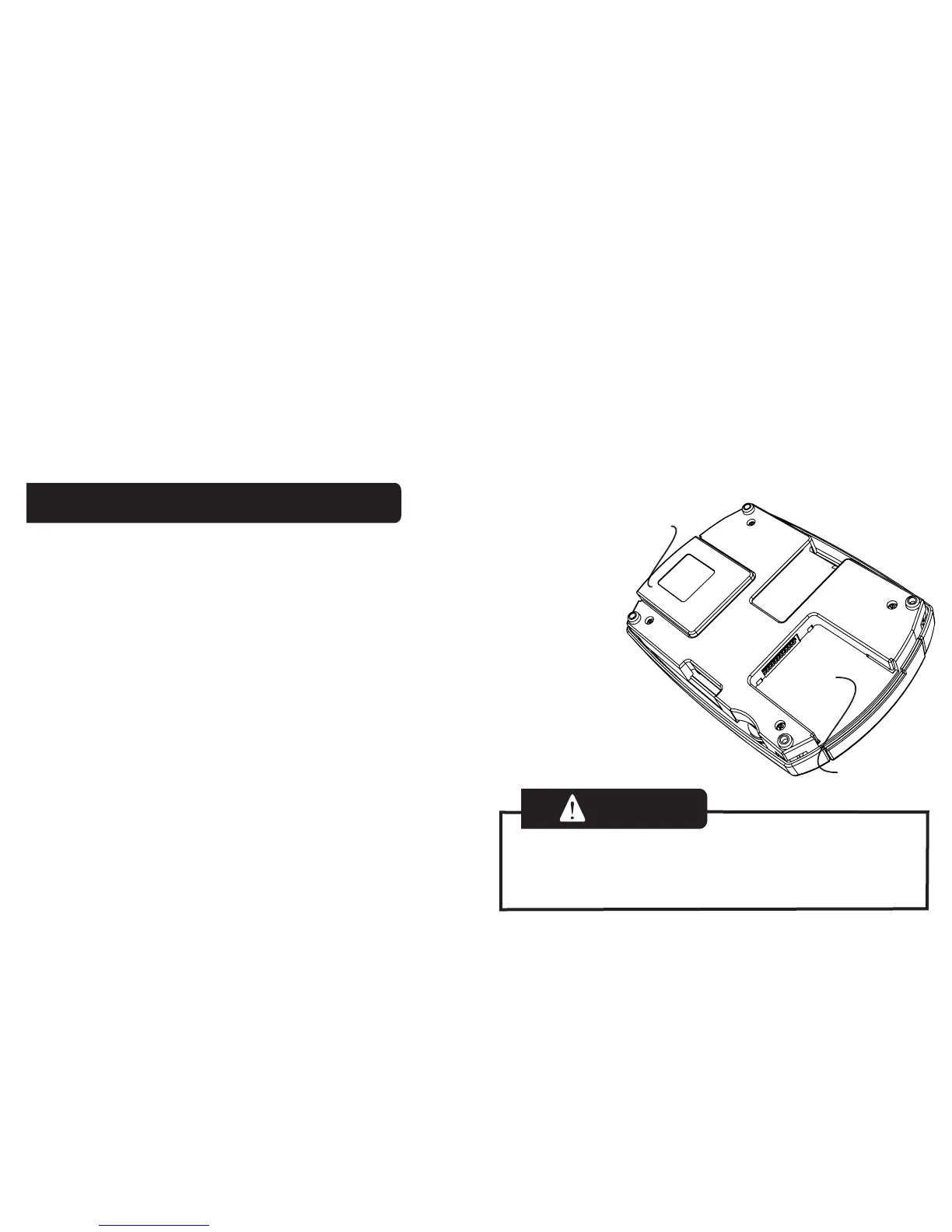
To Insert a USNAP radio module:
Power off the 3M-50. Insert the radio module in either
slot on the back of the 3M-50. Power up 3M-50.
To connect to a network follow the instructions that
came with the USNAP module.
USNAP port
USNAP
radio
Caution
DO NOT INSERT or REMOVE USNAP radio
modules if power is ON. This can damage the
thermostat or radio modules.



 To Previous Page