Control Screens
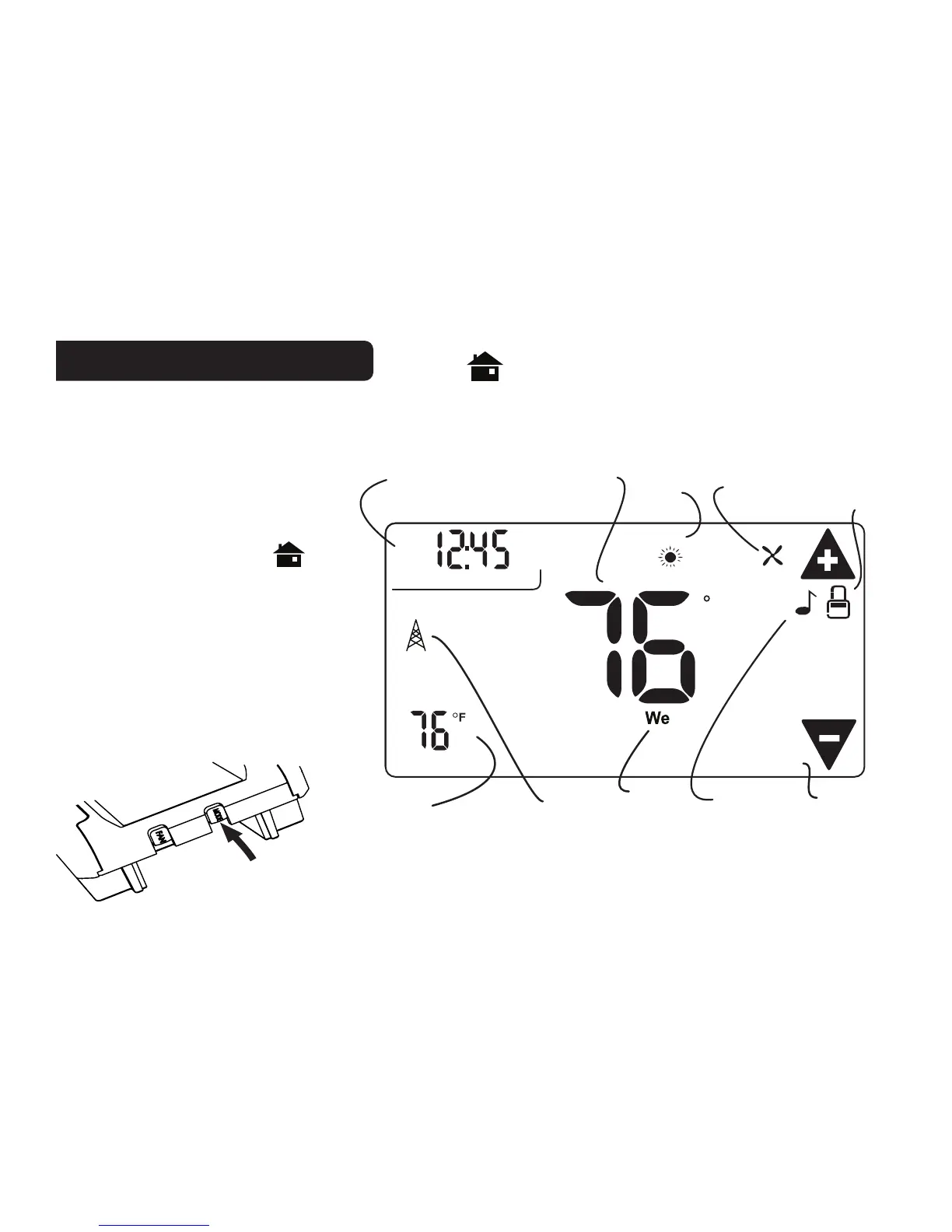
HOME Screen
Before you operate the 3M-50 please get familiar with these basic control screens. All the 3M-50
functions are accessed through these screens: HOME, MENU, PROGRAM and MANUAL. The 3M-
50 touch screen technology allows you to select (by touching) an item and change it using the +/-
arrows or the time arrows.
The simple HOME screen is
displayed when the unit is operating.
Touching the HOME icon
on
another screen will always return
you to this screen.
To set a Mode:
Press the mode button on the side.
The 3M-50 will step through the
modes HEAT, OFF, COOL, OFF
and AUTO in order. The LCD shows
what mode you are in.
DAY
F
LINK
RADIO
TA RGET TEMP
1
COOL
AUTO
PM
Thermostat
Mode
Time
of Day
Current Room
Temperature
Chirp
Indicator
Radio
Indicator
Lock
Status
Fan
Status
Time
Slot
Target
Temperature
Day



 To Next Page