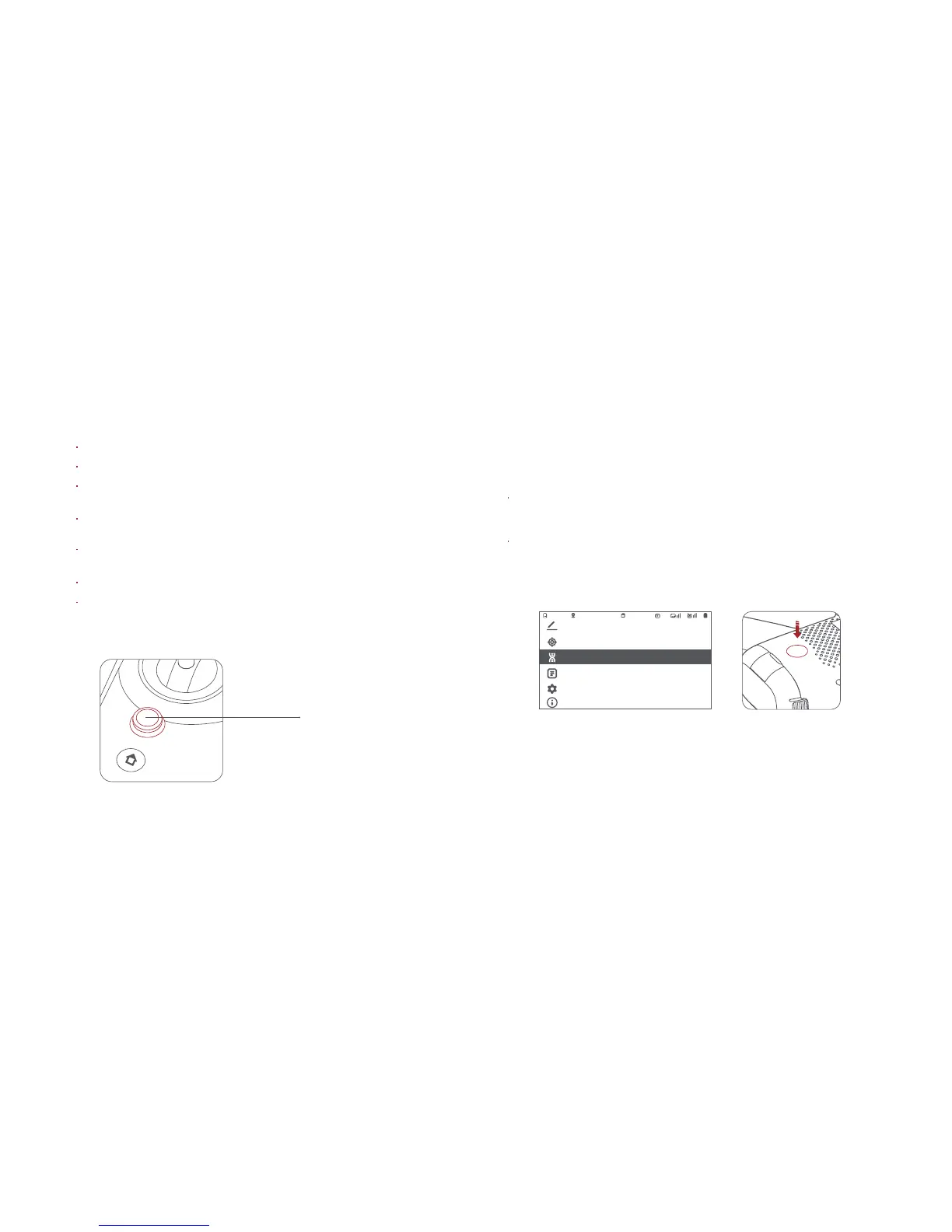
8 Remote controller code-matching
When a new remote controller or aircraft is replaced, the code-
matching operation between the remote controller and the aircraft
shall be performed again as follows:
When the remote controller machine is turned on, the code-matching
mode is entered through the menu of the remote controller screen, and
the screen enters the code-matching interface.
When the aircraft is turned on, long press the power key until the remote
controller prompts the correct code-matching, and the remote controller
makes a whining sound.
Long press the power button
11.1V GPS 00:10:2116
Calibration
Custom settings
About
System Settings
Flight Record
RC Pair
Five-directional button
Push the five-dimensional button to the right to access the media library.
Toggle the five-dimensional button to the left to the settings menu.
Toggle the five-directional button up and down to select the setting
item, and press the center to enter the setting item.
After setting completed, press the center to confirm. Toggle the five-
directional button to the left to return to last level to set other items.
Press the center key of the five-directional button key in the main
interface to start/stop the remote controller screen recording.
Toggle the five-directional button up to enter smart flight settings.
Toggle the five-directional button down to enter camera parameters
settings.
7 RC settings



 To Next Page