4 Landing
When taking off/landing automatically, the location with good
GPS signal should be selected and kept away from people,
animals, tall buildings and trees. Please land on a appropriate
and safe place.
Select auto takeoff in the remote controller menu. After take-off,
the aircraft will hover 4 meters above the ground, waiting for the
stick command.
Select auto landing in the remote controller menu and then the
aircraft will automatically land. The motor will be turned off
automatically when the aircraft has landed on the ground.
During the landing of the aircraft, the user can short-press the
return button to cancel the automatic landing, and the aircraft
will hover in the air, waiting for the stick command.
5 Automatic take-off/landing
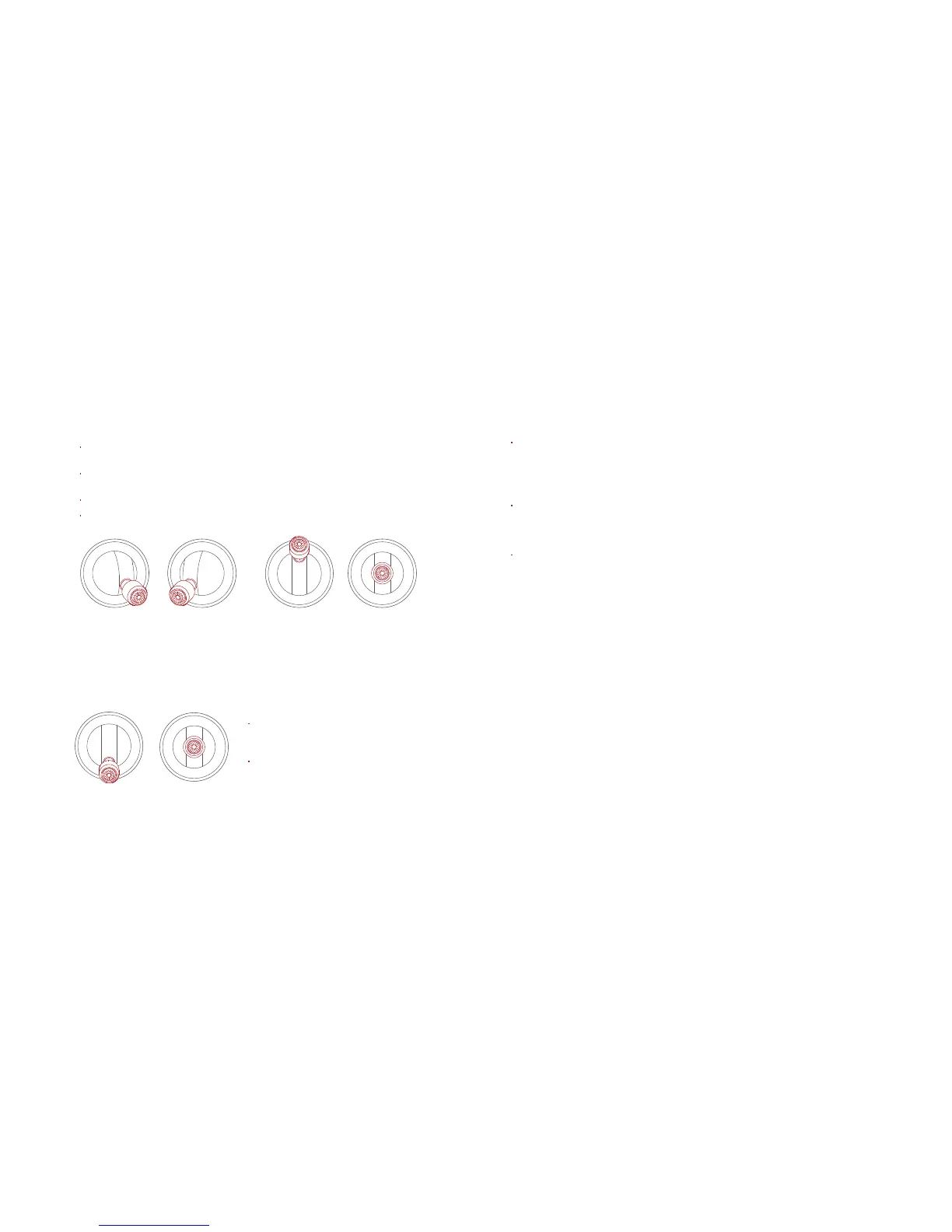
Keep both sticks to the bottom inner still over 1 second, the propellers start
spinning.
Release both sticks once propellers have been spinning, and firmly push
the left stick upward to fly the aircraft.
During flight, release both sticks to hover.
At any time during controlled flight, release the two levers of the remote
controller and the aircraft will hover automatically.
3 Take off
Safety tips: Push the left stick up firmly. The aircraft may roll over if you push
too slowly.
Safety tips: The aircraft has no waterproof function. Do not land on the sea.
Do not land on an inclined plane for safety.
Left stick Right stick Left stick Right stick
Left stick
Right stick
Slowly pull down the left stick to
land the aircraft.
Once the aircraft has landed, push
and hold the left stick down over 5
seconds, the motor will stop.



 To Next Page