26
26
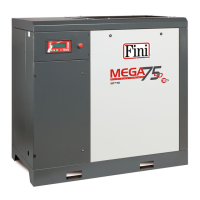
MEGA SD - Cod.197DD8100
GB
START-Up AND OpERATION
• Compress. control
This menu is used to select the compressor control method from the possible local 1 remote 1 program control options.
If the compressor is equipped with a CAN-BUS interface, the network-continuous 1 network-program control options are also
visible and can be selected.
Compressor control can be set to:
LOCAL: this is the basic (factory) setting that permits control from the keyboard.
REMOTE: with this setting, the compressor can be controlled by means of an external remote switch. For the electrical
connections, refer to the following submenu (refer to the following paragraph “Type of remote control”).
PROGRAM: enables the daily or weekly programming set and enabled in the PROGRAMMING menu (see paragraph
4.2.6).
NET-CONTINUOUS: this is the setting for control of a sequence of compressors, without daily / weekly program.
NET-PROGRAM: this is the setting for control of a sequence of compressors according to the daily / weekly program set.
• Dryer control
This menu is used to activate/ de-activate the dryer.
• Type of remote control
For remote control, modifications must be made to the wiring of the compressor.
When compressor control is set to REMOTE (see previous submenu), three types of control methods are possible:
ON/OFF is the setting that makes it possible to control switching ON/OFF of the compressor. This is the factory setting (that
most frequently used) which makes it possible to exploit the control logic of the compressor using the pressure signal measured
locally by the machine.
LOAD/ UNLOAD is the setting that makes it possible to control full load and unload operation with an external control logic:
in this case, the pressure signal measured by the compressor is ignored for the purposes of operating method control (the
safety devices remain active)
ON/ OFF – LOAD/ UNLOAD is the setting that makes it possible to control both switching ON/OFF of the compressor and
also operating mode. In this case also, an external control Iogic must be used as, for control purposes, the pressure signal is
ignored (the safety devices remain active).
It should be remembered that control via the keyboard of the control unit always has priority over any remote control
or any program: this means that, if remote control is to be effective, the START button must be pressed setting the
compressor to “Stand-by rem. con.”. Similarly, the compressor can be stopped without any risk of remote restart of
this by pressing the STOP key.
Therefore, to enable functioning with remote control:
1) Make the modifications to the wiring connecting one / two switches.
2) Select REMOTE control.
3) Select the control method (ON/OFF, LOAD/UNLOAD, ON/OFF – LOAD/UNLOAD).
4) Press the START key on the control unit to enable the compressor for remote control.
• Auto-restart function
If enabled, this menu makes it possible to set the AUTO-RESTART function, useful for automatic restart of the machine following
a black-out and subsequent power-up.



 To Next Page