English - 107 -
Dot Clock: Dot Clock adjustments correct the
interference that appear as vertical banding in
dot intensive presentations like spreadsheets or
paragraphs or text in smaller fonts.
Phase: Depending on the resolution and scan
frequency that you input to the TV set, you may see
a hazy or noisy picture on the screen. In such a case
you can use this item to get a clear picture by trial
and error method.
Conguring Sound Settings
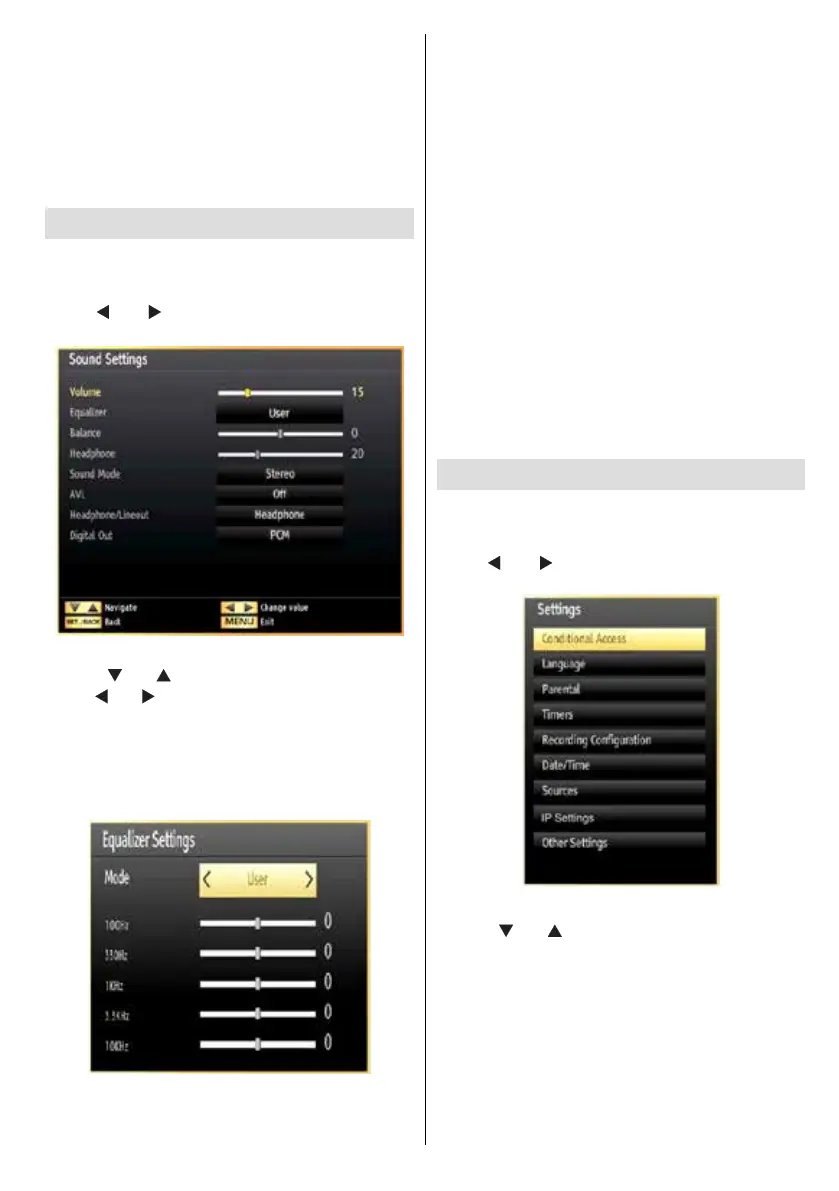
Sound settings can be congured according to your
personal preferences.
Press “MENU” button and select the Sound icon by
using “
” or “ ” button. Press OK button to view
Sound Settings menu.
Operating Sound Settings Menu Items
• Press “ ” or “ ” button to highlight a menu item.
• Use “
” or “ ” button to set an item.
• Press “MENU” button to exit.
Sound Settings Menu Items
Volume: Adjusts volume level.
Equalizer: Press OK button to view equalizer sub-
menu.
In Equalizer menu, the preset can be changed to
Music, Movie, Speech, Flat, Classic and User.
Press the “MENU” button to return to the previous
menu.
Note: Equalizer menu settings can be changed
manually only when the Equalizer Mode is in User.
Balance: This setting is used for emphasizing left or
right speaker balance.
Headphone: Sets headphone volume.
Sound Mode: You can select Mono, Stereo, Dual I
or Dual II mode, only if the selected channel supports
that mode.
AVL: Automatic Volume Limiting (AVL) function sets the
sound to obtain xed output level between programmes
(For instance, volume level of advertisements tend to
be louder than programmes).
Headphone/Lineout: When you connect an external
amplifier to your TV using the headphone jack,
you can select this option as Lineout. If you have
connected headphones to the TV, set this option as
Headphone.
Digital Out: Sets digital out audio type.
Conguring Your TV’s Settings
Detailed settings can be configured to suit your
personal preferences.
Press “MENU” button and select Settings icon by
using “
” or “ ” button. Press OK button to view
Settings menu.
Operating Settings Menu Items
• Press “ ” or “ ” button to highlight a menu item.
• Press OK button to select an item.
• Press “MENU” button to exit.
Settings Menu Items
Conditional Access: Controls conditional access
modules when available.
Language: Congures language settings.
Parental: Congures parental settings.
Timers: Sets timers for selected programmes.






 To Next Page