Údržba
• Přístroj v podstatě nepotřebuje žádnou údržbu.
• Pravidelně kontrolujte všechny části přístroje a
pevnost všech šroubů a spojů.
• Vadné díly ihned vyměňte přes náš zákaznický
servis.
• Přístroj se pak až do opravy nesmí používat.
Péče
• Pro čištění prosím používejte pouze vlhký hadr
bez čistících prostředků
• Části, které přijdou do styku s potem okamžitě po
skončení tréninku očistěte
Maintenance
In principle, the equipment does not require
maintenance.
Regularly inspect all parts of the equipment and the
secure seating of all screws and connections.
Promptly replace any defective parts through our
customer service. Until it is repaired, the equipment
must not be used.
Care
When cleaning, use only a moist cloth and avoid harsh
cleaning agents. Ensure that no moisture penetrates
into the computer.
Components that come into contact with perspiration,
need cleaning only with a damp cloth.
4. Péče a údržba 4. Care and Maintenance
18
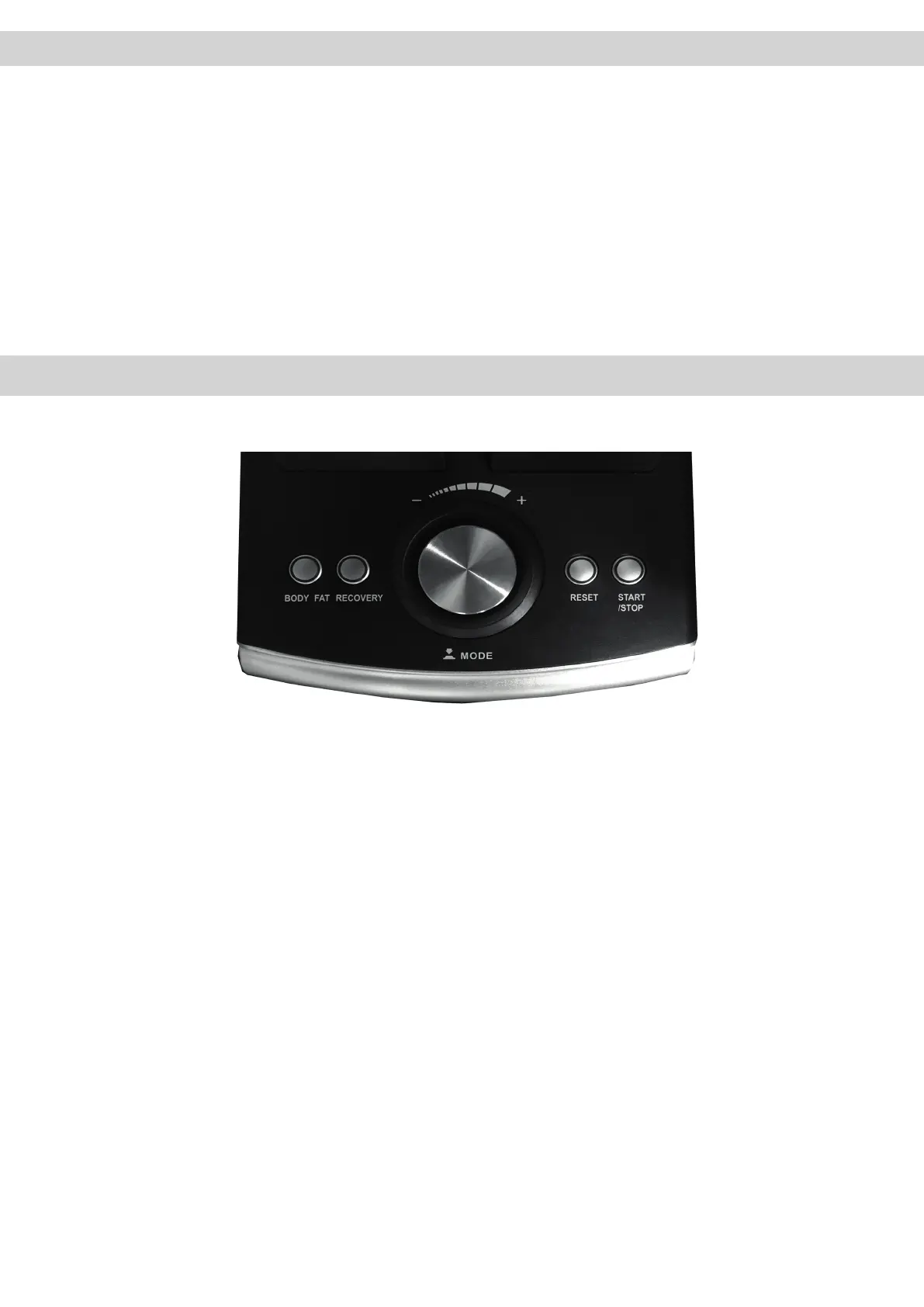
5. Počítač (D)
5.1 Tlačítka počítače
Body FAT:
Spustí měření tělesného tuku
RECOVERY:
Stiskem aktivujete funkci obnovy srdečního tepu a
zjistíte svou fitness úroveň 1-6
MODE:
Stiskem potvrzujete vybrané funkce
+/- :
Slouží k přepínání mezi programy, snižování nebo
zvyšování hodnot. Dlouhým stiskem spustíte automatické
přepínání.
RESET:
Rychlým stiskem vymažete aktuální data.
Rychlým stiskem během cvičení aktivujete výběr menu
HRC, Program, Manual.
START/ STOP:
Zahájí nebo ukončí funkce
5.1 Computer keys
Body FAT:
Activates the body fat measurement.
RECOVERY:
Recovery pulse measurement with assignment of a fitness
score 1–6.
MODE:
By pressing this key, a function can be confirmed.
+/- DOWN
Program selection or increase/decrease of values. A longer
press will start the automatic value finder.
RESET:
- Briefly pressing this key will resets the activated value in the
setting mode
- Briefly pressing this key in the average/Trip-mode will activate
the main menue: HRC; PROGRAM;MANUAL)
START/ STOP
Start and finish the exercise


 To Next Page