4 | P a g e
Configuring the Headset
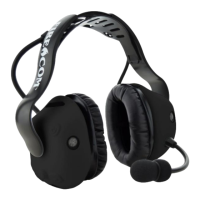
The Firecom 500 Series Electronic Headset may be set up for use in overhead,
under-helmet, or hard hat (sold separately) configurations. Different headbands are
attached through a secure snap joint on the side of the ear domes. It keeps the ear
dome correctly oriented while providing full freedom of movement, allowing the
dome to seat comfortably against the users head.
Headband Removal
Tools Required: Sonetics Screwdriver
1. Place the handle of your Sonetics Screwdriver between the headband and the
dome. Make sure the handle is behind the notch on the inside of the
headband.
2. Use one hand to hold the dome on a flat surface
3. Gently push with the headband with the other hand.
4. Route the headband cable through the headband as shown.
Headband Installation
Tools Required: None
1. Align the headband with the domes as shown.
2. Place the Dome onto a flat surface.
3. Press Down on the headband until the ball joint snaps into place.


 To Next Page
