EasyManua.ls Logo

Firecom 5100D Series - User Manual

Default Icon
36 pages
Print Icon
To Next Page IconTo Next Page
Loading...
1
5000D Series Digital Intercoms
5100D, 5200D, 5300D, 5400D Series Digital Intercoms & Remote Intercoms
Installation & Operation Manual
Question and Answer IconNeed help?

Do you have a question about the Firecom 5100D Series and is the answer not in the manual?

Summary

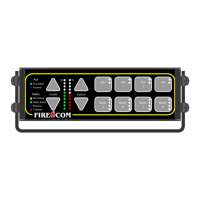
5000 D SERIES FRONT PANEL CONTROLS

VOLUME AND SQUELCH CONTROLS

Buttons and LEDs for adjusting system volume and squelch levels.

RADIO SELECT BUTTONS AND INDICATORS

Controls for selecting transmit radio and indicators for radio traffic.

5000 D SERIES REAR PANEL CONNECTORS

PRE-INSTALLATION PLANNING

HEADSET MODULE INSTALLATION METHODS

DAISY-CHAINING HEADSET MODULES

Method for increasing headset positions or reducing cable runs using specific connections.

INTERCOM SYSTEM CONNECTIONS

PRIORITY TRANSMIT FUNCTIONALITY

How to assign and use priority for radio transmission among headset positions.

INSTALLATION PROCEDURES

MOUNTING THE INTERCOM UNIT

Step-by-step guide for securely mounting the main intercom unit.

MOUNTING HEADSET MODULES

Instructions for installing headset modules, often HM-10 type.

INSTALLING CA CABLES TO HM-10 MODULE

POWER AND GROUND CONNECTIONS

INTERCOM POWER CABLE INSTALLATION

Procedure for connecting the intercom unit to the vehicle's power supply.

RADIO CONNECTIONS

MOBILE RADIO INTERFACE CABLE

Connecting the 2-way radio using a specific interface cable and pinout.

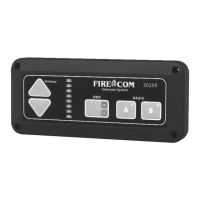
REMOTE HEAD INSTALLATION

MOUNTING OPTIONS FOR REMOTE HEAD

Instructions for flush mounting or using a bracket for the remote head unit.

SYSTEM TEST PROCEDURES

INTERCOM AND RADIO OPERATION TESTING

Steps to verify intercom and radio communication functionality after installation.

INTERCOM OPERATION AND ADJUSTMENTS

PROGRAMMING DEVICE GAIN LEVELS

Adjusting input/output gain for radio, Aux, and Cell connections.

SQUELCH SETTINGS AND MANAGEMENT

RADIO SELECT CONTROLS AND INDICATORS

MODULAR PLUG INSTALLATION

TROUBLESHOOTING BASIC ISSUES

NOISE AND ALTERNATOR WHINE REDUCTION

Identifying and resolving noise issues, including alternator whine.

TROUBLESHOOTING COMPONENT ISSUES

ADVANCED TROUBLESHOOTING - NO SOUND ISSUES

NO SOUND FROM HEADSET

Troubleshooting steps when there is no audio from either intercom or radio.

PARTIAL SOUND ISSUES

Diagnosing problems with sound from only intercom, only radio, or only one ear.

ADVANCED TROUBLESHOOTING - COMMUNICATION AND AUDIO PROBLEMS

TWO-WAY COMMUNICATION FAULTS

Resolving issues where users can hear but not be heard, or vice versa.

AUDIO QUALITY AND TRANSMISSION ISSUES

Addressing squeals, weak audio, and radio transmit problems.

PRODUCT SPECIFICATIONS

Firecom 5100D Series Specifications

General IconGeneral
BrandFirecom
Model5100D Series
CategoryIntercom System
LanguageEnglish

Related product manuals