o use call wa
t
n
I
ou’re talkin
to one
erson and another
erson tries to call,
ou’ll hear a bee
.
oo
at t
e
s
a
to see w
o
s ca
n
.
1. Pr
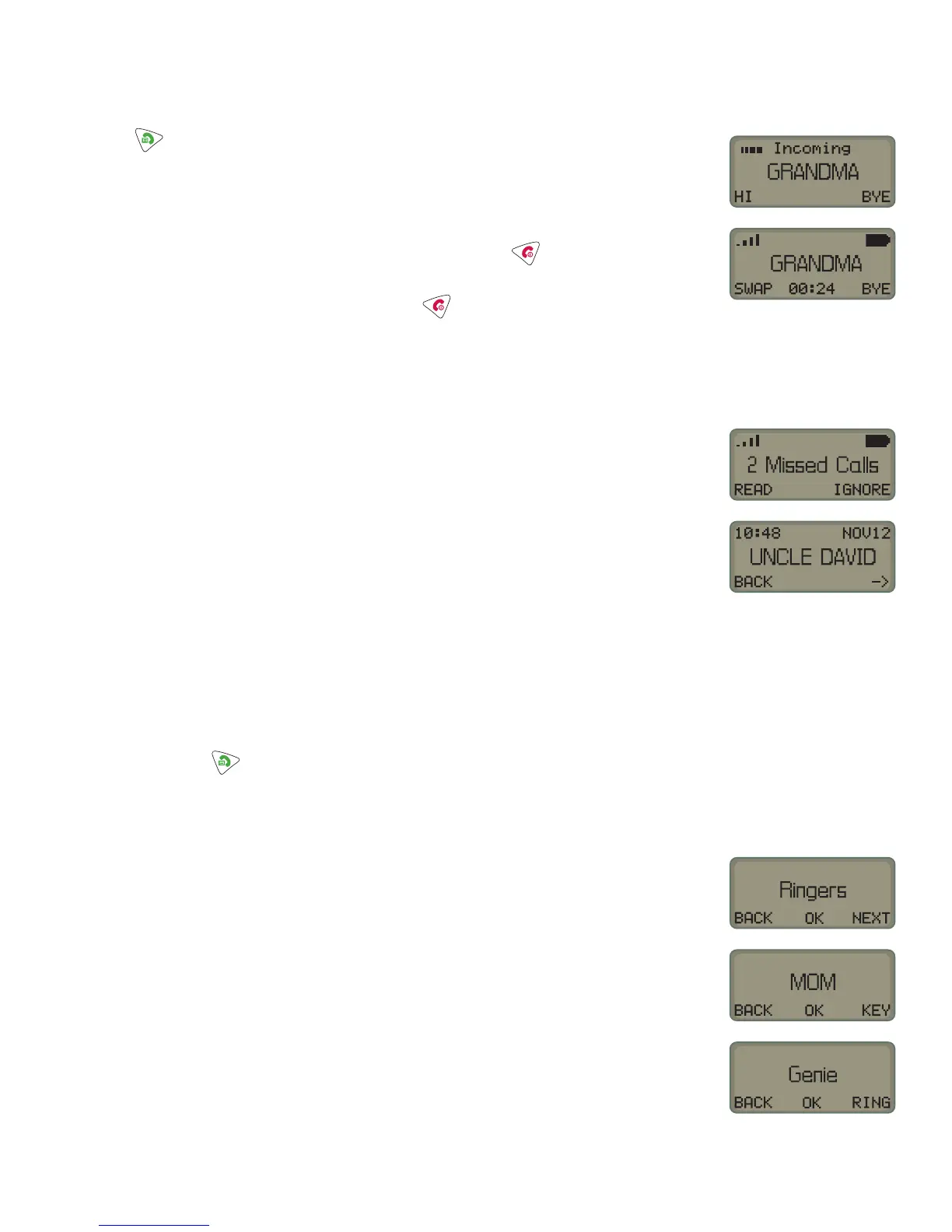
to answer the new call. The phone will automatically put the fi rst
caller on hold.
. To i
nore the new call, choose BYE.
. If
ou want to switch back and forth between the two calls, choose SWAP.
. When you’re fi nished talking to that caller, just press
Th
ll
n h
l
will be reconnected.
.
en
ou
re rea
to
an
u
,
ust
ress a
a
n
m
ll
I
someone tries to call you while your phone is on and you aren’t around to
answer
t,
ou can see t
e ca
s
ou m
sse
1. Your Firefl y phone will tell you how many calls you’ve missed since you’ve
been away from your phone
. To i
nore the list o
missed calls, choose I
N
RE
. I
ou want to see the list, choose READ
.
n
-
to see all the calls you missed. Then choose BACK to
return to the normal display
Personalizing your Firefl y phone
art of the fun of Firefl
is designing how it sounds and looks yourself.
o choose r
n
tones
ou can
ve a un
ue r
n
tone to
our
om,
a
, an
one
oo
num
ers.
. Press and hold unt
ou see
nter
PIN” stands
or
ersonal
identifi cation number.” Don’t worry, though; you don’t have to enter one.)
2. So…choose SKIP
.
croll throu
h the o
tions b
choosin
NEXT until the dis
la
sa
s
in
er
.
hoose
K. Pick which ke
ou want to
ive a rin
tone to b
choosin
KEY
. Choose OK. A ring tone choice will appear on the display
6. If you want to hear more ring tones, just choose RING.
.
hoose
K when you hear the ring tone you want to use. The display will
w
w
r
v
t
en Ringer
to s
ow
ou t
at t
e
one
as
recorded your choice.
. Choose NEXT
then EXIT to leave the menus and return to the normal
one
s
s
a


 To Next Page