o choose dis
la
color
ou can
ve a un
ue
s
a
co
or to
our
om,
a
, an
one
oo
num
ers.
1. Pr
n
h
l
unt
you see
n
r
h
KIP.
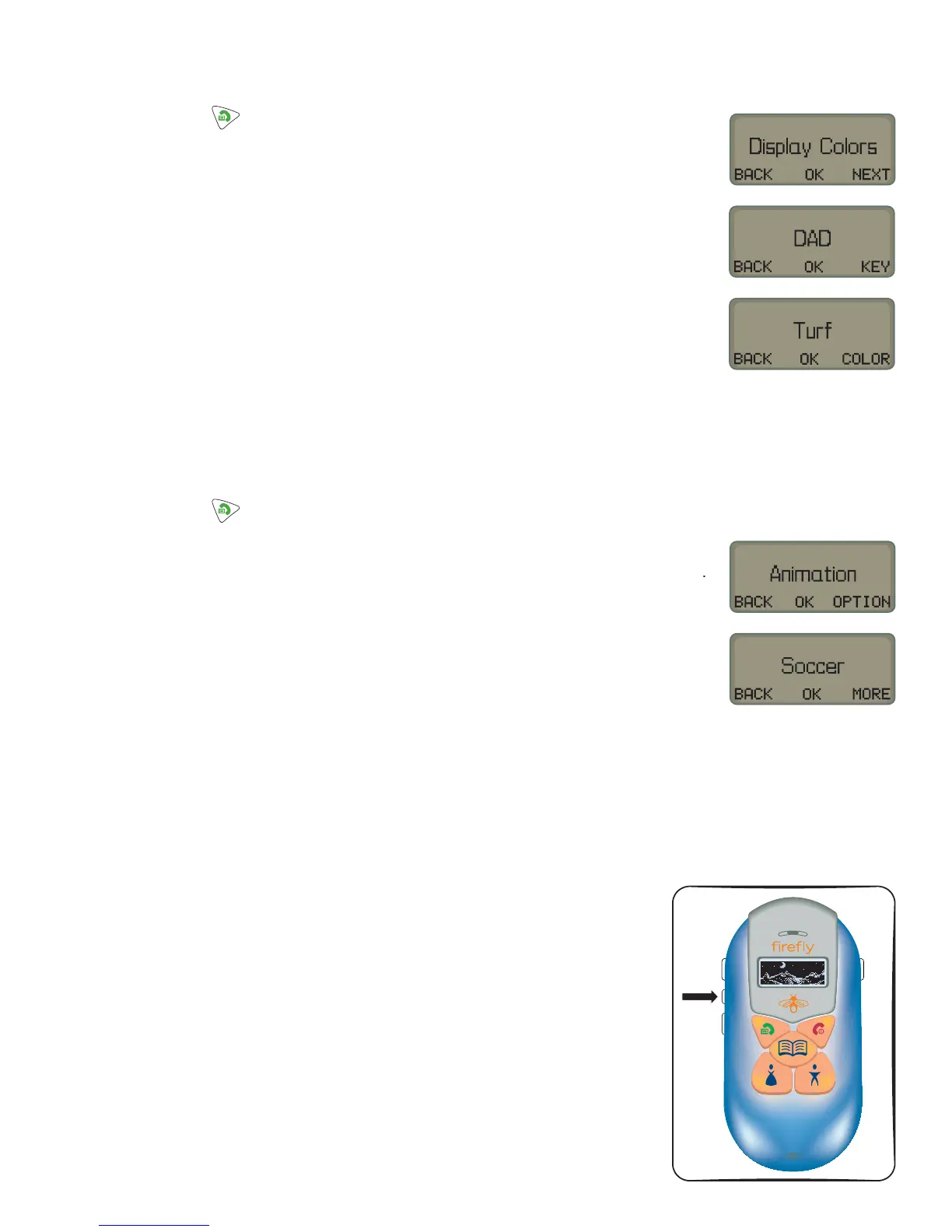
2. Scroll through the options by choosing NEXT until the display
Dis
la
Color
.
hoose
K. Pick which ke
ou want to
ive a color to b
choosin
KEY
. Choose OK. The color choice will appear on the display
. Check out the fi rst display color. If you want to use it, just choose OK.
. I
ou want to see more colors to choose
rom, choose
L
R.
.
hoose
K when
ou see the color
ou want to use. The dis
la
will
h
w
h
w
r
v
then D
splay Colors to show you that the phone
has recorded
our choice.
.
hoose NEXT, then EXIT to leave the menus and return to the normal
p
one
s
sp
ay
o choose animations
. Press and hold unt
ou see
nter
hoose
KIP.
.
croll throu
h the menus b
choosin
NEXT until the dis
la
sa
s Option
. Choose OK, then scroll by choosing OPTION until the display says
n
m
. Choose OK, then scroll through the list until you fi nd an animation choice
ou want to tr
. If
ou want to use that choice, choose OK.
6. If you want to see more animation choices, choose MORE. Then choose OK
when
ou
nd the animation
ou want to dis
la
.
.
e
s
a
w
s
ow t
e wor
s
aved
t
en Animation to s
ow
ou t
at
t
e p
one
as recor
e
your c
o
ce
. Choose OPTION
then NEXT
then EXIT to leave the menus and return to the
normal
hone’s dis
la
Firefly Fireworks
™
What’s a
re
without its li
hts
Ju
t another bu
. Press the Fire
r
w
r
button to see
our Fire
hone li
ht u
with 7 di
erent
colors! The animation you choose will play and all of the phone’s lights
will
ash
or
seconds


 To Previous Page