EasyManua.ls Logo

FIREtec FTEN2 - User Manual

Default Icon
10 pages
Print Icon
To Next Page IconTo Next Page
Loading...
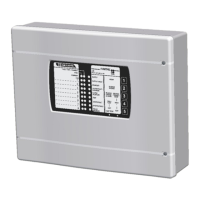
INDICATORS COLOUR INDICATION
COMMON FAULT Yellow On when a fault condition has occurred, or if
no other fault Led is on, this indicates 24v
auxiliary fuse failure.
COMMON FIRE Red On when a FIRE condition has occurred or
EVACUATE has been operated.
ZONES 1-4 FAULT Yellow Flashes if a detector is removed from its base,
or an open/short circuit zone wiring fault.
Illuminated when a zone is disabled and
flashes when in walktest.
ZONES 1-4 FIRE Red Illuminated during a FIRE condition in this
zone. Flashes when a device is being tested
during walktest.
SUPPLY Green Illuminated while power is being supplied to
the panel.
SUPPLY FAULT Yellow Flashes during a mains or battery supply
failure.
ALARM FAULT/ Yellow Flashes when a fault on the sounder wiring
DISABLED occurs. Illuminated if alarm lines are disabled.
DISABLED Yellow Illuminated when Zones and/or alarm are
disabled. The specific zone or alarm fault led
will also be lit.
TEST Yellow Illuminated when Walktest function selected.
SYSTEM FAULT Yellow Illuminated if the panel has malfunctioned and
an attempt to reset the system automatically
has been made. Flashes if an error in the
system software has been detected – Requires
attention.
ALARM SILENCED Yellow Illuminated if the sounders on the alarm
circuits during a fire/evacuation condition
have been switched off or silenced.
EARTH FAULT Yellow Will flash if a fault occurs with the earthing.
QUICK USER GUIDE FOR 1, 2 & 4 ZONE FIRE PANELS
FTEN1, FTEN2, & FTEN4
1, 2 & 4 ZONE
FIRE DETECTION AND
ALARM CONTROL PANELS
INSTALLATION INSTRUCTIONS
USER GUIDE
LOG BOOK
tec tec
EN54EN54EN54EN54
FIREFIREFIREFIRE
Document EN02/08.02
Question and Answer IconNeed help?

Do you have a question about the FIREtec FTEN2 and is the answer not in the manual?

Summary

Fire Panel Indicators and Status

Indicator Status and Descriptions

Details the meaning of each indicator light on the fire panel, including color and status.

Panel Specifications and Wiring

Panel Specifications and Features

Lists key technical specifications, certifications, and features of the FIREtec EN54 panel.

System Design and Installation

System Design Guide Requirements

Ensures the system design complies with relevant codes and standards.

Installation Procedure Overview

Step-by-step instructions for installing the fire detection and alarm control panels.

Wiring Connections

Detector and Call Point Wiring

Detailed diagrams showing how to connect detectors and call points to the panel.

Sounder and Bell Wiring

Diagrams illustrating the correct wiring for sounders and bells.

Advanced User Functions

Walktest Operation and Zone Selection

Guide on performing walktests, selecting zones, and deselecting them.

System Maintenance and Log Book

System Maintenance Log Book Usage

Guidance on maintaining the log book for recording all system tests and events.

FIREtec FTEN2 Specifications

General IconGeneral
BrandFIREtec
ModelFTEN2
CategoryControl Panel
LanguageEnglish

Related product manuals