9. POWERING UP/DOWN
Power ON:
When the power supply Fischer Connectors cable is connected to the camera, and the
power supply to the line plug, the camera is ON.
Power OFF:
Please use the CLI command “shutdown” from a simple terminal before turning off the
camera. First unplug the power supply from the line plug, then unplug the Fischer
Connectors cable from the camera.
10. CAMERA CONTROL
Demo GUI software
The Graphical User Interface (GUI) demo software is provided in the USB key supplied
with C-RED 3, or available on demand at support@first-light.fr
.
Camera status
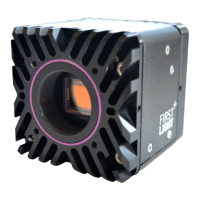
Once the camera is properly powered up the system boots and C-RED 3 is ready to
operate.
A purple diode signal, visible on the back of the camera, confirms the operability.


 To Next Page