7. CAMERA DESCRIPTION AND START UP
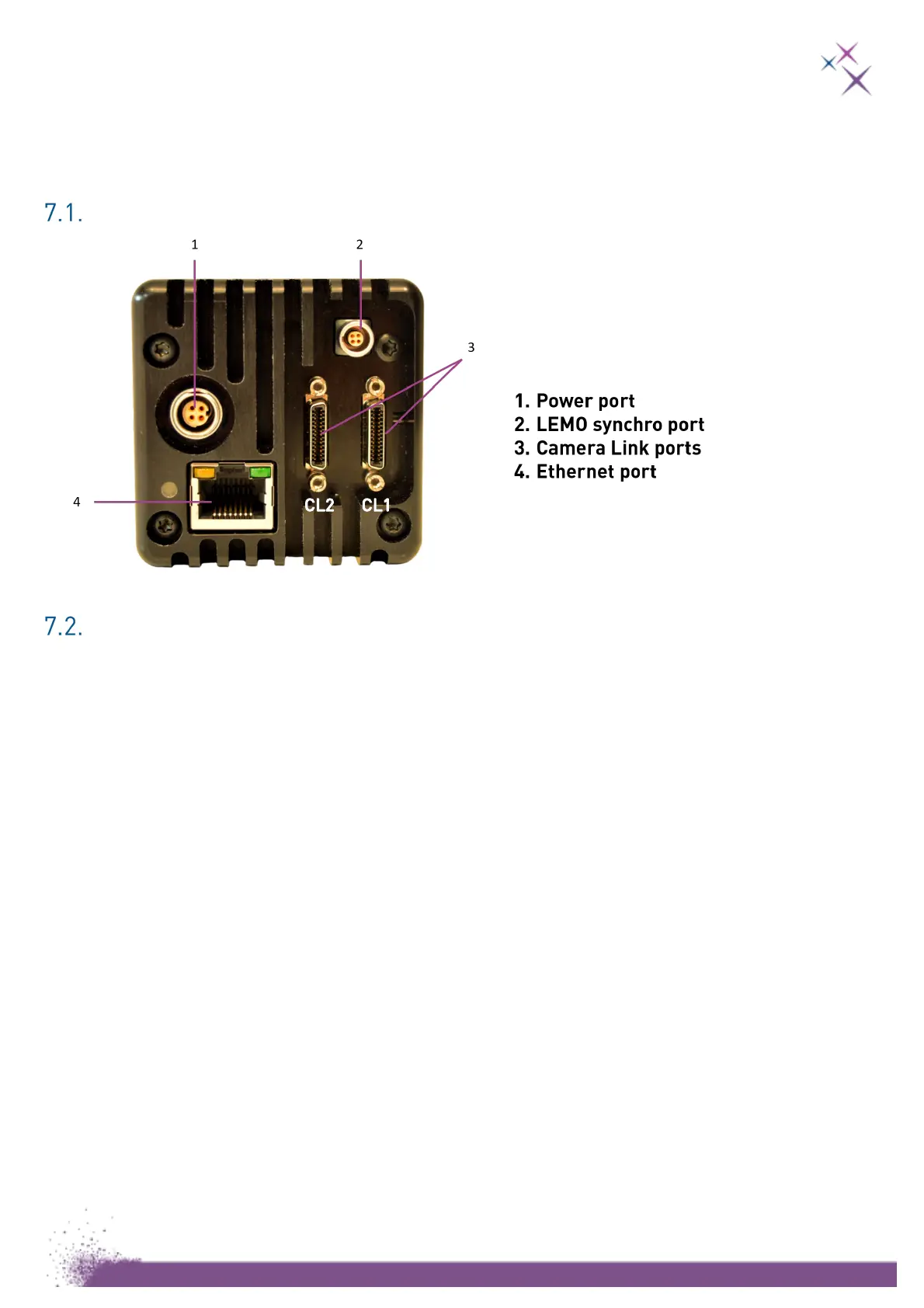
Please refer to the following figure and follow the order listed below, before connecting
your camera:
Camera Link version:
Camera Link
®
connection
The camera is compatible with Camera Link
®
Full configuration and requires two data
cables with male SDR-26 Mini Camera Link
®
connectors.
The Camera Link
®
plugs are numbered: CL1 is on right, CL2 is on left.
The Camera Link
®
connectors can be plugged and fastened in any order but reversing
the order will prevent camera operation. The Camera Link
®
connections can be
plugged or unplugged either if the camera is ON or OFF.
Please install the demo software for the acquisition board which is provided on the
USB key.
Please note that our cameras have been developed and tested with specific grabbers
that we highly recommend using. Please refer to the demo software manual.
List of tested recommended grabbers:
- MATROX Radient eV-cl full (Windows® and Ubuntu® 16.04 x64 LTS)
- Teledyne DALSA X64 Xcelera-CL (Windows® only)


 To Next Page