ROBO TX CO n T R O l l e R In s T R u C T I O n Ma n u a l
28
*
Master: The Controller, which is set as the master, receives control commands directly from the PC and passes these on to
the extensions. Extension: The Controller, which is set as the extension, receives control commands only through the master.
** The firmware is the operating software for the Controller.
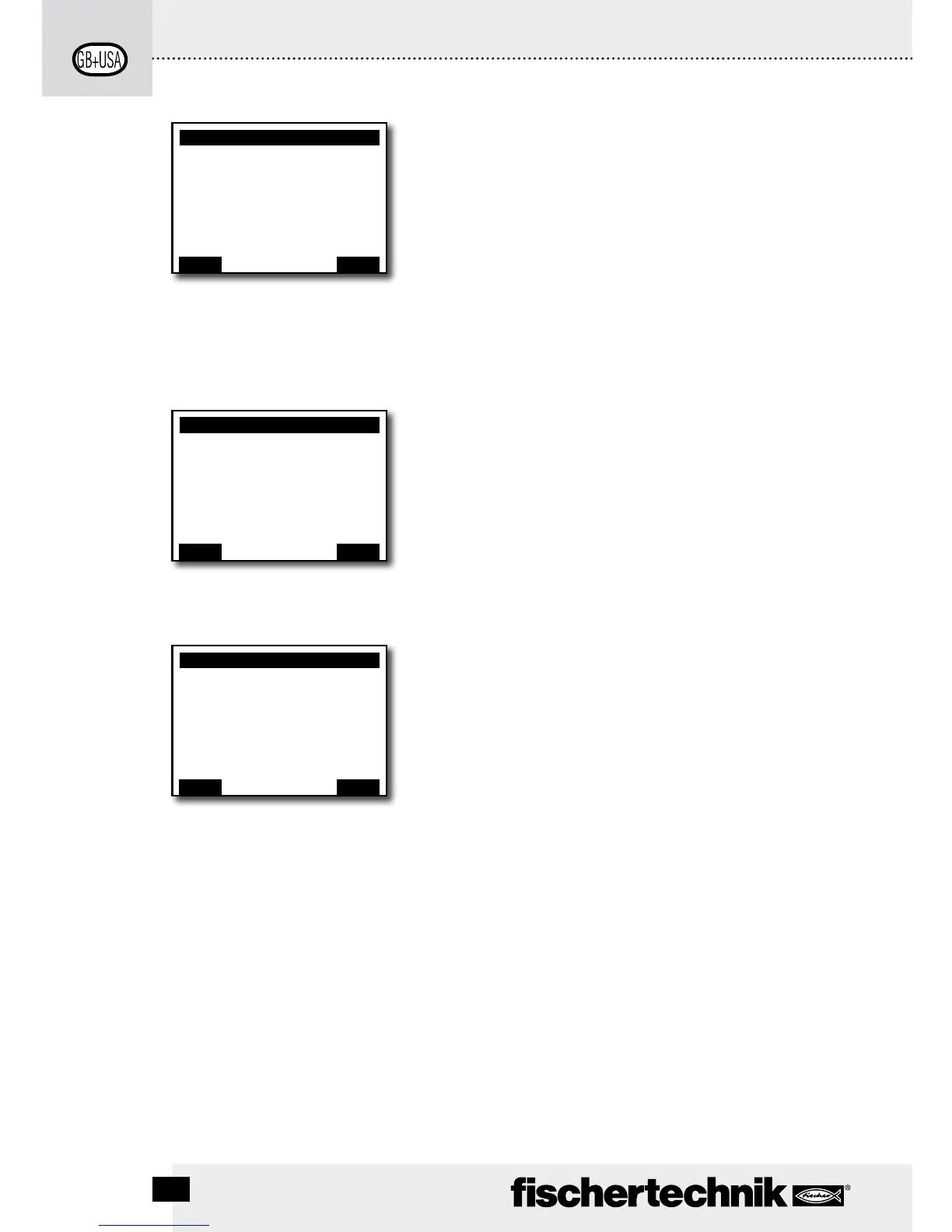
The Settings
Line 1: Role: Master/Extension
Leads to the menu, Role. There an assignment is made to
make the Controller function as a Master* or Extension*.
Line 2: Language: German/English/. . .
Leads to the menu, Languages.
Line 3: Bluetooth:
Leads to the menu, Bluetooth.
Line 4: Restore defaults:
Restores the original factory settings.
The Info Window
Line 1: Firmware:
Shows the version number of the firmware**.
Line 2: Name:
The name of the device is shown, for example, ROBO TX 622.
Line 3: Bluetooth:
Definite Bluetooth identification code of the device (Bluetooth
standard).
X/Program name
Line 1: Start
The selected program is started.
Line 2: Load
The selected program is loaded into the program memory and
can be started by pressing a button.
Line 3: Auto Start
As soon as the power supply for the Controller is turned on,
the selected program is started automatically.
Line 4: Auto Load
As soon as the power supply is turned on, the selected
program is loaded automatically into the program memory
and can be started by pressing a button.
Line 5: Delete
Selected program is deleted, but first a question is asked to
provide confirmation.
Settings
Role: Master
Language: English
Bluetooth: ON
Restore defaults:
Back
È
OK
<– Double click
to change direction
Info
Firmware: V x.x.x
Name: ROBO TX
Bluetooth: xx:xx:xx:xx:xx:xx
Back
È
OK
<– Double click
to change direction
X/Program name
Start
Load
Auto Start
Auto Load
Delete
Back
È
OK
<– Double click
to change direction




 To Next Page