TROUBLE SHOOTING
Please refer to the following table to help you identify and correct some of the more
common troubleshooting scenarios we encounter.
Problem Possible Cause Solution
Display won’t
turn on
Batteries are not installed or
do not have enough power
Install two, high quality AA alkaline or
lithium batteries
No probe data
appears on the
display
The probe is out of the water
The batteries in the probe
are low on power
The Slip-Ducer™ is not in
the water
The GAIN setting is too low
The probe is too close to the
Slip-Ducer™
The probe is only on when in the water.
Replace the batteries with high quality
alkaline AA batteries.
The Slip-Ducer™ must be in the water
to receive. Let out more cable to keep the
Slip-Ducer™ 12” below the surface at all
times.
Press the SET button and use the Up-
arrow button to increase the GAIN. 15 is
the default value. You may nd a need to
increase the GAIN for deep or rough water
use.
Lower the probe a minimum of 24”
beneath the Slip-Ducer™.
The probe
temperature
shows on the
display as 3.8
– 4.0
The thermistor tubes on the
probe have been damaged
Unfortunately, the thermistor tubes can not
be repaired. Contact Customer Support
for evaluation. To prevent the problem,
always use the supplied Probe Bumper
and do not allow the probe to remain on a
downrigger cable when not in use.
Probe readings
on the display are
wildly erratic
Possible sonar interference The fastest way to eliminate this is to turn
off the 50 kHz or 83 kHz beam on your sh
nder. You can also try reducing the Gain
setting on the Fish Hawk display by press-
ing the SET button and then the arrow
down key, or separating transducer cables
if tied together. The permanent solution is
relocating the transducer away from other
50 or 83 kHz transducers on the transom.
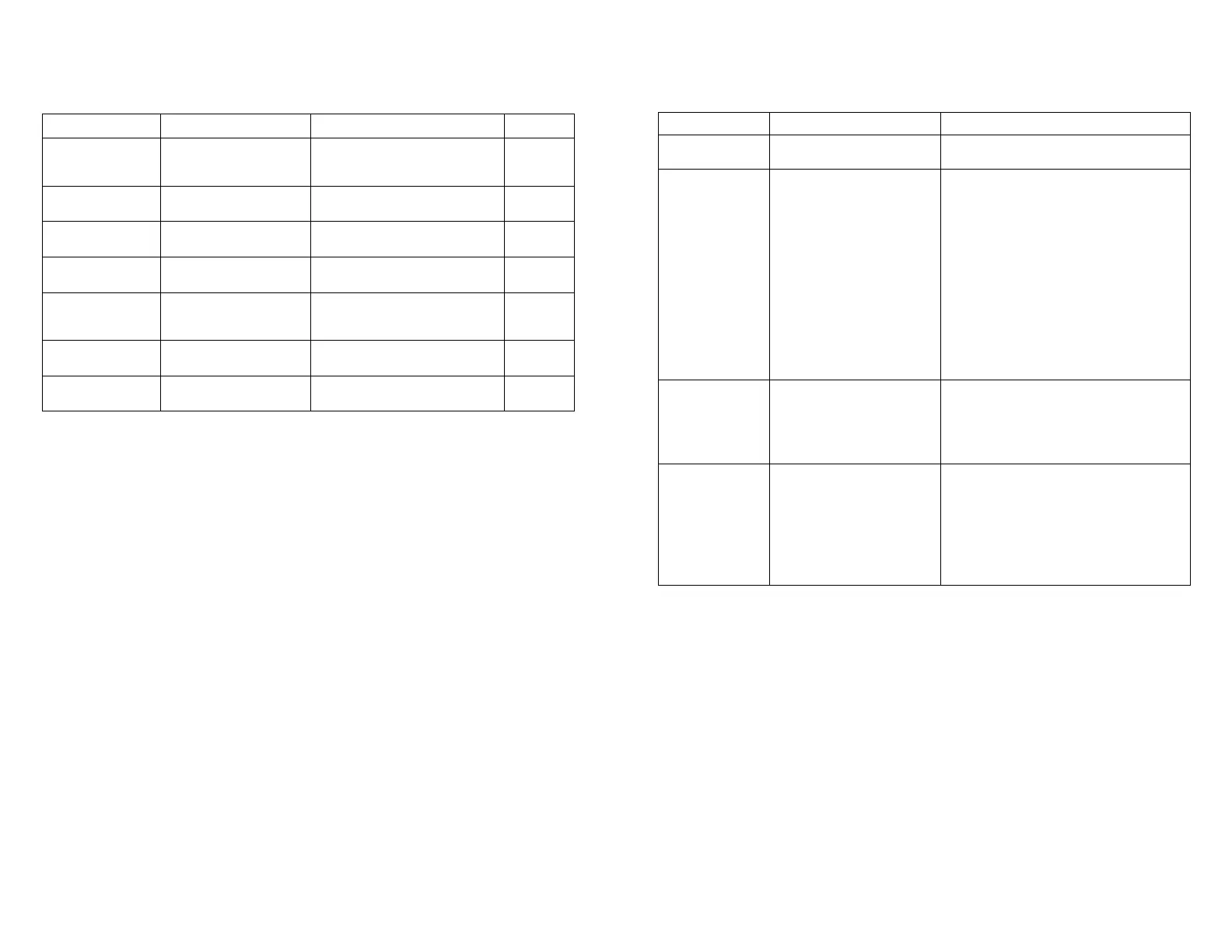
ROUTINE MAINTENANCE
Your Fish Hawk requires simple maintenance to keep it working properly. Use
the following schedule to keep your Fish Hawk in top working order:
Item Check Action Interval
Liquid Crystal
Display
Check for dirt and
water spots on the
screen.
Clean with soft cloth. Daily
Transducer Cable Check for abrasion on
the cable jacket.
Contact Customer Service. Daily
Downrigger
Cable/Probe Line
Check for kinks or
fraying.
Replace cable or cut off section
of damaged line
Daily
Probe Batteries Check for power. Replace if LED is not ashing
inside the probe.
Daily
Probe O-Rings Check for dirt and
lubrication.
Clean and apply a light coating
of silicone lubricant if dry. Do
not over-lubricate.
Weekly
Probe Check for condensation
in battery cap
Loosen battery cap at the end of
each day
Daily
Probe Batteries Remove batteries for extended
storage
Seasonally


 To Next Page
 Loading...