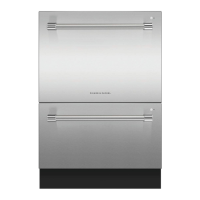
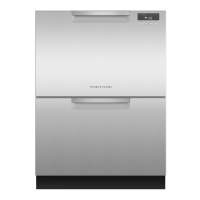
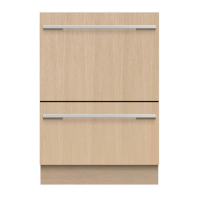
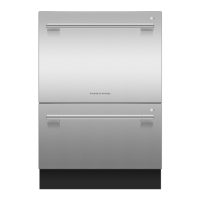
EasyManua.ls Logo

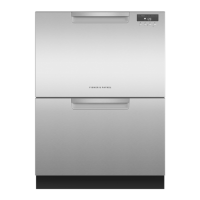
Fisher & Paykel DD24DDFTX7 - User Manual

Fisher & Paykel DD24DDFTX7
2 pages
Print Icon
To Next Page IconTo Next Page
Loading...
Your model
Wash program controls
Operating instructions - Starting a wash
Note: each drawer in
double models has its
own controls and can
run independently of
the other drawer.
ECO selector
and indicator
Press if youd
like the program
to use less energy.
The indicator will
glow red when an
Eco program has
been selected.
Discard scraps
Scrape large food particles off
(e.g. bones, fruit stones) and
remove any foreign objects
(e.g. toothpicks, strings, paper).
Start wash or set Delay start
Close the drawer and press
.
Select wash
Power the dishwasher on
then select wash program .
Add detergent and check rinse
aid
Fill the detergent dispenser (a) with
powdered detergent and close the
dispenser door.
Important!
Do not place liquid detergent or tablets in
the detergent dispenser.
If the indicator on its plug (c) glows
bright red, refill the rinse aid
dispenser (b) with liquid rinse aid.
Make sure you then refit the rinse
aid plug back into its original
position.
If using a tablet, place it in the
cutlery basket (d) or at the bottom
of the drawer.
14
5
6
2
3
Load dishes carefully
To help with wash performance,
arrange dishes so they are
evenly spaced and not nesting.
Check spray arm(s)
Ensure there are no items
blocking the spray arm(s) from
rotating.
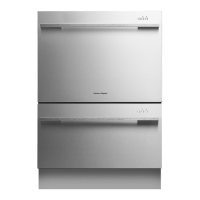
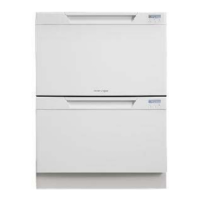
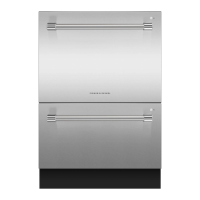
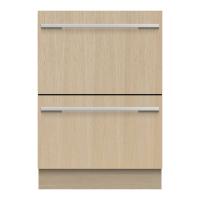
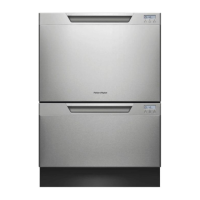
DD60DDFX7
DD60DDFM7
DD24DDF(T)X7
DD60SDF(T)X7
DD60SDF(T)M7
DD24SDF(T)X7
DD90SDFTX2
DD90SDFTM2
DD36SDFTX2
Main controls
Power on/off
Press to turn the dishwasher on
or off.
Opening the drawer will automatically
turn the dishwasher on for 30 seconds.
Cancel wash/Cancel Delay start
Press to cancel a wash that has
already started or to cancel the Delay
start setting.
If there is any water in the drawer,
it will automatically drain before the
dishwasher turns off.
Start/Pause
Press to start, pause, or resume a
wash.
After pausing a wash, wait for 3 beeps
before opening the drawer. Forcing it
open in mid-cycle may cause damage
or injury.
Set Delay start
1
Press and hold until the light
above it changes from blue to
purple, then release. You are now
in Delay start mode.
2
Press briefly again, repeating
as many times as the number of
hours you want to delay the start
of a wash by. The dishwasher will
emit a beep for every hour of delay
time (1 to 12 hours).
You have now set Delay start. The
wash will start once the delay time
is over, provided the drawer is closed.
Keylock
Keylock disables all the buttons
– helpful when cleaning the
dishwasher.
To activate, press and hold until
you hear one beep (3 seconds). The
light above the button will glow
steadily.
To cancel, press and hold until the
light above it goes out.
Childlock
Childlock locks the drawer and
disables all the buttons, preventing
unauthorized use by children.
To activate, press and hold
until
you hear two beeps (5 seconds). The
light above the button will glow
steadily.
To cancel, press and hold
until the
light above it goes out.
a
b
d
c
Keep this document handy for easy reference.
For detailed information on the features of your dishwasher, see your ‘User guide.
Before using your dishwasher, make sure you read the full ‘User guide, with special attention to the ‘Safety and warnings’ section.
For contact information or if you require service, assistance or replacement parts, see the end of this document or your ‘Service & warranty’ booklet.
Wash
program
selector
Press to
scroll
through the
wash
programs.
STANDARD PROGRAMS - designed to clean and dry your dishes
ECO PROGRAMS - designed to clean your dishes energy-efficiently
HEAVY
Heavily soiled
pots, pans and
dishes.
HEAVY ECO
Heavily soiled
everyday
dishes.
FAST
Lightly soiled
dishes.
FAST ECO
Lightly soiled,
non-greasy
dishes.
RINSE
Prevents
odors
and soils
drying on
dishes.
DELICATE
Lightly soiled
and heat
sensitive
crockery.
DELICATE
ECO
Lightly soiled,
non-greasy
and heat
sensitive
crockery.
NORMAL
Dishes that are
quite heavily
soiled or food
soils that have
been left to dry
overnight
NORMAL
ECO
Normal soiled
dishes for
optimum
water and
energy usage.
The Energy
Guide is based
on this cycle.
Wash program indicators
These show which program is selected.
NZ AU US CA
QUICK START GUIDE
DishDrawer
TM
dishwasher (Designer)
continued over

All manuals and user guides at all-guides.com
all-guides.com
Question and Answer IconNeed help?

Do you have a question about the Fisher & Paykel DD24DDFTX7 and is the answer not in the manual?

Overview

This document describes a Fisher & Paykel DishDrawer™ dishwasher, designed for convenient and efficient dishwashing. It functions as a household appliance for cleaning dishes, offering a range of wash programs and user-friendly controls.

Function Description

The primary function of this device is to wash and dry dishes. It operates by circulating water and detergent to remove food soils, followed by a drying cycle. The dishwasher offers various wash programs tailored to different levels of soiling and types of dishes. These programs include:

  • Standard Programs:

    • Heavy: Designed for heavily soiled pots, pans, and dishes, or food soils that have been left to dry overnight.
    • Normal: For dishes that are quite heavily soiled.
    • Fast: For lightly soiled dishes.
    • Delicate: For lightly soiled and heat-sensitive crockery.
    • Rinse: A program to prevent odors and soils from drying on dishes.
  • Eco Programs: These programs are designed to clean dishes energy-efficiently.

    • Heavy Eco: For heavily soiled everyday dishes.
    • Normal Eco: For normal soiled dishes, optimized for water and energy usage. This cycle is the basis for the Energy Guide.
    • Fast Eco: For lightly soiled, non-greasy dishes.
    • Delicate Eco: For lightly soiled, non-greasy, and heat-sensitive crockery.

The dishwasher indicates the selected program via illuminated indicators on the control panel. An "ECO" indicator glows red when an Eco program is selected, signifying energy-efficient operation.

Usage Features

The DishDrawer™ dishwasher is designed for ease of use, incorporating several features to enhance the user experience:

  • Independent Drawers (for double models): In double models (e.g., DD60DDFX7), each drawer has its own controls and can run independently of the other drawer, allowing for flexible loading and washing of smaller loads.
  • Power On/Off: The dishwasher is turned on or off by pressing the dedicated power button. Opening the drawer automatically turns the dishwasher on for 30 seconds.
  • Wash Program Selection: Users scroll through available wash programs using the wash program selector.
  • Start/Pause Function: A dedicated button allows users to start, pause, or resume a wash cycle. When pausing a wash, it's recommended to wait for three beeps before opening the drawer to prevent damage or injury.
  • Delay Start: This feature allows users to delay the start of a wash program by 1 to 12 hours. The delay is set by pressing and holding the Delay Start button until the light changes from blue to purple, then pressing it repeatedly for each hour of delay.
  • Cancel Wash/Delay Start: A dedicated button allows users to cancel a wash in progress or a set Delay Start. If water is in the drawer, it will automatically drain before the dishwasher turns off.
  • Keylock: This feature disables all buttons on the control panel, preventing accidental changes to settings. It is activated by pressing and holding the button until one beep sounds and the light above it glows steadily.
  • Childlock: This feature locks the drawer and disables all buttons, preventing unauthorized use by children. It is activated by pressing and holding the button until two beeps sound and the light above it glows steadily.
  • End of Wash Indication: The dishwasher beeps six times to signal the completion of a wash program. The drying fan may continue to run for a period after the wash to assist with drying.
  • Preference Options: Users can customize various settings to suit their preferences:
    • Rinse Aid Dispense: Adjusts the amount of rinse aid dispensed. This can be reduced if there's excess foam or increased if dishes are wet or streaky.
    • Water Softener: (Disabled on models without this feature) This option relates to water hardness settings.
    • Open Drawer Auto Power-on: Users can turn off the automatic power-on feature that activates for 30 seconds when the drawer is opened.
    • Beeps at End of Wash: The six-beep notification at the end of a wash can be turned off.
    • Closed Drawer Autolock: When enabled, the drawer automatically locks 30 seconds after being closed. This is useful in boats or motor homes.
  • Loading Guidelines: The manual provides clear instructions for loading dishes, emphasizing the importance of scraping off large food particles, arranging dishes evenly to prevent nesting, and ensuring spray arms are not blocked. Sharp items should be placed horizontally or with points facing down.

Maintenance Features

The dishwasher incorporates features and guidelines to facilitate maintenance and ensure optimal performance:

  • Detergent Dispenser: The detergent dispenser should be filled with powdered detergent. Liquid detergent or tablets should not be placed in the dispenser; tablets should be placed in the cutlery basket or at the bottom of the drawer.
  • Rinse Aid Dispenser: The rinse aid dispenser should be refilled with liquid rinse aid when the indicator on its plug glows bright red.
  • Cleaning: The Keylock feature is helpful when cleaning the dishwasher as it disables all buttons.
  • Troubleshooting: The manual provides information on common noises during operation, which are considered normal, and offers guidance on how to change preference settings.
  • Service and Support: For detailed information, warranty information, service, replacement parts, or product registration, users are directed to the 'User guide' and 'Service and warranty' booklet, or to contact Fisher & Paykel customer service via toll-free numbers provided for various regions.

Fisher & Paykel DD24DDFTX7 Specifications

General IconGeneral
BrandFisher & Paykel
ModelDD24DDFTX7
CategoryDishwasher
LanguageEnglish

Related product manuals