EasyManua.ls Logo

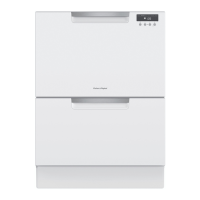
Fisher & Paykel DD60DHI9 - User Manual

Fisher & Paykel DD60DHI9
2 pages
Print Icon
To Next Page IconTo Next Page
Loading...
Keep this document handy for easy reference.
For detailed information on the features of your dishwasher, see your ‘User guide’.
Before using your dishwasher, make sure you read the full ‘User guide’, with special attention to the ‘Safety and warnings’ section.
For contact information or if you require service, assistance or replacement parts, see the end of this document or your ‘Service &
warranty’ booklet.
continued >
YOUR MODEL
OPERATING INSTRUCTIONS - STARTING A WASH
CONTROLS AND INDICATORS
Note: each drawer can
run independently of
the other drawer.
A
C
B
D
Double models
DD60DI9
DD60DHI9
DD24DI9
DD24DTI9
DD24DHTI9
Single models
DD60SI9
DD60STI9
DD60SLI9
DD60SHI9
DD60SHTI9
DD24SI9
DD24STI9
DD24SHTI9
Discard scraps
Scrape large food particles
off (e.g. bones, fruit stones)
and remove any foreign
objects (e.g. toothpicks,
strings, paper).
Start wash or set Delay start
To start wash:
Press
and close the drawer.
To set delay start:
Press and hold to set the delay
start time, then close the drawer.
Note: Each tone indicates a 1h delay.
Select wash
Press to select a wash
program.
Load dishes carefully
To help with wash
performance,
arrange dishes so they are
evenly spaced and not
nesting.
IMPORTANT!
Accommodates plates up
to a max height of 280mm
(11”) for standard tubs or
310mm (12 1/4”) for tall
tubs.
14
5
6
2
Rinse aid
Powdered
Detergent
Tablet or Gel Pouch
A
B
13
4
2
Indicators Description
Controls Description
Off/On
Opening the drawer will automatically
turn the dishwasher on.
If the dishwasher is in an idle state,
touch any button to reactivate it.
WASH PROGRAM SELECTOR
Press
to scroll through the wash
program options.
See opposite table for program
descriptions.
WASH MODIFIER SELECTOR
Press
to scroll through the wash modifier
options.
Note: Not all modifiers are available for all wash
programs.
Keylock
Disables all the buttons
(helpful when cleaning the dishwasher).
To activate:
Press and hold until you hear a tone. The lock
indicator will light up.
Childlock
Disables all the buttons and locks the drawer closed
(preventing unauthorised use by children).
To activate:
Press and hold until you hear two tones. The lock
indicator will light up.
To cancel keylock/childlock:
If the drawer is open
Press and hold until you hear a tone.
The lock indicator will go out.
If the drawer is closed
Knock three times on the door.
START SELECTOR (either on door or inner control panel)
To start wash:
Press to start the wash.
To Pause:
Knock twice on the door of the dishwasher.
Wait for three short and one long tone before opening the
drawer.
Forcing it open mid cycle may cause damage or injury.
If the drawer is not restarted within seven minutes it will
sound intermittently until it is restarted.
Delay start
Press and hold
to set the delay start time. Each tone
indicates a 1h delay (up to 12h). The delay start indicator will
light up.
If you scroll past 12h the dishwasher will exit delay start.
To re-enter delay start follow step 1 above.
The wash will start when the delay time is over, provided the
drawer is closed.
DD24 models only (USCA)
If drawer is not closed within 4 seconds of setting delay
start, OR If the drawer is opened after delay start has been
set (for example, to load more dishes), delay start will be
suspended.
To resume:
Press and close the drawer .
Cancel wash/delay start
Press and hold .
If there is any water in the drawer, it will automatically
drain before the dishwasher turns off.
Wash program indicators
If lit:
The wash program has been selected.
Lock indicator
If lit:
Keylock or childlock is activated.
Wash modifier indicators
If lit:
The wash modifier has been selected. The
wash program length and temperature will
be modified accordingly.
Delay start indicator
If lit:
Delay start is set. The wash program will
start after the selected time delay (1-12h)
3
Rotating Spray arm
Check spray arm(s) are
mounted correctly and
can rotate fully around
Check the spray arm is
mounted correctly by
physically rotating it
around with your hand.
Before a wash, ensure there
are no items blocking the
spray arm(s) from rotating.
Control Panel
ABC
1
2
3
4
C
NZ AU US CA GB IE
DISHDRAWER
TM
DISHWASHER
QUICK START GUIDE
Add detergent
Fill the detergent dispenser (A) with
powdered detergent and close the
dispenser door.
IMPORTANT!
Do not place liquid detergent or
tablets in the detergent dispenser.
If using a tablet or gel pouch, place
it in the cutlery basket (B) or at the
edge of the base rack
(see user guide for details).
Check rinse aid
If the indicator on its plug (C) glows
bright red, refill the rinse aid
dispenser (D) with liquid rinse aid.
Make sure you then refit the rinse
aid plug back into its original
position, by rotating the plug back
into an upright position.
WASH PROGRAM DESCRIPTION
Heavy Heavily soiled pots, pans and dishes.
Medium Dishes that are quite heavily soiled or food soils that have
been left to dry overnight.
Eco
(default setting)
Normally soiled dishes for optimum water and energy usage.
The US/Canada Energy Guide is based on this program.
Fast Lightly soiled dishes.
Delicate Lightly soiled and heat sensitive crockery.
Rinse Prevents odours and soils from drying on dishes.

Question and Answer IconNeed help?

Do you have a question about the Fisher & Paykel DD60DHI9 and is the answer not in the manual?

Overview

This document describes the operation and features of a Fisher & Paykel DishDrawer™ Dishwasher, available in both single and double drawer configurations.

Function Description

The DishDrawer™ Dishwasher is designed to clean dishes efficiently. Each drawer can operate independently, allowing for flexible use. Users can select from various wash programs tailored to different soil levels, including Heavy, Medium, Eco (the default setting, optimized for water and energy usage), Fast, Delicate, and Rinse. Wash modifiers such as Extra Dry, Quick, and Sanitize can be applied to further customize the wash cycle, adjusting program length and temperature. The dishwasher also features a delay start option, allowing users to postpone the wash for 1 to 12 hours.

Usage Features

Starting a Wash:

  1. Discard Scraps: Before loading, scrape large food particles (e.g., bones, fruit stones) and remove any foreign objects (e.g., toothpicks, strings, paper) from dishes.
  2. Load Dishes Carefully: Arrange dishes evenly spaced and not nesting to ensure optimal wash performance. The dishwasher accommodates plates up to a maximum height of 280mm (11") for standard tubs or 310mm (12 1/4") for tall tubs. Sharp or pointed items should be placed horizontally with sharp edges/points facing down to avoid injury. Avoid protruding items that could prevent the internal lid from sealing, as this may lead to a service call.
  3. Check Spray Arm(s): Ensure the spray arm(s) are mounted correctly and can rotate freely. Physically rotate the spray arm by hand to confirm no items are blocking its rotation.
  4. Add Detergent: Fill the detergent dispenser with powdered detergent and close the dispenser door. Liquid detergent or tablets should not be placed in the detergent dispenser; instead, tablets or gel pouches should be placed in the cutlery basket or at the edge of the base rack.
  5. Check Rinse Aid: If the indicator on the rinse aid plug glows bright red, refill the rinse aid dispenser with liquid rinse aid and refit the plug into its upright position.
  6. Select Wash: Press the ">" button on the A WASH PROGRAM SELECTOR to scroll through and select a wash program.
  7. Start Wash or Set Delay Start:
    • To start immediately, press the "►" button and close the drawer.
    • To set a delay start, press and hold the "►" button to set the desired delay time (each tone indicates a 1-hour delay), then close the drawer.
    • For DD24 models (USCA), if the drawer is not closed within 4 seconds of setting delay start, or if it's opened after delay start has been set, the delay start will be suspended. To resume, press "►" and close the drawer.
    • To cancel a wash/delay start, press and hold "X". If there's water in the drawer, it will automatically drain before turning off.

During and After the Wash:

  • The button on the dishwasher door will be illuminated during the wash and will stop illuminating at the end.
  • The dishwasher will beep six times at the end of the wash.
  • Normal noises include both drawers draining simultaneously and the drying fan continuing to run after a wash program. The fan aids drying and uses negligible energy.
  • For best drying results, unload dishes within a few hours after a wash program has finished.

Preference Options:

Users can customize settings such as Rinse Aid, Water Softener (on some models), Open Drawer Auto Power-On (suitable as a Sabbath option), Turn Tones Off, and Closed Drawer Autolock.

  • To change settings:
    1. Ensure no wash is underway and open the drawer.
    2. Press and hold the "≫" and "►" buttons together for four seconds to enter the menu.
    3. Press "≫" to scroll through options. Wash modifier indicators will display the selected option.
    4. Press ">" to change the setting within an option. Wash program indicators will display the selected setting.
    5. Press "►" to save the new setting and exit the menu.
  • For double models, either drawer can be used to change settings, and preferences apply to the entire dishwasher.

Control Panel Indicators:

  • Off/On: Opening the drawer turns the dishwasher on. Touching any button reactivates it from an idle state.
  • Wash Program Indicators (1): Lit when a wash program is selected.
  • Lock Indicator (2): Lit when Keylock or Childlock is activated.
  • Wash Modifier Indicators (3): Lit when a wash modifier is selected, indicating adjusted program length and temperature.
  • Delay Start Indicator (4): Lit when Delay Start is set.

Controls:

  • A WASH PROGRAM SELECTOR: Press ">" to scroll through wash programs.
  • B WASH MODIFIER SELECTOR: Press "≫" to scroll through wash modifier options.
    • Keylock: Disables all buttons. Activate by pressing and holding "≫" until a tone is heard.
    • Childlock: Disables buttons and locks the drawer closed. Activate by pressing and holding "≫" until two tones are heard.
    • To cancel Keylock/Childlock: If the drawer is open, press and hold "≫" until a tone is heard. If the drawer is closed, knock three times on the door.
  • C START SELECTOR (on door or inner control panel):
    • To start wash: Press "►".
    • To pause: Knock twice on the door. Wait for three short and one long tones before opening the drawer. Forcing it open mid-cycle may cause damage or injury. If not restarted within seven minutes, it will sound intermittently until restarted.
    • Delay start: Press and hold "►" to set delay time (each tone is 1 hour, up to 12 hours).
    • Cancel wash/delay start: Press and hold "X".

Maintenance Features

Rinse Aid: The Rinse Aid option regulates the amount of rinse aid dispensed. Reduce this setting if there is excess foam after a wash; increase it if dishes are wet or streaky.

Water Softener: Refer to the 'Water softener' section of the 'User guide' for details on this feature, available on some models.

Cleaning: The Keylock feature can be used to disable buttons when cleaning the dishwasher.

For further detailed information, users should consult the 'User guide' and 'Service and warranty' booklet. For service, replacement parts, or to register the product, contact Fisher & Paykel via their website.

Fisher & Paykel DD60DHI9 Specifications

General IconGeneral
Number of Place Settings14
Noise Level44 dBA
Control TypeElectronic
Built-in Water SoftenerYes
Number of Washing Programs15
Drying SystemCondensation drying
Delay StartYes
Child LockYes
Half Load OptionYes
Weight45 kg
TypeDishwasher
Product TypeDishwasher
PlacementBuilt-in
SizeFull-size
Height820 mm
Energy Rating3.5 Star

Related product manuals