EasyManua.ls Logo

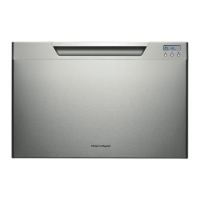
Fisher & Paykel DishDrawer DD60ST 7 - User Manual

Fisher & Paykel DishDrawer DD60ST 7
23 pages
Print Icon
To Next Page IconTo Next Page
Loading...
NZ AU GB IE
590200D 04.13
DD60S 7 & DD60ST 7 models
INSTALLATION INSTRUCTIONS
DishDrawer
TM
dishwasher
Question and Answer IconNeed help?

Do you have a question about the Fisher & Paykel DishDrawer DD60ST 7 and is the answer not in the manual?

Fisher & Paykel DishDrawer DD60ST 7 Specifications

General IconGeneral
BrandFisher & Paykel
ModelDishDrawer DD60ST 7
CategoryDishwasher
LanguageEnglish

Summary

1 FOLLOW THE INSTALLATION SEQUENCE RELEVANT TO YOUR MODEL

Parts Supplied

Lists all components included with the dishwasher for installation.

Product & Cavity Dimensions

Details physical dimensions and required cabinetry space.

Installation Steps

Covers cavity preparation, securing methods, hose/cord distances, and connections.

Final Checks & Troubleshooting

Concludes with final checks and troubleshooting guidance.

2 a SAFETY AND WARNINGS - ALL MODELS

Electrical Shock Hazard

Warnings and precautions regarding electrical safety during installation.

Cut Hazard

Warning about sharp edges and potential for cuts during handling.

2 b ADDITIONAL SAFETY AND WARNINGS - INTEGRATED MODELS ONLY

Electrical Shock Hazard

Specific electrical safety warnings for integrated models.

3 a PARTS SUPPLIED - ALL MODELS

3 b ADDITIONAL PARTS SUPPLIED WITH INTEGRATED MODELS

4 PRODUCT DIMENSIONS

5 CABINETRY DIMENSIONS

6 a INTEGRATED MODELS WITH REMOTE ONLY - CUSTOM FRONT PANEL CALCULATIONS

Front Panel Specifications

Details specifications for custom front panels for integrated models with remote control.

Width of the Panel

Instructions for calculating the required width of the custom front panel.

Height of the Panel

Instructions for calculating the required height of the custom front panel.

6 b INTEGRATED MODELS WITH BADGE ONLY - CUSTOM FRONT PANEL CALCULATIONS

Front Panel Specifications

Details specifications for custom front panels for integrated models with badge control.

Width of the Panel

Instructions for calculating the required width of the custom front panel.

Height of the Panel

Instructions for calculating the required height of the custom front panel.

7 CAVITY PREPARATION

7 b INTEGRATED MODELS WITH REMOTE ONLY - PREPARATION FOR EXTERNAL VENTING THROUGH SAME CABINET

7 c INTEGRATED MODELS WITH REMOTE ONLY - PREPARATION FOR EXTERNAL VENTING THROUGH ADJACENT CABINET

8 MAXIMUM DISTANCE OF HOSES & CORD FROM CHASSIS EDGE

9 TALL HEIGHT DESIGNER & INTEGRATED MODELS FOR 480 mm CAVITY ONLY - ATTACH CAVITY BRACKET

10 a ATTACH SIDE MOUNTING BRACKETS

11 g INTEGRATED MODELS WITH REMOTE ONLY - ATTACH VENTING HOSE

12 a PULL THROUGH HOSES & MOVE INTO THE CAVITY

13 a SECURE THE DRAWER

14 a INTEGRATED MODELS WITH REMOTE ONLY - SECURE THE EXTERNAL VENT

10 b INTEGRATED MODELS WITH REMOTE ONLY - ATTACH VENTING HOSE

11 b PULL THROUGH HOSES & MOVE INTO THE CAVITY

12 b REMOVE THE DRAWER

13 b SECURE THE DRAWER TO THE CABINETRY

14 b REFIT THE DRAWER ONTO THE RUNNERS

15 b INTEGRATED MODELS WITH REMOTE ONLY - SECURE THE EXTERNAL VENT

16 a REMOVE BRACKET FROM PRODUCT

17 a ATTACH PANEL TO PANEL BRACKET

18 a EARTH THE PANEL

19 a ATTACH PANEL TO PRODUCT

20 a ADJUST PANEL HEIGHT TO ALIGN THE CABINETRY GAPS

16 b DETERMINE BADGE CUTOUT LOCATION

17 b REMOVE BRACKET & DISCONNECT BADGE

18 b ROUTE BADGE WIRING THROUGH PANEL

19 b ATTACH PANEL TO PANEL BRACKET

20 b REATTACH BADGE & EARTH THE PANEL

21 b ATTACH PANEL TO PRODUCT

22 b ADJUST PANEL HEIGHT TO ALIGN THE CABINETRY GAPS

23 PLUMBING AND DRAINAGE OPTIONS

Standpipe Drainage Setup

Details the plumbing and drainage setup using a standpipe.

Sink Trap Drainage Setup

Details the plumbing and drainage setup using a sink trap and joiner.
24 CONNECT INLET HOSE TO COLD WATER

25 PLUG PRODUCT IN

26 FINAL CHECKLIST

27 TROUBLESHOOTING

Related product manuals