18
CONTROL PANEL
1 Power Press to turn the washer ON/OFF.
2 Keylock Press to disable all buttons on the control panel, except the
POWER
button. This prevents accidental button presses.
3 SmartTouch™
Control Dial
Rotate to select your desired wash cycle.
z
Red LED illuminates to indicate the selected wash cycle.
4 Digital display
screen
Shows the following:
z
TIME TO GO – the remaining time in the cycle that is
currently running.
z
Delayed start time of wash cycle.
z
Notifications if an error is detected or a warning is necessary.
5 Progess lights Indicates the current status of the wash cycle.
z
All lights are illuminated at the start of the wash cycle.
z
The light of the current status flashes, and then turns off
oncecompleted.
6 Delay Start
Less/More
Press
MORE to increase andLESS to decrease the delay start
time.
7 Time Saver Press toturn
TIME SAVER ON/OFF.
8 Wash Temp Press to increase or decrease wash water temperature.
9 Spin Speed Press to increase or decrease spin speed.
!0 Options Press to select
ECO RINSE, WRINKLE FREE and/or SOAK.
!1 Wash Boost Press to select
PRE WASH or RINSE+.
!2 Add a Garment Press to interrupt the wash part of the cycle to add or remove
agarment.
!3 Start/Pause Press to start or pause the selected wash cycle.
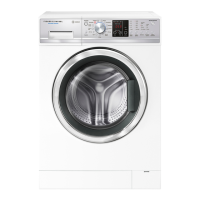
WH8560F and WH8060F models
1
2 4
3
6 7 8 9
5
!0 !1 !2
!3


 To Next Page
 Loading...