EasyManua.ls Logo

Fisher MT-730 - Page 10

Fisher MT-730
20 pages
Print Icon
To Next Page IconTo Next Page
To Previous Page IconTo Previous Page
Loading...
TURNTABLE
ADJUSTMENTS
<Ccontinuea)
Photointerrupter
Position
Adjustment
for
Arm
Feed
1.
2.
3.
Turn
on
the
power
switch
of
the
unit.
Place
a
record
with
less
eccentricity
on
the
turntable
and
play
it.
After
the
record
has
rotated
three
or
four
times,
raise
the
arm
by
pressing
the
CUEING
button.
Turn
the
arm
feed
adjustment
screw
with
a
screwdriver
through
the
hole
on
the
right
side
of
the
cabinet,
so
that
the
arm
rises
straight
up.
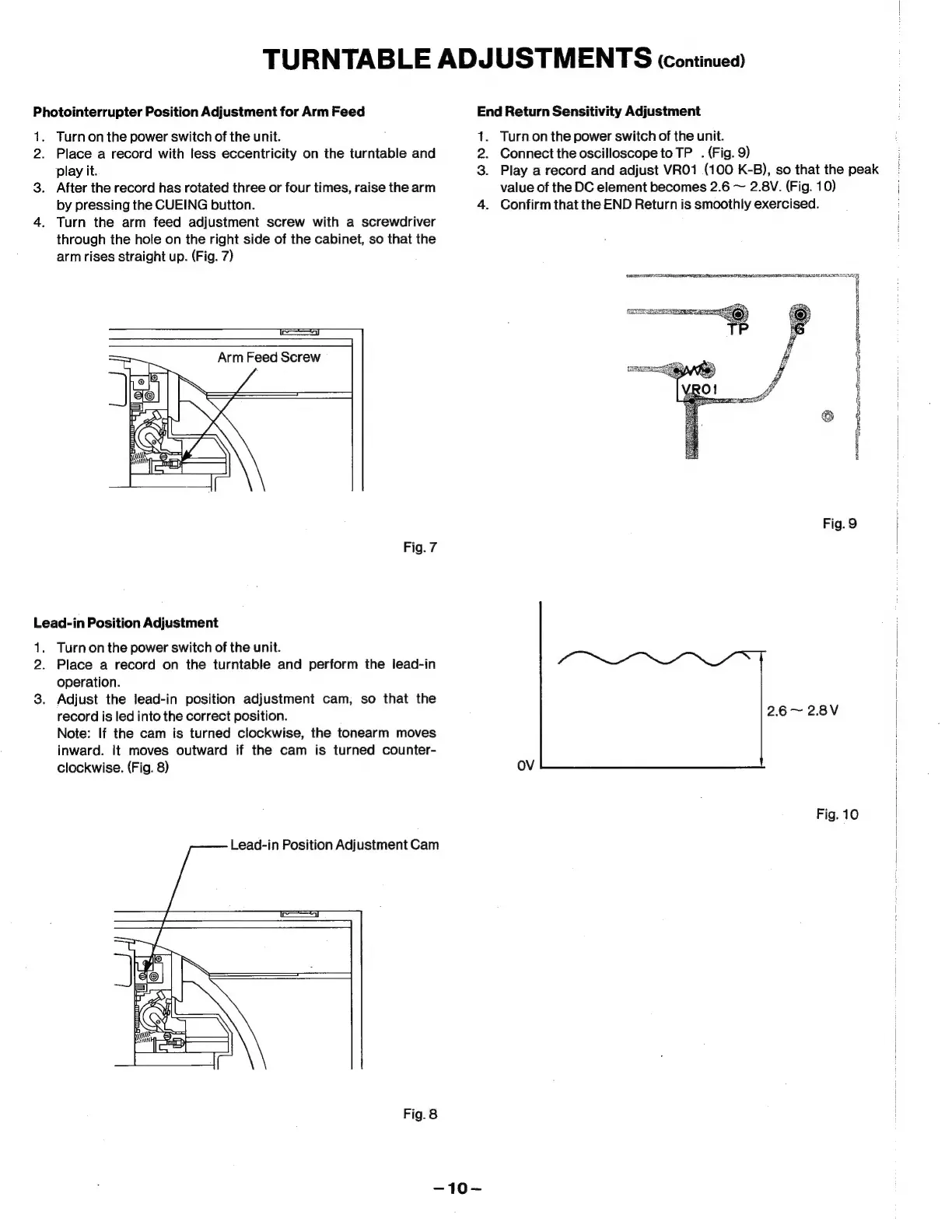
(Fig.
7)
na
|
Arm
Feed
Screw
Fig.
7
Lead-in
Position
Adjustment
1.
2.
3.
Turn
on
the
power
switch
of
the
unit.
Place
a
record
on
the
turntable
and
perform
the
lead-in
operation.
Adjust
the
lead-in
position
adjustment
cam,
so
that
the
record
is
led
into
the
correct
position.
Note:
If
the
cam
is
turned
clockwise,
the
tonearm
moves
inward.
It
moves
outward
if
the
cam
is
turned
counter-
clockwise.
(Fig.
8)
Lead-in
Position
Adjustment
Cam
Fig.
8
End
Return
Sensitivity
Adjustment
1.
2.
3.
Turn
on
the
power
switch
of
the
unit.
Connect
the
oscilloscope
to
TP
.
(Fig.
9)
Play
a
record
and
adjust
VRO1
(100
K-B),
so
that
the
peak
value
of
the
DC
element
becomes
2.6
~
2.8V.
(Fig.
10)
Confirm
that
the
END
Return
is
smoothly
exercised.
PSE
ye
ic
TOE
RLS
RITE
RTE
Fig.
9
2.6~
2.8V
OV
Fig.
10

Related product manuals