12
For more detailed instructions please visit www.fishman.com/tripleplay
TriplePlay Charging
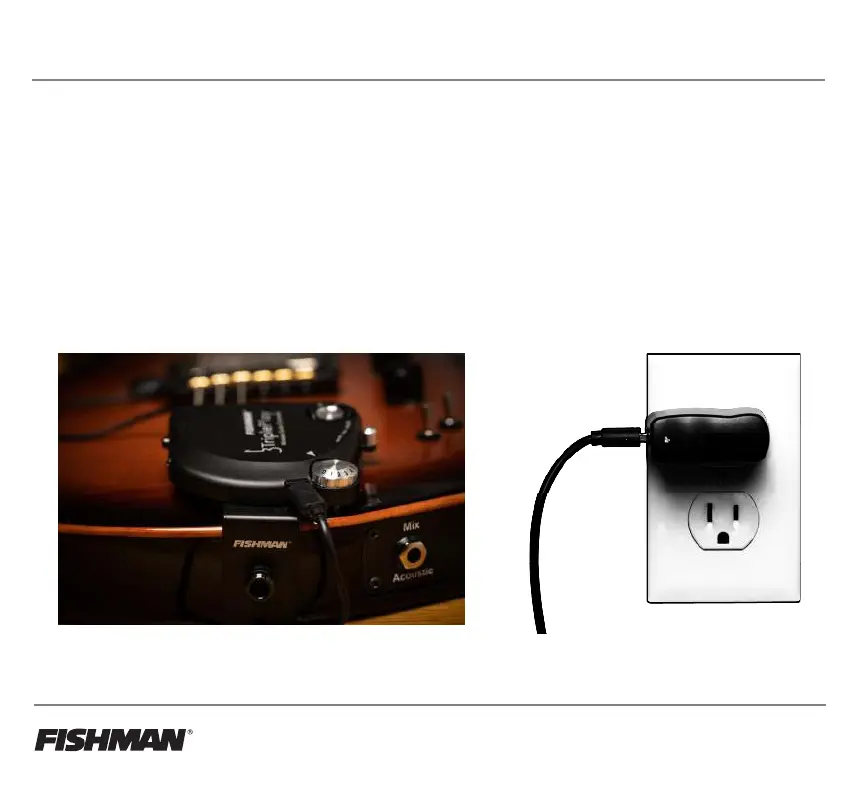
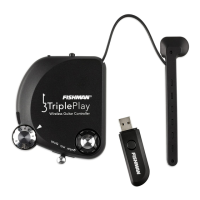
Charging the controller.
Connect the USB cable to the controller, and plug into one of your computer’s USB ports or a wall socket
USB power adapter. A small LED on the controller glows green while the unit is charging and turns off once the
charge is complete. Allow 90 minutes for the controller to be fully charged. You can expect about 20 hours of
battery life from your charged controller. We recommend fully charging the controller before using it for the first
time.
Users should not attempt replacement of the TriplePlay battery themselves. It is possible to send your
TriplePlay controller back to Fishman in order to have the battery replaced for a small fee. However, if a
battery replacement is attempted: Replace only with same type of battery, Model U600.



 To Next Page