16
For more detailed instructions please visit www.fishman.com/tripleplay
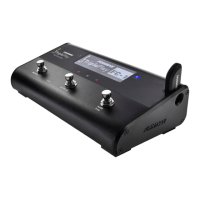
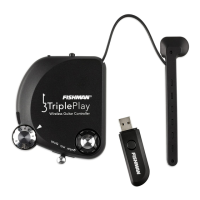
TriplePlay Hardware Mode Operation
Hardware Mode Operation
The TriplePlay controller has the ability to store Hardware Presets, a set of MIDI commands meant to send data
to hardware MIDI devices such as a synthesizer. These presets are configurable in the TriplePlay software,
but we have provided a few default presets that are most useful when connecting to hardware devices on the fly.
To start the TriplePlay controller in Hardware Mode:
• While holding down the ‘Up Button’ (shown in “Hardware Mode Controls" graphic), switch the controller
to ‘On.’
• The 001 Poly Preset, shown in the diagram below, will be the first preset loaded.
• Press the Up/Down buttons to step thru the presets.
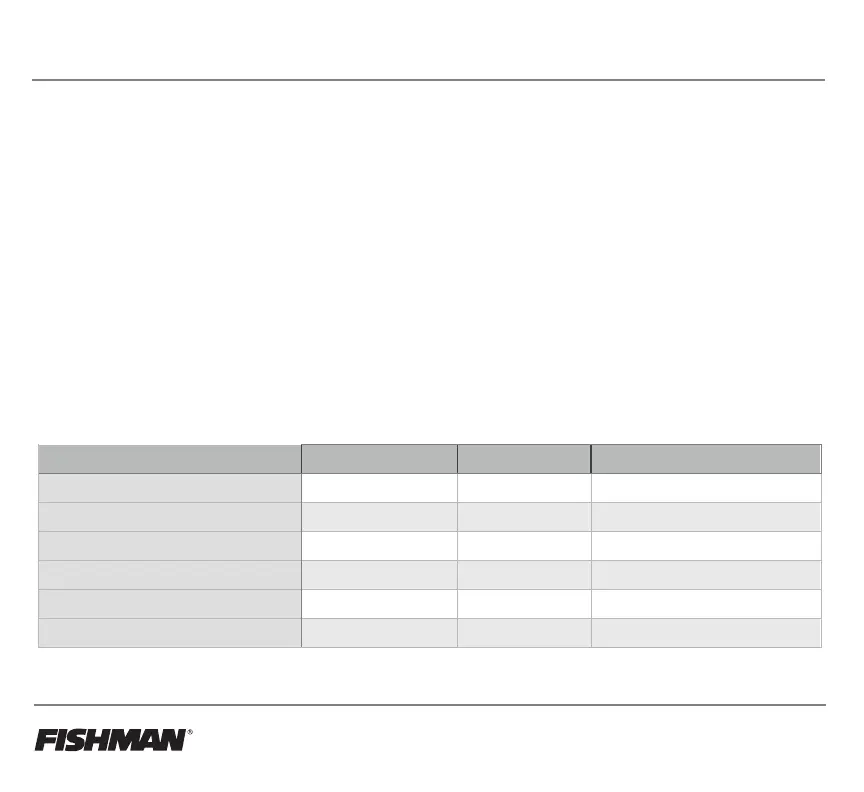
The chart below shows the first 4 hardware presets. You can select the presets with the Up/Down buttons on the
controller. All hardware presets can be programmed with the TriplePlay software.
TriplePlay Controller Hardware Presets Pitch Bend Range Pitch Bend Mode MIDI Channel Mode
001 Poly Preset +/- 2 semitones Trigger Poly Mode - MIDI Ch. 1
002 Poly Preset +/- 12 semitones Auto Poly Mode - MIDI Ch. 1
003 Mono Preset +/- 2 semitones Trigger Mono Mode - MIDI Ch. 1-6
004 Mono Preset +/- 12 semitones Auto Mono Mode - MIDI Ch. 1-6
005-128 Poly Presets +/- 12 semitones Trigger Poly Mode - MIDI Ch. 1
128-240 Mono Presets +/- 12 semitones Auto Mono Mode - MIDI Ch. 1-6



 To Next Page