29Page
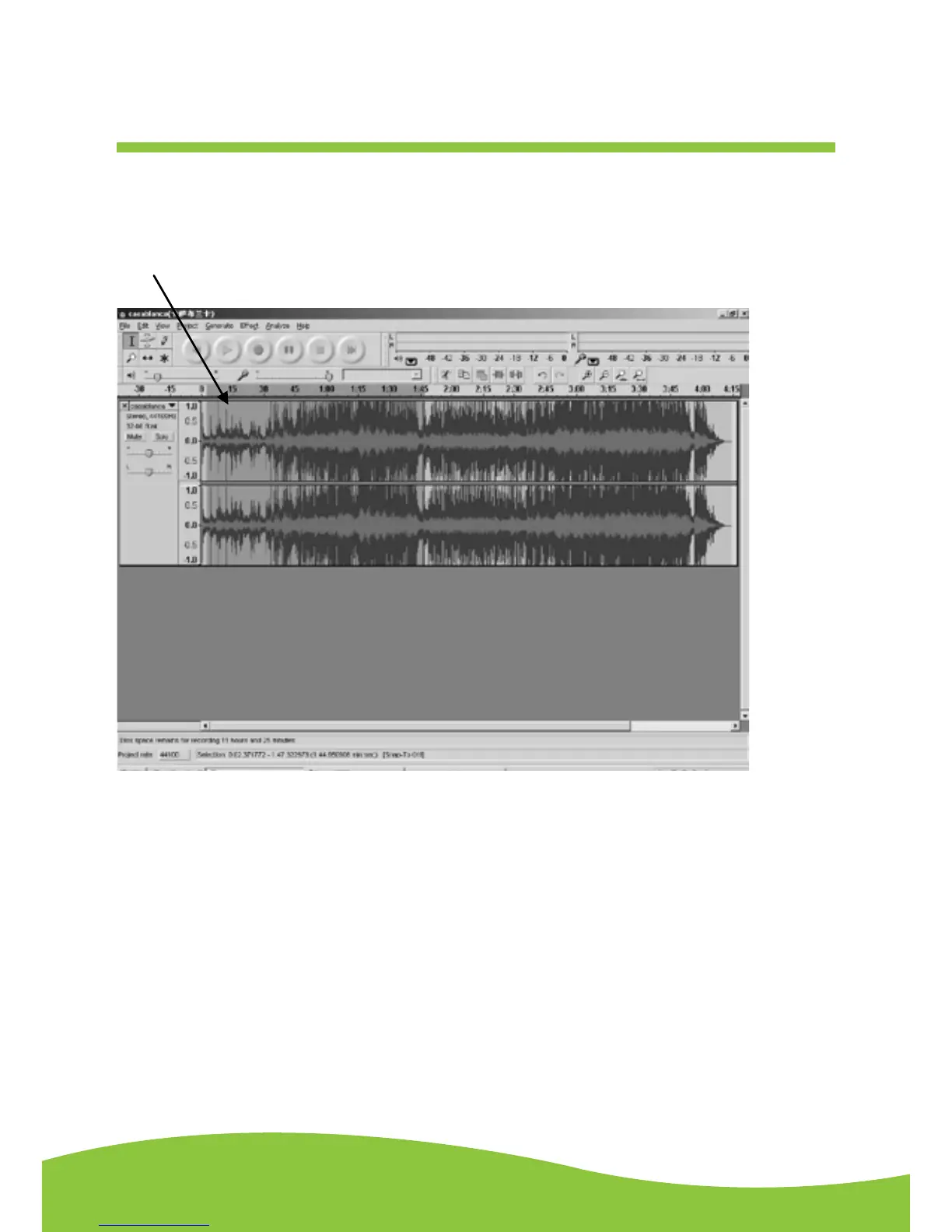
3. Move the cursor to the wave graphic area, left click the mouse and hold and drag from left to
right. You can see the time bar colour changing to gray (highlighted). Release the mouse when
the highlighted time bar has reached 1:45 (end of the first song).
4. Click the “file” tab then select “EXPORT SELECTION AS WAV, Ogg, OR MP3”.
5. The window will pop up a dialog box for you to put the song title (“File name”), where you want to
save it (“Save in”), and file format (“Save as type”).
6. Click “Save” and the first song from 0:00-1:45 are saved on the computer.


 To Next Page