30Page
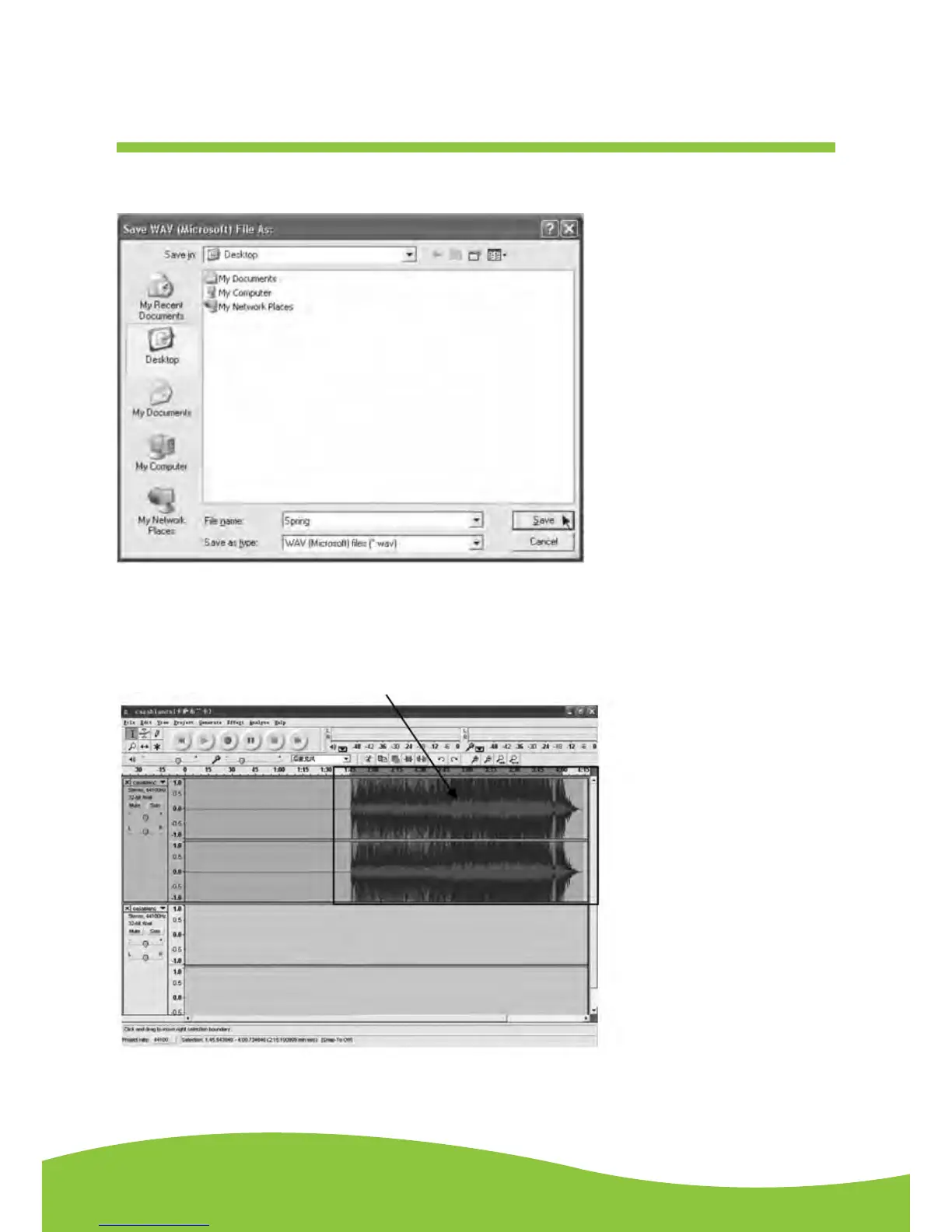
See the interface example below, saved as WAV format:
Second song to be divided and saved:
1. Move the cursor to the wave graphic area at 1:45 (beginning of the second song). Left click the
mouse and hold then drag from left to right until you reach 4:00 (end of the second song). You
can see the area from 1:45 to 4:00 highlighted.
2. Click the “file” tab then select “EXPORT SELECTION AS WAV, Ogg, OR MP3”.
3. Follow Steps 2, 3 and 4 from Dividing Tracks to divide songs one-by-one.


 To Next Page