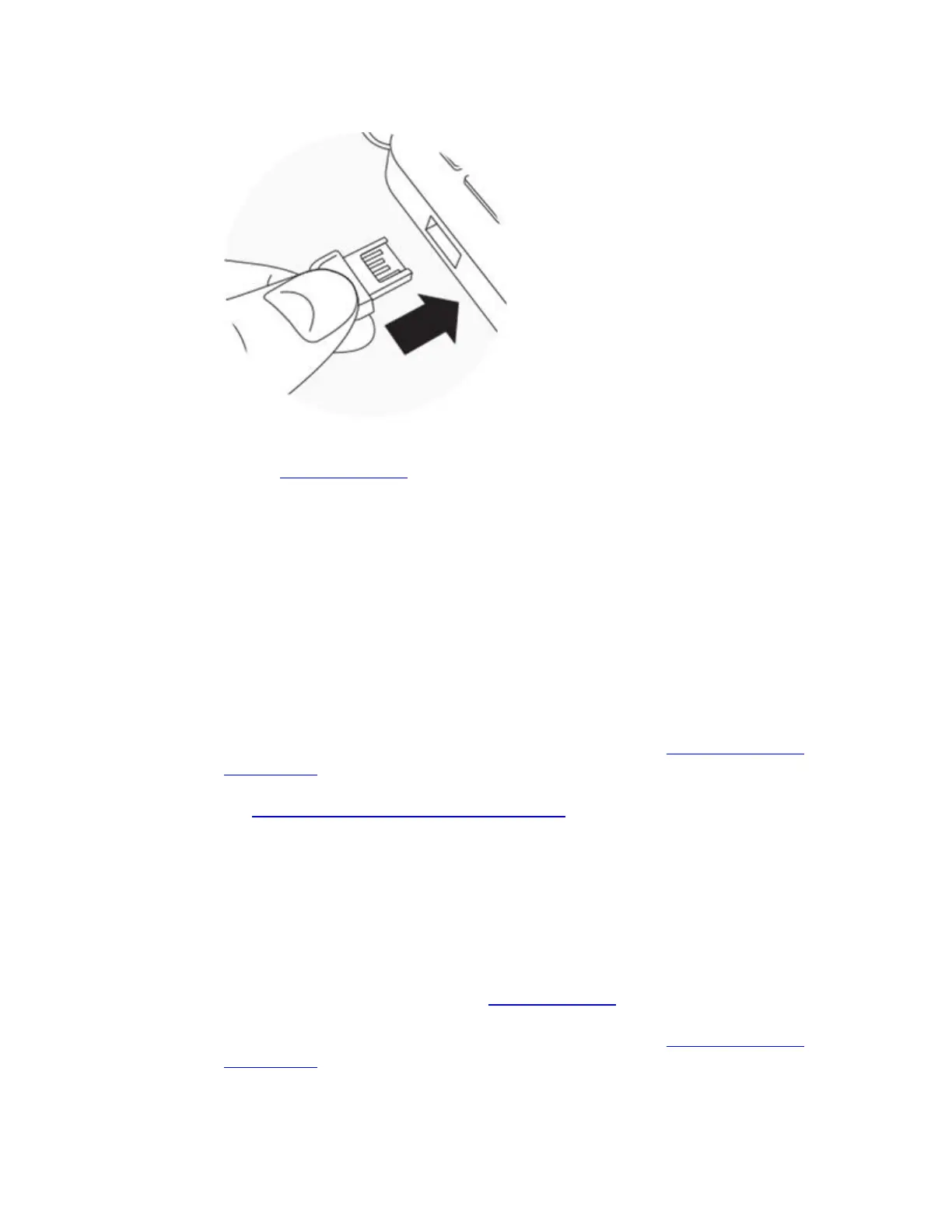
on your computer as shown. If your Mac doesn't have Bluetooth the dongle is required.
o (Windows only) The wireless sync dongle is plugged into a USB port on the computer. If
your device didn't come with a dongle and you can't use a phone or tablet instead,
contact Customer Support.
o If the dongle is plugged in, your computer is able to recognize it. To check, on your
computer find and click the icon with a Fitbit logo. It is located near the date and time. If
you see "USB Dongle Disconnected," try a different USB port.
Troubleshooting
If you're still unable to set up, try the troubleshooting steps below for your device or computer.
Phone or tablet
1. Turn off Bluetooth on your phone; wait 10 seconds, and then turn it back on.
2. Try setting up your device again.
3. Turn your Fitbit device off and back on using the instructions in How do I restart my
Fitbit device?
4. Try setting up your device again. If you have trouble connecting your watch to Wi-Fi,
see Why won't my Fitbit watch connect to Wi-Fi?
5. If you can't set up after a restart, reboot your phone or tablet (turn it off and then back
on).
6. Try setting up your device again.
7. If you can't set up after the reboot, remove all other Fitbit devices from your account
and from the list of connected Bluetooth devices on your phone or tablet.
8. Try setting up your device again.
9. If you can't set up after removing all other Fitbit devices, try uninstalling and reinstalling
the Fitbit app.
10. If you still can't set up, please contact Customer Support so we can investigate.
Windows 10 Computers
1. Turn your Fitbit device off and back on using the instructions in How do I restart my
Fitbit device?
2. Try setting up your device again.



 To Next Page