Have questions or need help? Visit help.tbit.com/cwsupport or call 1-844-302-2821,
8 a.m. – 8 p.m. CT, Monday - Friday.
2
STEP 1:
DOWNLOAD THE FITBIT MOBILE APP
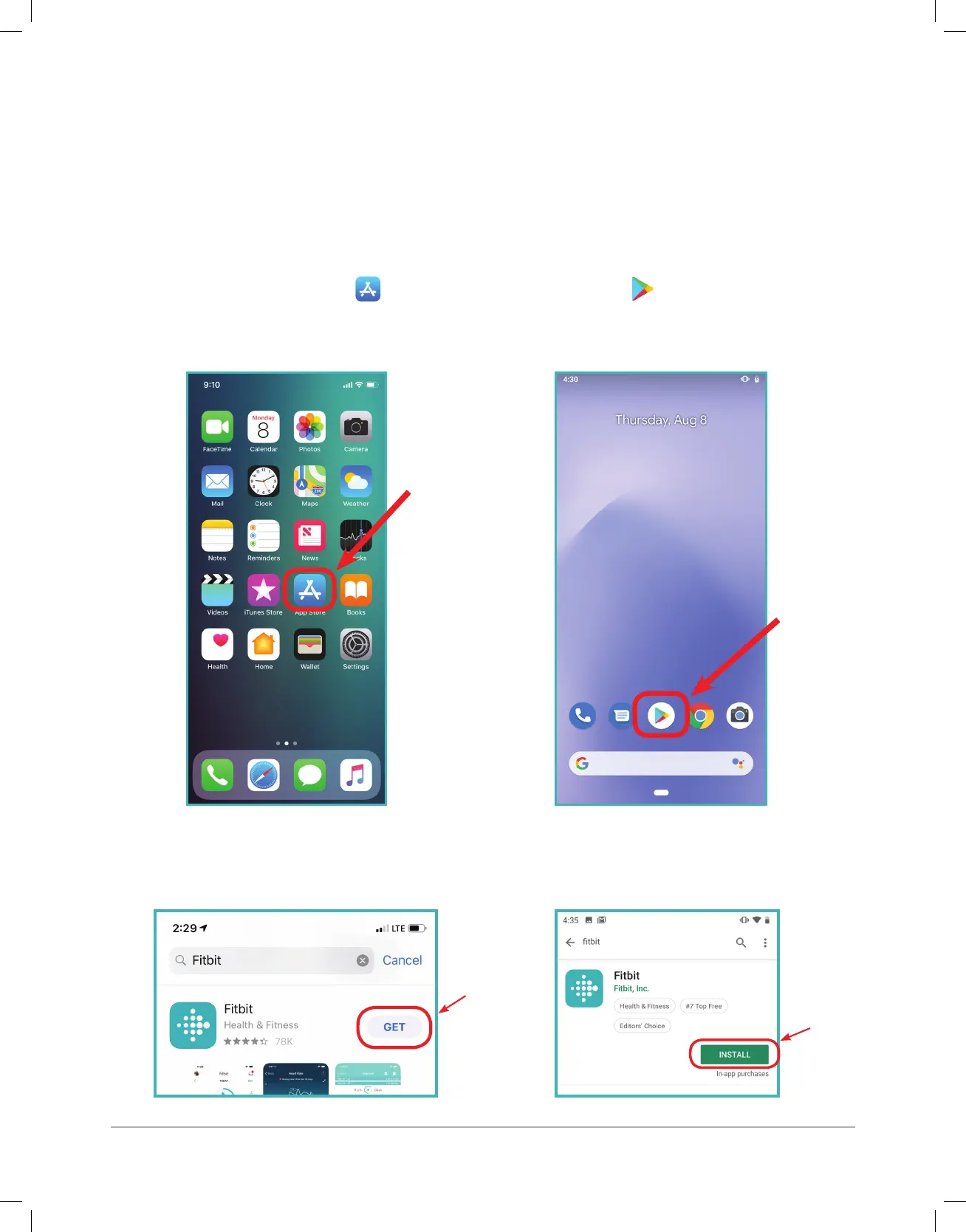
1. Open the App Store ( ) or Google Play Store ( ) from your phone’s
home page.
2. Search for “Fitbit” and tap “Get” or “Install” to download the app.
This is the free mobile app you will use to sync health and activity
data from your Fitbit smartwatch.
(iPhone)
(iPhone)
(Android)
(Android)



 To Next Page