If you are experiencing issues, contact us. We are standing by to support you.
1-888-639-8181 ext 601 | clientcare@newtopia.com
A CB D E
5
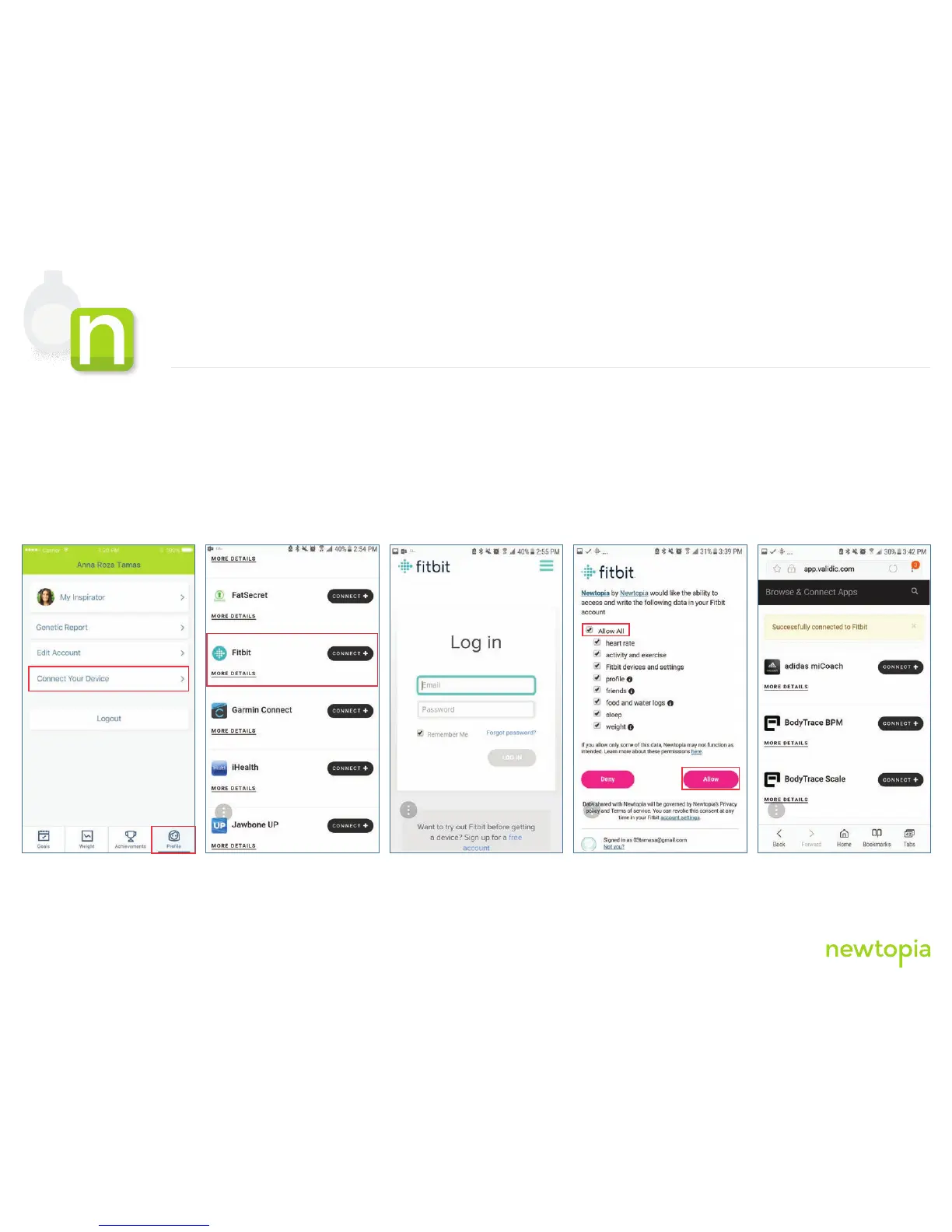
4. In Achieve On The Go, tap on “Profile”, then tap on “Connect Your Device” and look for Fitbit on the list of devices
5. Tap on “Connect+” for the Fitbit device
6. Enter your login information you used while setting up your Fitbit app
Phase 2
Connect Your Fitbit Zip with Newtopia
11,031
steps













 To Next Page