Getting Started
Adjusting Your Balance Board
Classic Board, Pro Balance Board 16" & 20", Rocker Board & Combobble Board
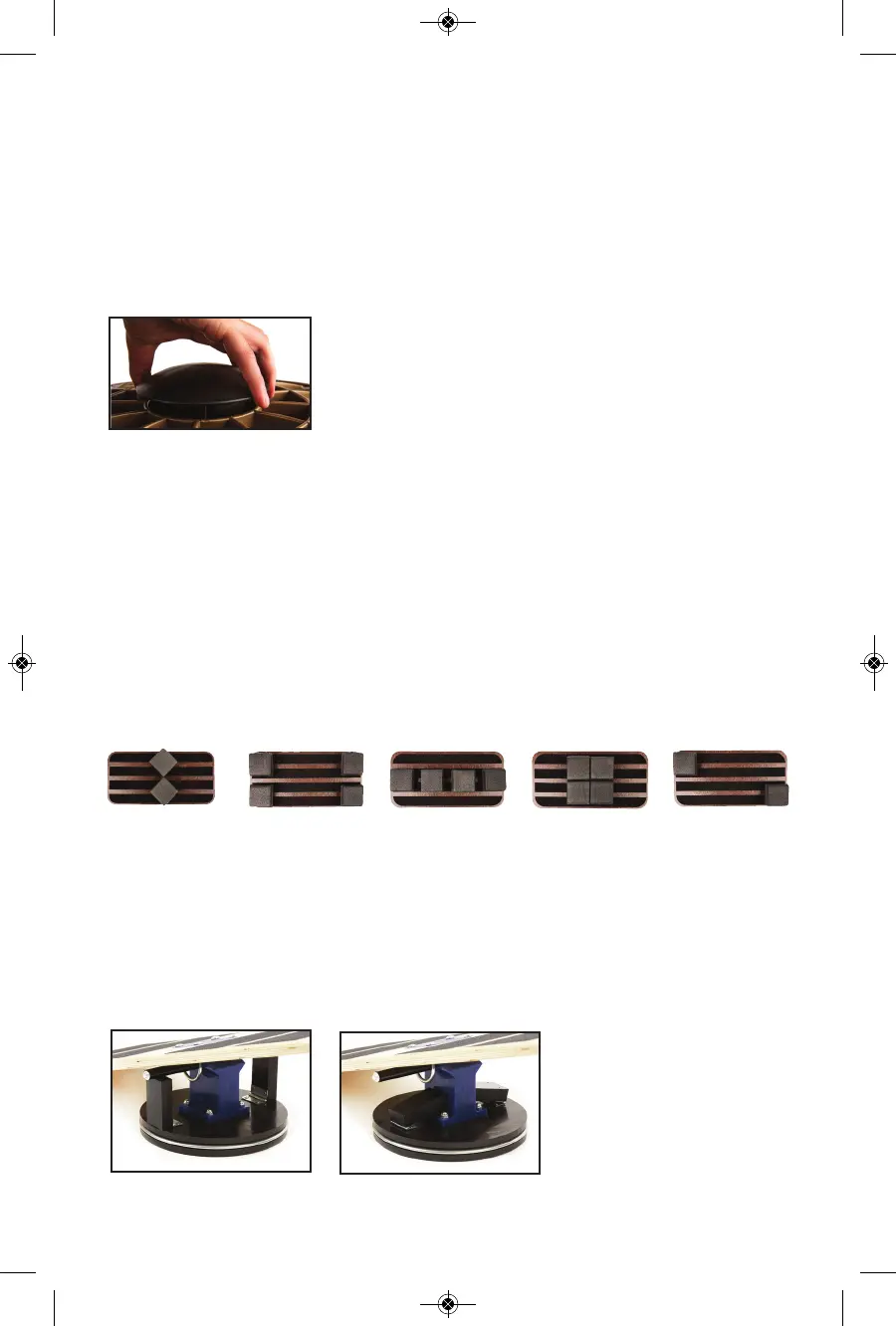
1. Lift sphere and turn clockwise to either increase or
decrease the height and difficulty
2. Release sphere to lock into place
On Rocker Board, adjust both spheres to the same setting
Combo Board
The Combo Board is sold with 3 different fulcrums of various sizes. To adjust, simply:
1. Lift fulcrum out of position
2. Place new fulcrum in-between the brackets, ensuring velcro is face
down and secured
Active Office Board
The Active Office Board has an unlimited amount of adjustibility. To switch the leg
positions, gently lift the foam legs from the base of the board and reattach. For ideas on
various leg positions, refer to the quick-reference card found on the bottom of your board,
or try some of your own!
Extreme Balance Board Pro
To limit front-to-back movement in your Extreme Balance Board Pro, flip both the
Support Pegs up to their full, upright position. When you are comfortable, you can flip
them both down to create an extra challenge.
We recommend keeping the Support Pegs at the same level - either both up or both
down.
Support Pegs - raised
Support Pegs - lowered
5


 To Next Page