01
02
03
04
05
06
07
08
>>
MODULE RESET PROCEDURE - 1 OF 1
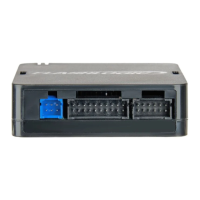
Disconnect all connectors from module except
the BLACK 20-PIN connector.
Disconnect the BLACK 20-PIN connector.
PRESS AND HOLD programming button while
connecting the BLACK 20-PIN connector.
Wait, LED 1 will flash RED. RELEASE
programming button.
LED 1 will turn RED for 2 seconds.
Module RESET completed.
Reconnect all connectors.
Repeat programming procedure.
Failure to follow procedure may result with a
DTC or a CHECK ENGINE error message.
www.flashlogic.comAutomotive Data Solutions Inc. © 2013
PAGE 20 OF 21
• 20131125
OEMCHRSCH5FLRSCH5EN
DOC.: #13103


 To Next Page