Page 9
Timer Operation
Manually Initiating a Regeneration
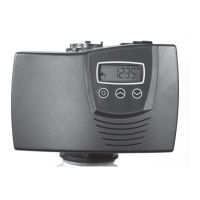
When timer is in service, press the Extra Cycle button for 5 seconds on the main screen.1.
The timer advances to Regeneration Cycle Step #1 (backwash), and begins programmed time count down.2.
Press the Extra Cycle button once to advance valve to Regeneration Cycle Step #2 (brine draw & slow rinse).3.
Press the Extra Cycle button once to advance valve to Regeneration Cycle Step #3 (backwash).4.
Press the Extra Cycle button once to advance valve to Regeneration Cycle Step #4 (rapid rinse).5.
Press the Extra Cycle button once to advance valve to Regeneration Cycle Step #5 (brine refill).6.
Press the Extra Cycle button once more to advance the valve back to in service. 7.
NOTE: If the unit is a filter or upflow, the cycle step order may change.
NOTE: A queued regeneration can be initiated by pressing the Extra Cycle button. To clear a queued regener-
ation, press the Extra Cycle button again to cancel. If regeneration occurs for any reason prior to the delayed
regeneration time, the manual regeneration request will be cleared.
Control Operation During A Power Failure
The SXT includes integral power backup. In the event of power failure, the control shifts into a power-saving
mode. The control stops monitoring water usage, and the display and motor shut down, but it continues to keep
track of the time and day for a minimum of 48 hours.
The system configuration settings are stored in a non-volatile memory and are stored indefinitely with or without
line power. The Time of Day flashes when there has been a power failure. Press any button to stop the Time of
Day from flashing.
If power fails while the unit is in regeneration, the control will save the current valve position before it shuts down.
When power is restored, the control will resume the regeneration cycle from the point where power failed. Note
that if power fails during a regeneration cycle, the valve will remain in it’s current position until power is restored.
The valve system should include all required safety components to prevent overflows resulting from a power
failure during regeneration.
The control will not start a new regeneration cycle without line power. If the valve misses a scheduled
regeneration due to a power failure, it will queue a regeneration. Once power is restored, the control will initiate
a regeneration cycle the next time that the Time of Day equals the programmed regeneration time. Typically,
this means that the valve will regenerate one day after it was originally scheduled. If the treated water output is
important and power interruptions are expected, the system should be setup with a sufficient reserve capacity to
compensate for regeneration delays.


 To Next Page