COMMISSIONING DYNAVERT L
4Bs0503en/002 Version: 11.10.02 8
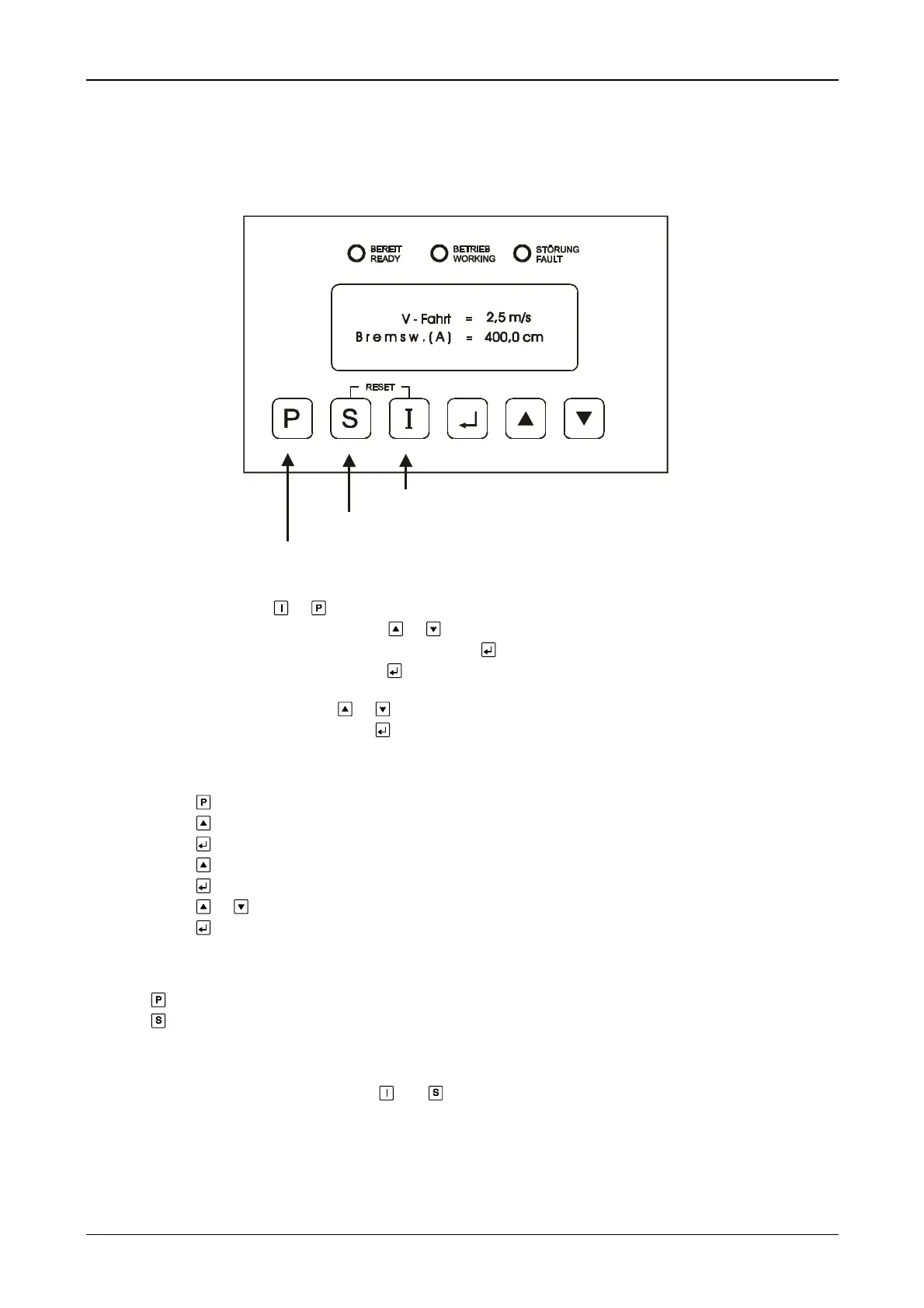
1.2 Operation and commissioning menu
In general:
Parameter menue
Information menue
• Select menu by pressing or .
• Select sub-menu or parameter by pressing or .
• Accept sub-menu or parameter for data entry by pressing .
• Enable parameter for changes by pressing ,
− a black bar appears in the display.
• Change the parameter by pressing or .
• Accept new parameter value by pressing .
Example: Series of keystrokes for changing the rated speed v 3
− Press button
− Press button to enter the menu P-TRAVEL CURVE DATA
− Press button
− Press button down to v 3
− Press button
− Press button or until the specified value appears in the display
− Press button to take over the value
After parameters have been changed:
− Press to return to the main menu
− Press to exit the parameterization level
COMMENT - fault reset:
• Reset fault message memory by pressing and simultaneously.
Commissioning menu:
Following figures show the required menu items for the travel curves positioning with/without actual value feedback
and direct travel:


 To Next Page