EasyManua.ls Logo

Flex innovations Laser 200 60E - User Manual

Flex innovations Laser 200 60E
8 pages
Print Icon
To Next Page IconTo Next Page
Loading...
Thank you for purchasing the Flex Innovations Laser 200 60E!
Flex Innovations airplanes are now shipping with digital manuals. This ensures that you always have
the most up-to-date information, including any future modifications, upgrades or even future product
generations. It also makes your assembly and flying experience as accurate and enjoyable as possible.
You can find the most updated version of the manual at the link shown below or simply by scanning
the QR code with your phone. If you would like a printed version of the manual and did not order one
with your airplane you can also find information on how to
order one at the same location.
If you have experience assembling Flex Innovations Super PNP
aircraft then this quick assembly guide is for you. Inside you
will find general assembly sequence recommendations, radio
setup details and everything you need pre-flight. This
assembly guide is not comprehensive and assumes a certain
level of familiarity and comfort with the process.
For full details on how to put together your Laser 200 60E, for
any last minute updates, for additional details such as parts
lists please follow the link or the QR code for the complete
manual.
Quick Assembly Guide
https://www.flexinnovations.com/product/laser-200-60e/
DESIGNE
D BY:
Question and Answer IconNeed help?

Do you have a question about the Flex innovations Laser 200 60E and is the answer not in the manual?

Summary

Assembly Sequence

Main Landing Gear Assembly

Instructions for mounting the main landing gear components to the fuselage.

Vertical Fin and Tail Wheel Installation

Steps for attaching the vertical fin and installing the tail wheel assembly.

Horizontal Stabilizer Installation

Guidance on inserting and securing the horizontal stabilizer halves onto the fuselage tube.

Rudder and Elevator Linkages

Details on installing servo arms and connecting pushrods to control surfaces.

Wing Installation

Procedure for fitting the wings, connecting aileron servos, and securing the wings.

Radio Configuration

Aura Flight Modes Overview

Overview of the three pre-configured Aura flight modes for different flying styles.

Required Radio Settings

Table detailing required transmitter settings for various radio systems.

Aura System Setup and Calibration

Aura Connections and Auto-Detect

Explains default Aura connections, receiver binding, and auto-detect process.

ESC Arming and Throttle Calibration

Steps for safely arming the ESC and calibrating the throttle range.

Final Radio Setup Adjustments

Final adjustments to servo arms, pushrods, and motor direction.

Control Direction Test

Transmitter Command Verification

Chart and instructions to verify control surface response to transmitter inputs.

Aura Sensor Direction Test

Aircraft Movement Verification

Guide to test gyro system reaction to aircraft rotation for correct sensor direction.

Final Preparation and Flight

Propeller Mounting and CG Verification

Steps for mounting the propeller and checking the Center of Gravity.

Quick Trim Procedure for Flight

Instructions for performing a quick trim procedure after the maiden flight.

Overview

The provided manual describes the Flex Innovations Laser 200 60E, a radio-controlled (RC) aerobatic airplane. This aircraft is designed for enthusiasts seeking championship-level performance, drawing inspiration from full-scale F3A and 3D World Champion Quique Somenzini's design. It aims to replicate the iconic lines of the original Laser 200 while incorporating cutting-edge technology for an advanced flying experience.

Function Description:

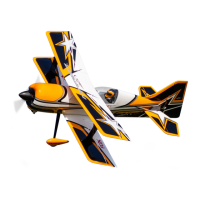
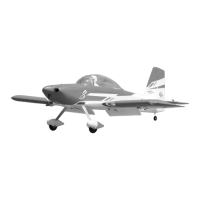
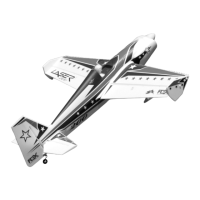
The Laser 200 60E is a high-performance RC airplane intended for various aerobatic maneuvers, including sport flying, extreme aerobatics (tumbles and spins), and slow-speed 3D flight. It is available in both day and night versions, with two distinct schemes: a retro 1980 World Championship tribute and a modern Clint Sweet Designs "XA Scheme." The aircraft is a "Super PNP" (Plug-N-Play) model, meaning it comes largely pre-assembled with most electronics installed, requiring minimal final assembly and setup by the user. The core of its advanced functionality is the integrated Aura 8 flight controller, which provides gyro stabilization and allows for customizable flight modes tailored to different flying styles and skill levels.

Important Technical Specifications:

While specific dimensions and weights are not explicitly listed in this quick assembly guide, the manual indicates several key technical requirements and features:

  • Power System: Requires a 3500-4200mAh 6S 22.2V 35C+ Li-Po battery (FPZB42006S40 recommended). This suggests a powerful electric motor and ESC (Electronic Speed Controller) system suitable for high-energy aerobatics.
  • Radio System: Requires a minimum 7-channel transmitter and a serial-capable receiver (e.g., Spektrum 4651T or Futaba R2001SB). The Aura 8 flight controller is designed to interface with various serial receivers from brands like Spektrum, Futaba, JR, Graupner, FrSky, and Jeti (EX-Bus).
  • Control Surfaces: Features 1 Aileron, 1 Elevator, and 1 Rudder configuration. The Aura 8 manages these surfaces, with pre-configured end points (travel adjust) for different radio brands (e.g., Ail/Ele/Rud – 125% for Spektrum/Futaba/JR/Graupner, 100% for FrSky and Jeti).
  • Flight Modes: Three pre-configured flight modes are available via a 3-position switch:
    • Flight Mode 1: Sport (Gyro On): For general flight with low rates and tuned expos. Gyro is set to low.
    • Flight Mode 2: Extreme Aerobatics (Gyro On): For advanced aerobatics at high airspeeds, with highest rates and tuned expos. Gyro is set to low.
    • Flight Mode 3: Slow Speed 3D (Gyro On): For slow-speed 3D flight, with highest rates and tuned expos. Gyro is set to its highest setting, which may cause oscillation at high speeds.
  • LEDs (Night Version): The night version includes LEDs, which can be controlled via a 2-position switch (CH6/Aux 1). If the LED controller is unplugged, the lights default to the ON position.
  • Gyro On/Off: A 2-position switch (CH7/Aux 2) can be assigned for Gyro On/Off, though the default Aura program has this disabled, requiring manual activation via Quick Set.
  • Center of Gravity (CG): Recommended CG is 5-7/8 inches (150mm) FORWARD of the wing's trailing edge at the wing tip. An acceptable range is 6-1/8 to 5-13/16 inches (155mm to 148mm) FORWARD of the trailing edge.

Usage Features:

  • Digital Manuals: Flex Innovations provides digital manuals, ensuring users always have access to the most up-to-date information, including modifications, upgrades, or future product generations. This enhances the accuracy and enjoyment of assembly and flying.
  • Quick Assembly Guide: The provided document is a "Quick Assembly Guide" for experienced Super PNP aircraft assemblers, offering general assembly sequence recommendations, radio setup details, and pre-flight checks without extensive detail. A full manual is available online for comprehensive instructions.
  • Aura 8 Auto-Detect: The Aura 8 flight controller automatically detects the type of receiver being used and configures itself accordingly, simplifying initial setup.
  • ESC Throttle Calibration: A specific procedure is outlined for calibrating the ESC to the transmitter's throttle stick, ensuring the full range of output is mapped correctly. This must be done with the propeller removed for safety.
  • Control Direction Test: Detailed diagrams are provided to verify the correct movement of ailerons, elevator, and rudder in response to transmitter commands. It explicitly warns against reversing controls in the transmitter or Aura Config Tool if directions are incorrect, advising users to contact support instead, as this could void the warranty and cause a crash.
  • Aura Sensor Direction Test: This test verifies the gyro system's corrections for aircraft movement. Users are instructed to perform this in Flight Mode 3 (higher gain) and observe control surface deflections while rotating the aircraft. Again, incorrect reactions warrant contacting support.
  • Quick Trim Procedure: After the maiden flight, a "Quick Trim" procedure allows users to save trim settings directly into the Aura 8 by inserting a bind plug into Port S3, ensuring that subsequent flights start with the correct trim values without needing to adjust transmitter trims.
  • Pre-configured Mixing: The Aura 8 has pre-configured rudder-to-aileron and rudder-to-elevator mixing, which results in simultaneous control surface movement with rudder input, described as intentional and normal.

Maintenance Features:

  • Digital Updates: The reliance on digital manuals means that maintenance information, including any future modifications or upgrades, can be easily updated and accessed by users, ensuring they always have the latest guidance for maintaining their aircraft.
  • Adhesive Recommendations: The manual specifies the use of medium CA or 15-minute epoxy adhesive for bonding the vertical fin assembly, indicating common RC aircraft construction and repair methods.
  • Fastener Guidelines: Instructions include using thread locker for certain screws (e.g., main landing gear, main gear shafts) but explicitly warn against using it on plastic parts (e.g., push rods to servos/control horns) as it will weaken the plastic, void the warranty, and lead to failure. This highlights a critical maintenance consideration for plastic components.
  • Cleaning: Before bonding the vertical fin, users are instructed to clean all surfaces with rubbing alcohol, a standard practice for ensuring strong adhesive bonds.
  • Propeller Installation: The propeller is to be installed only after radio setup and testing are complete, emphasizing a safety-conscious assembly sequence.
  • Regular Checks: The various tests (Control Direction, Aura Sensor Direction) and the Quick Trim procedure serve as routine checks to ensure the aircraft is properly configured and safe for flight, which are integral to ongoing maintenance and safe operation.

Flex innovations Laser 200 60E Specifications

General IconGeneral
BrandFlex innovations
ModelLaser 200 60E
CategoryToy
LanguageEnglish

Related product manuals