1
© 2010 OJ Electronics A/S · ® The OJ trademark is a registred trademark belonging to OJ Electronics A/S
Setting Time ............................................................................... 4
Setting Day ................................................................................. 4
Read Out .................................................................................... 5
Oset Temperature.................................................................... 5
Application ................................................................................. 5
Display ........................................................................................ 6
Factory Reset ............................................................................. 6
Exit Menu ................................................................................... 6
Error Messages ......................................................................... 6
Type FLP30-120/240GA
English .................. 1
Français ................ 7
Español ............... 14
67089 12/10 (MBC)
© 2010 OJ Electronics A/S
U S E R M A N U A L
Contents
Introduction
The thermostat can switch on your heating system at predeter-
mined times on dierent days of the week. For each day of the
week, you can set individual temperatures for 4 periods, called
events. The thermostat comes with a default schedule suitable for
most installations. Unless you change the settings, the thermostat
will operate in compliance with the default schedule. Lowering the
temperature when the home is unoccupied will reduce your energy
costs without reducing comfort.
Furthermore, the thermostat features an adaptive function that
automatically changes heating period start times so as to ensure
that the required temperature is reached at the required time. After
three days the adaptive function has learned when the heating
must be switched on.
First Time Settings
The first time you turn on the thermostat, time and day must be
set. The time flashes. Set the current time using the Up or Down
buttons. Then press the OK button to confirm the time. The day
of the week will then flash. Select the current day using the Up
and Down buttons. Press the OK button. The thermostat is now
ready for use and will control your heating according to the pre-
programmed 4-event schedule (see Factory Settings for Automatic
5:2 Program).
Ground Fault Circuit Interrupter (GFCI)
The thermostat has a built-in GFCI that ensures personal safety in
case of ground faults.
It is important that the GFCI is checked monthly.
!"#
$##%
&'"("'%)
%#*
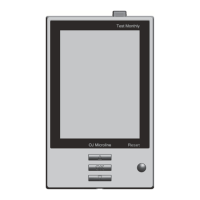
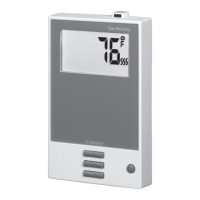
Up button
OK button
Down button
Standby button
Reset GFCI
GFCI test button
Type FLP30-120/240GA English
Introduction ................................................................................ 1
First Time Settings .................................................................... 1
Ground Fault Circuit Interrupter (GFCI) ................................... 1
4-Event Program ........................................................................ 2
Quick Set Temperature ............................................................ 3
Adaptive Function ...................................................................... 3
Manual Mode ............................................................................. 3
Temporary Override ................................................................... 3
Child Lock .................................................................................. 4
Temperature Unit ....................................................................... 4

 Need help?
 General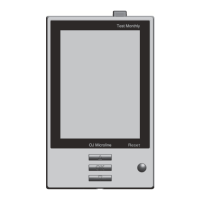

 To Next Page