Push-to-Talk Switch Options
If your aircraft does not have a built-in push-to-talk (PTT) switch, you will need to insert a portable PTT switch
into another microphone jack that is parallel with the pilot’s microphone jack. Flightcom Portable PTT Switch
(part number 103-0604-10) is designed specifically for the 403 and 403d intercoms.
To connect Flightcom’s Portable PTT Switch to either the 403 or 403d intercom:
1. Insert the PTT plug into the microphone jack.
2. Insert a headset microphone plug into the PTT inline jack.
To enable the co-pilot to transmit over the radio, connect the wire from pin 6 of the D-sub connector to one of
the following:
• An existing co-pilot PTT switch
• The hand microphone jack, with the portable PTT switch plugged into that jack
Pin 6 may be left unconnected if co-pilot access to the radio is not necessary.
Installing Stereo Input and Output Jacks
If a music source has not been permanently installed in the aircraft, you can install a 3.5 mm stereo mini jack in
an accessible location, to provide an interface for a portable stereo recorder or CD player.
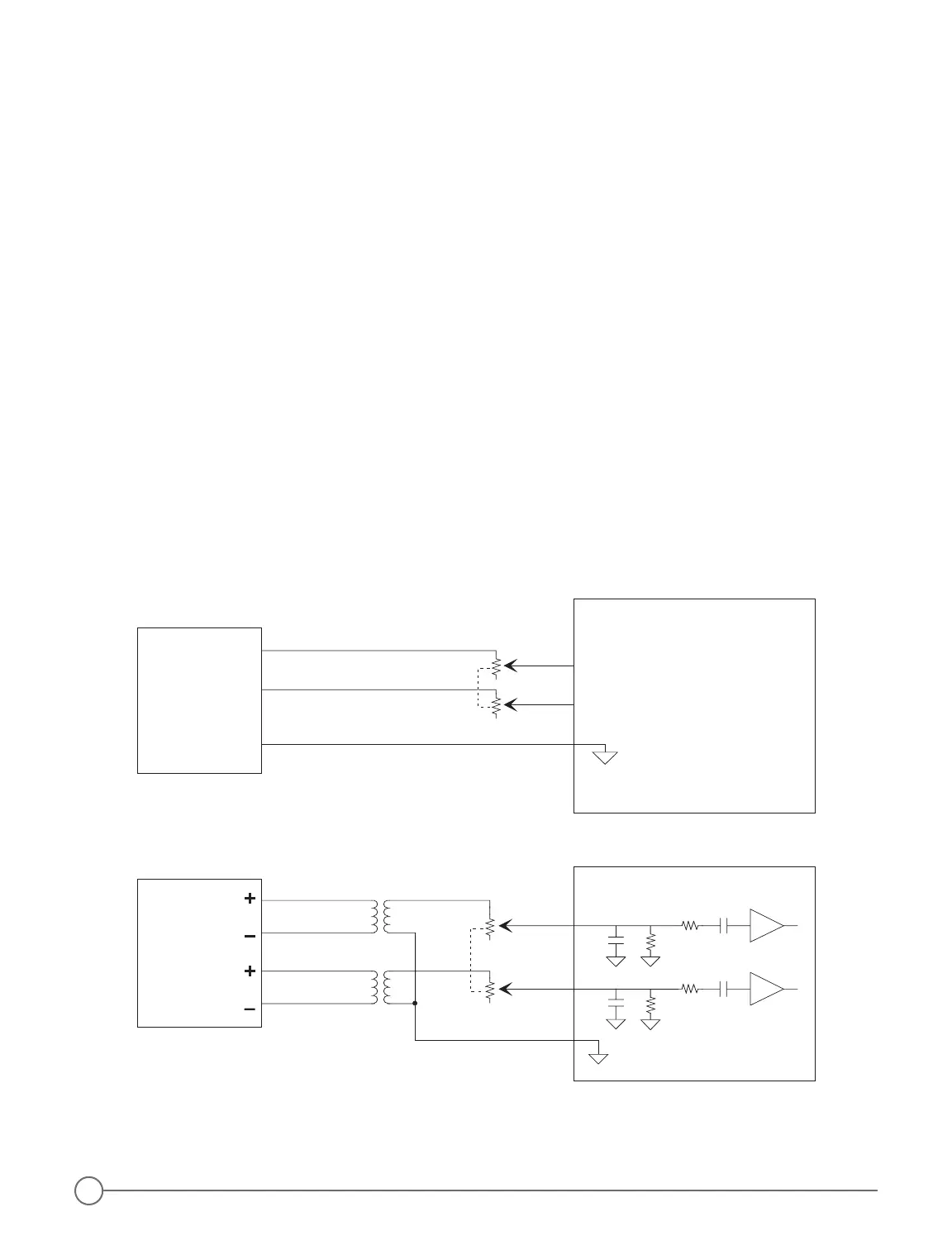
Pin numbers 18 and 19 are points of attachment for auxiliary input that will enable listening to another audio
source such as a tape player (page 4, Figure 6 and Figure 9 below).
To record from the intercom system, install a second 3.5 mm jack, and connect that jack by installing a 47 K
resistor in series to the pilot’s headphone output (pins 9 and 10).
CAUTION: do not combine both input and output functions on a single 3.5 mm jack.
Figure 9 - Connection to Stereo Inputs from Speaker Level (8 Ohm) Outputs


 To Next Page
 Loading...